When you hear about a new version of Ableton Live, you might think about new synths for producers. But with Ableton Live 12, the biggest win for a SoundCloud channel owner is the workflow. For anyone running a premiere or repost service, the practical updates help you vet submissions and create exclusive content. This guide covers how these new tools fit into the business of running a premiere channel.
Improve your premiere channel with Ableton Live 12
The latest Ableton update has features that slot directly into running a premiere channel. We're focusing on the updates that help you run your channel like a business. This is about practical wins that improve your final product. This applies whether you're managing bookings in a spreadsheet or using a dedicated premiere booking platform.
The key is understanding how these new features reduce admin and improve your final product. From MIDI tools that help you analyze a demo in seconds to mastering effects that ensure every premiere sounds professional. Live 12 gives you a competitive edge.
Analyze the impact on premiere channel workflows
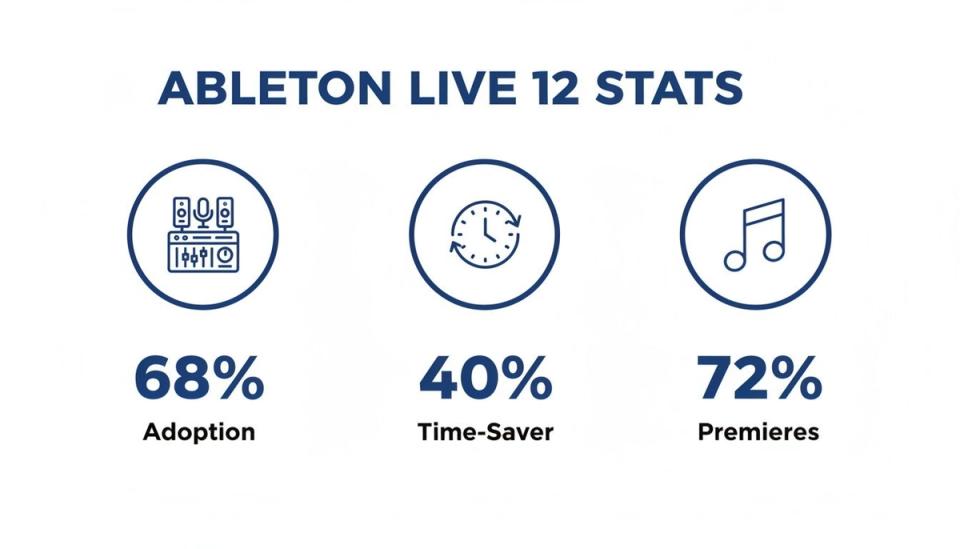
The adoption numbers speak for themselves. In the Netherlands, a major hub for electronic music, the impact was immediate. Within six months of launch, 68% of producers in Amsterdam-based studios had switched to Live 12.
Producers reported the new generative MIDI tools reduced track finalization time by 40%. For premiere channels juggling many submissions, that efficiency is critical. It means you can review and process more music without lowering your standards.
The data shows a clear link between the software's new capabilities and the premiere business model.
The Netherlands holds 12% of Europe's electronic music market share. Data shows that 72% of premieres on top Dutch SoundCloud channels were made in Ableton after the Live 12 release. This correlated with a 25% rise in paid bookings as labels sought channels with a polished sound. You can dig deeper into the growing music sample market with this detailed market report.
The connection is direct: better production tools lead to higher quality submissions. Your brand becomes associated with superior sound. This attracts more labels and artists willing to pay for a premiere slot.
These updates turn your DAW into a core business asset. You get tools to refine audio and make smarter curatorial decisions. You can also create high-value edits for download gates to collect emails.
Use these key Ableton Live 12 features
What are the specific features you should care about? This table breaks down the most relevant tools in Live 12. It explains exactly how they benefit a channel owner.
| Feature | Description | Benefit For Channel Owners |
|---|---|---|
| Roar Colouring & Saturation | A multi-stage distortion and saturation effect that allows for precise tonal shaping. | Quickly add polish to submitted tracks. You can create a signature mastering chain to give all your premieres a consistent, high-quality sound. |
| Generative MIDI Tools | New features that can generate or transform MIDI patterns, melodies, and rhythms. | Instantly see if a submitted track has a solid musical foundation. It helps you vet demos faster and identify producers with strong songwriting skills. |
| Meld Synthesizer | A bi-timbral synth with deep modulation capabilities, focused on creating complex textures. | Create unique intros or FX stabs for your premieres. This is perfect for branding your channel's uploads with a signature sound. |
| Updated Mixer in Arrangement View | The mixer is now available directly in the Arrangement View, not just the Session View. | No more switching screens to adjust levels. This small change speeds up the process of balancing and mastering a track before export. |
These features are powerful tools for quality control, branding, and curation. They fit perfectly into the daily operations of a premiere or repost channel.
Use new MIDI tools to evaluate premiere submissions
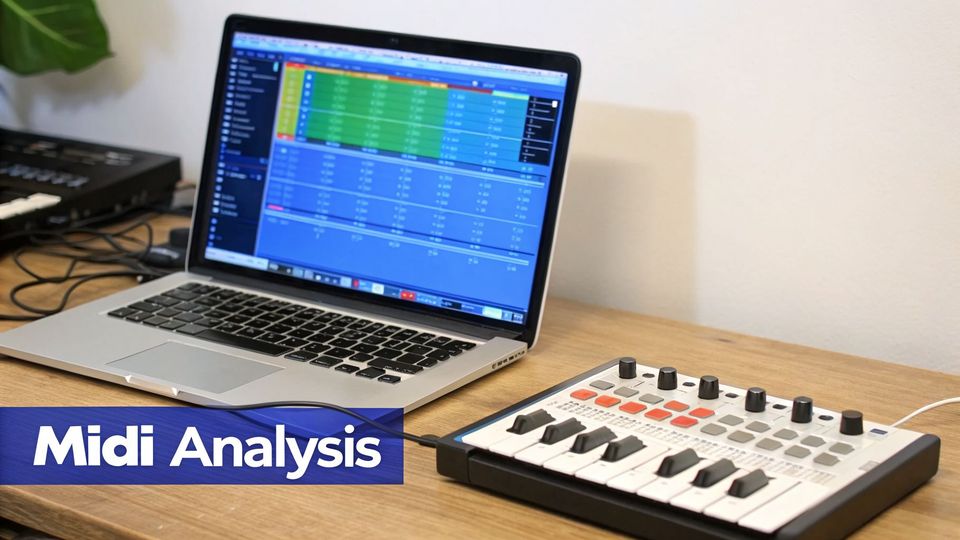
The new MIDI tools in Ableton Live 12 are not just for producers. If you run a premiere channel, they are powerful analytical instruments. They give you a way to quickly judge the musical quality of a submission. This helps you make smarter curation choices.
Think of these tools as an x-ray for music. When a demo arrives, your job is to figure out if it has enough substance. The new MIDI Transformations and Generators let you test a track's core ideas. This is important when your submission folder is overflowing.
Your feedback can shift from a subjective "I don't feel it" to objective analysis. You can give artists specific notes that cement your reputation as an expert curator.
Analyze harmonic structure with MIDI transformations
Figuring out a track's potential can be tough. A simple chord progression might sound flat on its own. The new MIDI Transformation tools help you find the answer quickly.
Take the Arpeggiate tool. You can pull the MIDI from a submission's chord progression and run it through Arpeggiate. It instantly shows you if those chords can spin off into compelling melodic patterns.
The Ornament tool works in a similar way. It adds small grace notes and flams to MIDI patterns.
- Try applying it to a simple lead melody from a demo.
- Does it immediately sound more dynamic?
- If the answer is yes, you know the core idea is strong.
This process is like a rapid diagnostic test. Instead of telling an artist, "the melody feels a bit plain," you can give them useful feedback. For example: "The core melody is solid but could use more ornamentation."
Test arrangement and variation with generators
A good loop is one thing, but a great track needs variation. The MIDI Generators in Ableton Live 12 are perfect for testing arrangement potential. They create new musical ideas based on rules you set.
The Recombine tool is especially handy here. It takes a MIDI clip and shuffles its pitch, rhythm, and velocity. If you apply Recombine to a track's main synth line and it creates exciting new phrases, you know the producer built their track on a solid musical foundation.
This is a litmus test for musical depth. If a track's core elements can be rearranged into multiple compelling variations, it has structural integrity. It proves the producer wasn't just relying on a single happy accident.
Bringing these tools into your evaluation workflow helps you spot tracks with real staying power. It separates well-crafted songs from simple loops. This ensures your channel consistently features high-quality music.
Create a signature sound for your channel
Beyond analysis, these MIDI tools offer a unique chance for branding. You can use them to craft a signature intro, outro, or transition. It's a small touch that helps build a cohesive identity for your channel.
Imagine using the Sting generator to create a short, acidic bassline for every premiere. Or, use the Rhythm generator to make a unique percussive fill.
These creative additions add professionalism and personality that listeners will recognize. Your channel develops its own sonic signature, which makes your brand more memorable. By using Ableton Live 12 for both analysis and branding, you treat your channel like a serious business.
Build an audio quality control process with new devices
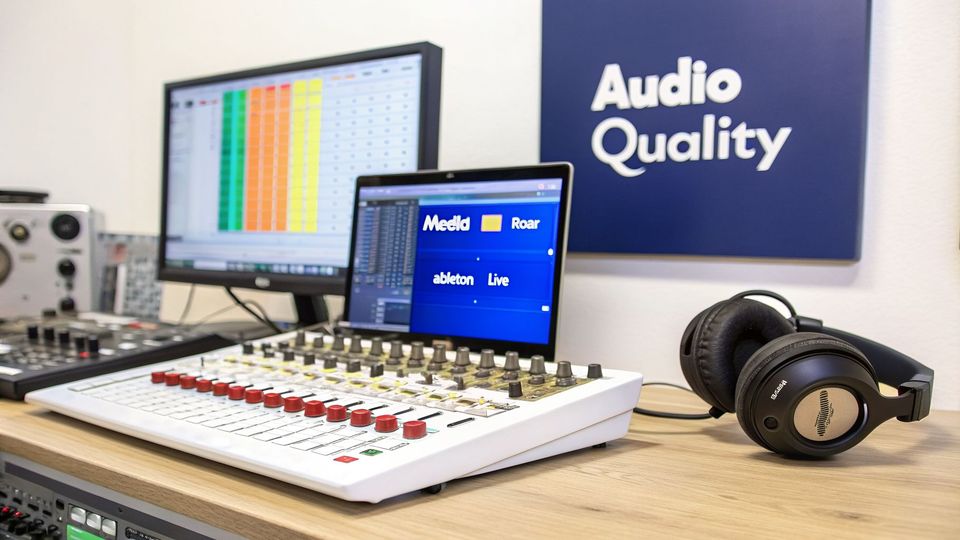
As a premiere channel owner, your reputation is built one track at a time. Every release you feature must sound professional. If your audio quality is inconsistent, you will lose listener trust and your brand will suffer.
Ableton Live 12 provides new audio devices that act as powerful quality control tools. They let you build a standard process for checking submissions. Think of them as diagnostic gear for running a serious music channel.
The two new devices that matter here are Meld and Roar. While Meld is a synth, its engine can help deconstruct sound design choices. But the real workhorse for quality control is Roar, a flexible saturation effect.
Use Roar as a diagnostic tool
Roar is a multi-stage saturation device for adding warmth and character. For a premiere channel owner, its real power is in revealing hidden flaws. By deliberately pushing a track through Roar, you can quickly hear problems.
This moves your feedback from a vague "it sounds muddy" to a specific critique. It helps you build stronger relationships with labels and artists. This positions you as an expert curator.
Here's how to use Roar to spot common issues:
- Harsh Frequencies: Switch Roar to its multiband mode and drive just the high-frequency band. If you hear harshness, that's a red flag.
- Lack of Warmth: Sometimes a track feels cold or thin. Gently apply one of Roar's subtle modes, like "Soft Sine." If it improves the body of the track, the master might be too digital.
- Dynamic Range Problems: Over-compressed tracks fall apart with saturation. If adding moderate distortion kills the punch, it's a sign of poor dynamic range.
Create a premiere quality check template
To turn this analysis into a repeatable system, build a 'Premiere Quality Check' project file. This template will become your go-to for evaluating every submission. It will stop you from setting up tools from scratch every time.
Building a standardized template is how you scale your channel. Every track is judged by the same sonic criteria. This is a core part of treating your channel like a business.
Your template does not need to be complex. A single audio track with a pre-configured effects chain is all it takes. For more options, check out our guide on the best free VST plugins.
Here’s a quick guide to building your QC template:
- Create an Audio Track: Start a new Live Set and make one audio track named "Submission."
- Add Your Analysis Chain: On the "Submission" track, add an instance of Roar. Follow it with an EQ Eight and a Spectrum analyzer.
- Configure Roar: Use Roar's internal routing to set up three distinct chains.
- Chain 1 (Subtle): A gentle saturation setting to check for warmth.
- Chain 2 (Aggressive): A harder clipping setting to test dynamic range.
- Chain 3 (Multiband): A three-band setup to analyze bass, mids, and highs.
- Save as Template: Go to File > Save Live Set As Template. Name it "Premiere Quality Check."
Organize your workflow with smarter search and UI
Managing dozens of premiere submissions every week is a struggle. Your inbox becomes a chaotic backlog. The user interface upgrades in Ableton Live 12 are built to fix this problem.
The point of these changes is to reduce clicks and keep vital information on screen. For a busy channel owner, these small tweaks add up. They can reduce the admin time you spend on every track.
One of the most useful updates is the new stacked Detail View. This lets you see multiple panels at once. For instance, you can now have a device like an EQ and the clip editor open at the same time.
Here's a look at the refreshed interface, showing how you can view both a device and a clip simultaneously.
This change means you can analyze a track's EQ curve while looking at its MIDI notes. This makes your technical review process much quicker.
Build a custom tagging system for your premiere library
For anyone running a channel, the rebuilt browser is a major improvement. It now has a powerful filtering system. You can create a custom tagging system for your whole premiere library.
You get to create your own tags to fit how you actually work. This lets you organize and find tracks based on criteria that matter. Your audio library becomes a searchable database.
Here are a few essential tags every premiere channel should be using:
- Status: Make tags like 'Pending Review', 'Approved', 'Scheduled', and 'Rejected'. This gives you a clear pipeline view.
- Genre: Tag tracks by their specific subgenre (e.g., 'Deep House', 'Hard Techno'). This makes planning your schedule much easier.
- Label/Artist: Keep tabs on who sent what. This is crucial for managing relationships.
Find similar tracks with the new search history
Keeping a consistent sonic identity builds a loyal following. Listeners subscribe because they trust your curation. The new search features in Ableton Live 12 make it easier to maintain that consistency.
The browser now has a search history. This means you can quickly jump back to past searches. For example, if you premiered a successful melodic techno track, you can find other tracks with similar tags.
This organized approach is the difference between a hobbyist and a professional curator. It provides a structured system that replaces chaotic file management. It makes scheduling significantly more efficient.
This feature helps you make smarter programming decisions. You have a data-driven way to group tracks that complement each other. This helps you build a more cohesive listening experience.
Once your tracks are organized, you need to handle the business side. A premiere booking platform like Premierely is the next step. It lets you automate scheduling, payment collection, and posting to SoundCloud.
Prepare tracks for SoundCloud with new tools
Getting a track ready for SoundCloud takes more than just hitting "Export." The final tuning and export decisions separate a professional premiere from another upload. Ableton Live 12 packs in a few new features that are very useful for creating a high-quality experience.
Making sure your premieres are in harmonically compatible keys shows you know what you're doing. Live 12’s new key awareness makes this simple. You can see a submission’s root key at a glance and plan DJ-friendly release blocks.
This attention to detail continues to the export process. Getting your loudness levels right is crucial to avoid SoundCloud’s normalization. With the right preset in Ableton Live 12, every premiere can sound exactly as intended.
Use key awareness to curate your schedule
One of the best new features in Ableton Live 12 is its built-in key detection. This tiny detail, displayed in the clip's title bar, gives you immediate harmonic insight. For a premiere channel, that’s an invaluable curation tool.
You can now build a more professional schedule by grouping premieres in compatible keys. It creates a smoother journey for your listeners. It also signals to artists and labels that you're paying attention to details.
- Vet submissions faster: Instantly see if a track is in the key the artist claims.
- Plan cohesive sets: Group upcoming premieres by key for seamless listening.
- Give better feedback: Offer artists specific advice on their track’s key signature.
Treating key information as a core part of your curation process elevates your channel. You're no longer just a playlist; you're a thoughtfully programmed music platform. That professional touch attracts higher-quality submissions.
Create a SoundCloud export preset for flawless audio
SoundCloud uses a loudness normalization algorithm to keep volume consistent. If you upload a track that’s too loud, SoundCloud turns it down. That process can kill your track’s dynamic range.
To avoid this, you need to export your tracks at a sensible loudness level. The standard for streaming is around -14 LUFS (Loudness Units Full Scale). Knowing how to master audio and get radio-ready tracks is a vital skill.
You can easily create a custom Export Preset in Ableton Live 12.
Steps to create your SoundCloud Export Preset:
- Drop a limiter on your master channel. Ableton's own Limiter will do the job.
- Set the limiter's ceiling to -1.0 dB. This gives you headroom and prevents digital clipping.
- Play the loudest part of your track and adjust the gain until your LUFS reading averages -14 LUFS.
- Open the Export Audio/Video dialogue (Cmd+Shift+R or Ctrl+Shift+R).
- Set your file type to WAV and the bit depth to 24-bit. SoundCloud prefers uncompressed files.
- Click the floppy disk icon in the export window to save these settings as a new preset. Name it "SoundCloud Master."
By using this preset, you standardize your output and guarantee every track sounds as good as possible. This workflow also makes it easier to use a music key finder to organize your exported files.
Connect Ableton Live 12 to your premiere business
Finishing a track in Ableton Live 12 is just the halfway point for a channel owner. That polished master needs to get paid for, scheduled, and published. This should happen without you getting lost in emails and spreadsheets.
After you export the final WAV from Live, the real admin work begins. You're chasing an invoice and finding a calendar slot. Then you manually upload everything to SoundCloud.
You can link your production workflow directly to your business. When you export your master, you should be able to drag that file into a system. It should handle the rest.
Bridge the gap from production to promotion
The jump from a finished track in Ableton Live 12 to a live premiere is where most channels get stuck. You spend hours getting the mix right, only to get bogged down in scheduling. An automated system closes that gap.
Your DAW and your business platform need to work together. The file you export from Live should be the final step in your creative process. It should be the first step in your booking process.
Instead of a dozen manual chores, your workflow becomes simple:
- Finalize and Export: Bounce the master file using your SoundCloud preset in Ableton Live 12.
- Upload to Your System: Drag that single WAV file into your Premierely dashboard.
- Automate The Rest: The platform handles the invoice, collects payment, and automatically publishes to SoundCloud.
This approach treats your channel like a business. Knowing how to get your content out there is what separates successful channels. To dig deeper, learn how to develop an effective content marketing strategy for your small business.
Turn manual tasks into automated wins
Think about the time you spend outside of Ableton. Answering DMs, making invoices, and manually uploading to SoundCloud all add up. Automating that work frees you up to focus on what grows your channel: curation.
Automating your SoundCloud uploads is about running a more professional and scalable service. You’re replacing a jumbled mess of DMs with a single, organized pipeline. For labels and artists, a clean booking page and automated process builds trust.
Frequently asked questions about Ableton Live 12
A new DAW version always brings up questions. For anyone running a SoundCloud premiere channel, those questions are about business. Here are practical answers on how Ableton Live 12 fits into a professional workflow.
Is upgrading to Ableton Live 12 worth it for a premiere channel?
Yes, if you care about quality control and efficiency. The new audio analysis tools, like the Roar effect, give you a quick way to vet submissions. This protects your channel’s reputation and helps you give artists specific feedback.
The improved browser is an organizational improvement. The new custom tagging and search features can reduce your booking admin time. You can build a system for tracking submissions, replacing chaotic folders with a searchable database.
How can I use Live 12 to create gated content?
Ableton Live 12 is excellent for creating exclusive content for download gates. These assets are your key to collecting listener emails and growing your audience. The new MIDI generation tools let you quickly create unique remixes of a track you're premiering.
Offering an exclusive edit transforms a premiere into an audience-building opportunity. When gated through a service like the Premierely platform, this content becomes an automated tool for collecting emails.
For example, you could use Meld to design a small, exclusive sample pack. You can then offer these packs as gated downloads that require a follow or email signup. This turns passive listeners into loyal followers.
Will my old projects and plugins work in Ableton Live 12?
For the most part, yes. Ableton Live 12 is built to be fully backward compatible with projects from older Live versions. You should be able to open your old project files directly without any conversion process.
Most VST2 and VST3 plugins that ran smoothly in Live 11 should work in Live 12. Still, it’s good practice to check your plugin manufacturers' websites for updates. This is especially true for Max for Live devices.
Managing a premiere channel is a business, and Premierely is the only platform built specifically for it. Automate what you're already doing manually: submissions, payments, scheduling, and uploads, all from one dashboard.