Learning how to master sound online is essential for a high-quality premiere. You only need to understand three tools: equalisation (EQ), compression, and limiting. These fundamentals make a track sound clean, punchy, and loud enough for platforms like SoundCloud. A proper master avoids turning your premiere into a distorted mess. For premiere channel owners, a well-mastered track reflects your brand's quality and attracts better submissions from labels and artists.
Set a professional standard with mastering fundamentals
Treating your SoundCloud channel as a business means every track must meet a professional standard. You do not need to be a world-class mastering engineer. But knowing the basics is non-negotiable for premiere channel curators.
This knowledge helps you set a baseline for quality. It also lets you have clear conversations with labels and artists. This ensures the files they send are ready for your audience. A consistent, high-quality sound becomes a core part of your channel's identity.
The main tools you will use are an EQ, a compressor, and a limiter. Each has a specific job in preparing a track.
Create clarity with equalisation (EQ)
Think of EQ as a tool for creating space and clarity. Its job is to adjust the volume of different frequencies. You carve away unwanted frequencies to let the good parts shine through. The main goal here is always balance.
A classic problem in many mixes is "muddiness" in the low-mid frequencies around 200-500 Hz. This is where basslines, kick drums, and synths often compete for space. A few small cuts with an EQ in this range can instantly clean up a mix.
A gentle boost in the high frequencies (above 8 kHz) can add "air" and brightness. This touch often makes a track feel polished and professional. It translates to a better listening experience on all systems.
Glue the mix together with compression
Compression controls the dynamic range of a track. This is the difference between its loudest and quietest parts. It is the "glue" that holds all the different elements together. The result is a more cohesive and powerful mix.
When used correctly, compression adds energy and control. Here is a breakdown of the controls:
- Threshold: This is the volume level where the compressor activates.
- Ratio: This decides how much the volume is reduced. A 4:1 ratio means for every 4 decibels over the threshold, the output only goes up by 1 decibel.
- Attack and Release: These settings control how fast the compressor reacts and lets go. A slow attack lets the initial punch of a kick drum through. A fast release can make the track feel more aggressive.
The idea is not to squash the life out of your music. It is about taming peaks and bringing up subtle details. This creates a more consistent listening experience.
For much electronic music, a slow attack, fast release, and a gentle 2:1 ratio is a great starting point. This helps glue the track together without killing the dynamic punch.
Maximise loudness with a limiter
A limiter is a compressor with a very high ratio, often 20:1 or more. Its job is to act as a brick wall. It prevents your audio from going over a set ceiling-usually just below 0 dBFS-to avoid digital clipping.
This is the last step in your mastering chain. It is how you achieve competitive loudness for streaming platforms. You can increase the track's level into the limiter to raise its perceived volume without clipping. Loudness is key, but it must be balanced with dynamics.
If you are looking to build your toolkit, check out our guide on the 12 best free VST plugins. It’s packed with great tools that can get you started.
SoundCloud's Music Intelligence Report 2026 shows electronic music made up over a third of uploads in 2025. This surge means fiercer competition. Premiere channels must present flawlessly mastered tracks to grab attention. You can learn more about the rising tides of electronic music on SoundCloud.com.
Hit the right loudness for SoundCloud's algorithm
Getting the loudness right is where most producers make mistakes when prepping a track for SoundCloud. The platform uses loudness normalisation. It keeps the listening experience consistent for everyone.
This means SoundCloud automatically turns down tracks that are too loud. Fighting this algorithm just makes your music sound worse. The secret is to work with it.
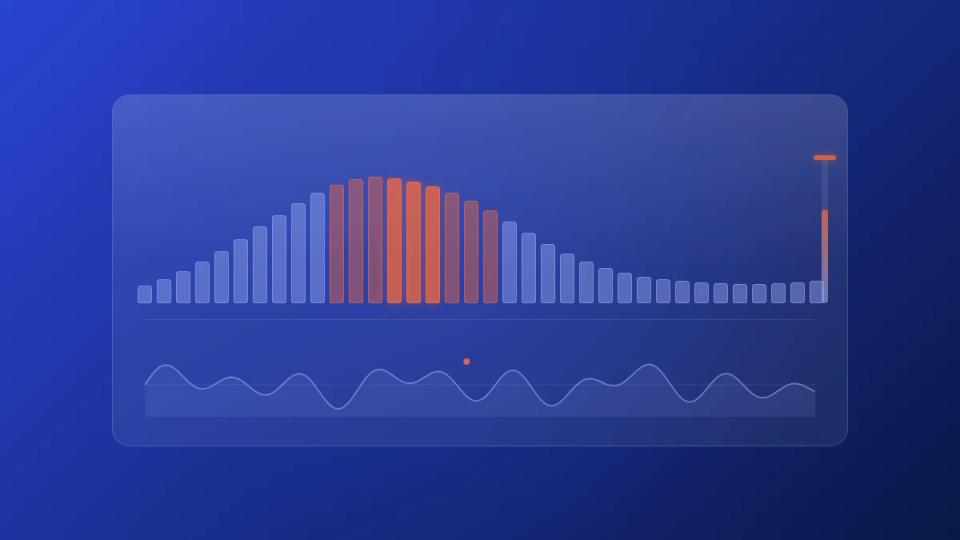
The key is understanding LUFS, or Loudness Units Full Scale. It is the modern way to measure perceived loudness. SoundCloud aims to play everything back at around -14 integrated LUFS. Mastering louder than that will just make your track sound squashed and lifeless after normalisation.
Our goal is to deliver a master that has punch and dynamic range after SoundCloud's processing. It is about making the track sound huge everywhere. For premiere channels, setting this as your standard reinforces your reputation for quality.
Understand LUFS and peak targets
You only need to watch three metrics during mastering. These are integrated LUFS, short-term LUFS, and your true peak level. Each one tells you something different about how your track will sound online.
- Integrated LUFS is the average loudness across your entire track. This is the main number SoundCloud’s algorithm watches.
- Short-Term LUFS measures loudness in a rolling 3-second window. It is perfect for checking how loud your drops or choruses are.
- True Peak is the absolute highest level your waveform will hit. Keeping this in check prevents distortion when your audio file gets converted.
Nailing these three targets means no bad surprises after you upload. A premiere channel that gets this right sounds noticeably more professional.
The biggest mistake is producers "over-limiting" a track to -7 LUFS. It might sound louder on their monitors. But once SoundCloud turns it down, it sounds weak next to a more dynamic master.
Use these recommended mastering levels for SoundCloud
So, what are the magic numbers? Sticking close to these targets is the most reliable path to a great-sounding premiere. If you run a channel, giving these specs to artists upfront will reduce booking admin.
This diagram breaks down the fundamental tools you will use to hit your loudness targets.
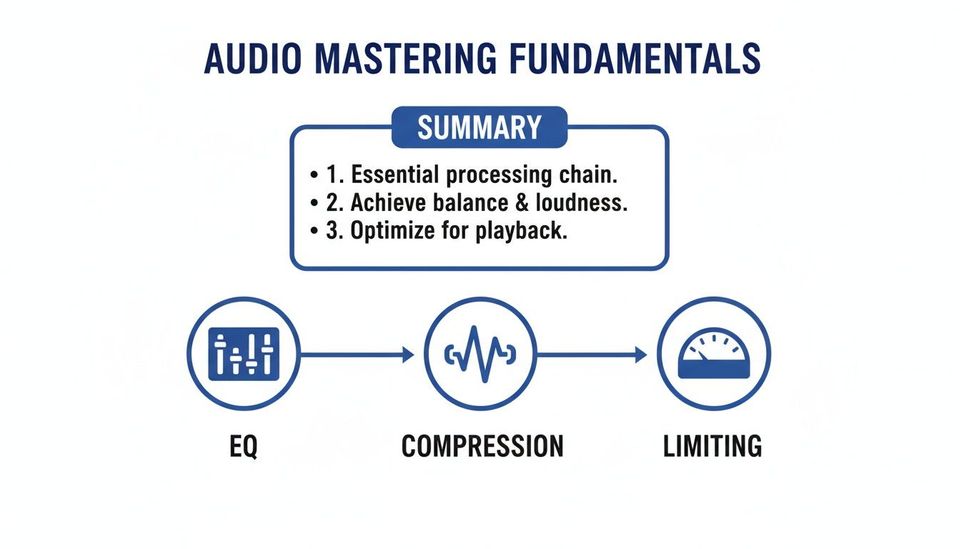
It is a balance of EQ, compression, and limiting. You are not just making it loud. You are shaping the sound so it has impact while respecting platform playback levels.
For a quick reference, here are the ideal targets we recommend.
SoundCloud mastering target levels
| Metric | Recommended Target | Reason |
|---|---|---|
| Integrated LUFS | -14 LUFS to -12 LUFS | Aligns with SoundCloud's normalisation, preventing the platform from turning your track down and crushing its dynamics. |
| Short-Term LUFS | -10 LUFS (Max) | Keeps your loudest sections punchy without sounding over-compressed, especially during drops. |
| True Peak | -1.0 dBTP to -0.5 dBTP | Provides enough headroom to prevent clipping or distortion when SoundCloud transcodes your file to a compressed format. |
When you master to these values, you are optimising the file for its listening environment. It’s a small step that signals a massive commitment to quality.
If you use a platform like Premierely, you can add these guidelines to your submission form. It is a simple way to automate quality control. It ensures every track you premiere sounds incredible.
Get your file formats and export settings right
Your export is the final, critical step. The settings you choose will define what your listeners and premiere channels hear. As a channel owner, file quality is everything. It is a direct reflection of your channel’s standards.
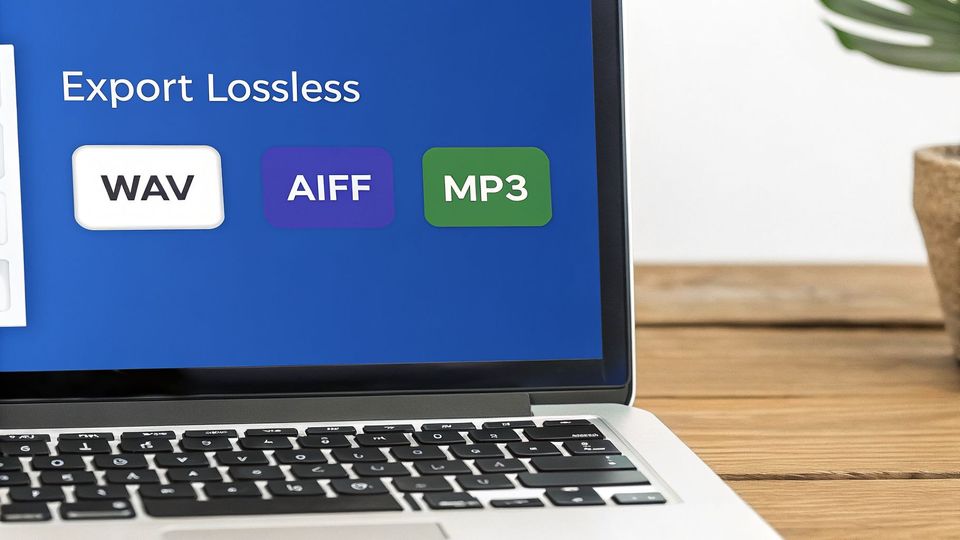
When accepting premiere submissions, you must set a clear quality bar. Insisting on a high-quality, uncompressed file is not just being picky. It is a simple rule that improves your entire operation.
Choose lossless over lossy formats
Audio files come in two types: lossless and lossy. Lossless formats like WAV and AIFF hold all of the original audio data. Lossy formats like MP3 remove parts of the audio to shrink the file size.
SoundCloud will compress whatever you give them for streaming. So you should always start with a lossless file.
- WAV (Waveform Audio File Format): This is the undisputed industry standard for mastering. It is uncompressed quality and a perfect snapshot of your final mix. Make this your non-negotiable requirement for every premiere submission.
- AIFF (Audio Interchange File Format): This is Apple’s version of WAV. It delivers the same lossless quality and works perfectly. It is completely interchangeable with WAV.
- MP3 (MPEG-1 Audio Layer 3): The classic "lossy" format. It is great for phones because of its small size. But it permanently throws away audio information. Uploading an MP3 to SoundCloud means it gets compressed a second time, which hurts the quality.
When a high-quality WAV is transcoded by SoundCloud, it holds up well. But when an MP3 is transcoded again, it's like making a photocopy of a photocopy. The quality loss is obvious.
For your premiere channel, make it a firm rule: WAV or AIFF files only. This guarantees that any automated system, like a premiere booking platform, uploads the cleanest possible audio.
Specify the right sample rate and bit depth
Beyond file type, two other numbers affect your final export: sample rate and bit depth. These settings control the resolution and dynamic range of your audio. Getting them right ensures maximum clarity.
A higher sample rate and bit depth capture more sonic information. For professional audio, the standards are clear.
Sample Rate
This is how many "snapshots" of the audio are taken per second. The final delivery standard for music is 44.1 kHz. It is the same as a CD and what SoundCloud expects. Exporting at this rate ensures no conversion issues.
Bit Depth
Bit depth determines your track's dynamic range. A higher bit depth means a lower noise floor and more headroom.
- 24-bit: This is the modern standard for mixing and mastering. It provides a huge dynamic range and flexibility. It is what you should be working with and exporting as.
- 16-bit: This is CD quality. It is an older standard. 24-bit is now the professional benchmark.
Your final export for any SoundCloud premiere should be a 24-bit, 44.1 kHz WAV file. This is the professional gold standard. It is a clean, high-resolution master perfectly prepped for any streaming platform.
Replace manual work with an automated submission system
A perfectly mastered track is just the start. If your submission process is a mess of DMs and emails, you cannot run your premiere channel like a real business. Moving away from manual back-and-forth is the only way to handle more submissions and look professional. An automated system manages everything from the first request to the final scheduled post.
This shift takes your channel from a time-consuming hobby to an efficient operation. You can finally stop chasing artists for metadata or following up on payments. An automated workflow lets you focus on curating and promoting the music.
This screenshot shows exactly what an automated system looks like.
The layout is built to collect everything you need right away. This includes the audio file, artwork, and all release details. This kind of organized approach is the first step in replacing a messy inbox with a working system.
Create a centralised submission page
The foundation of a good system is a single, public submission page. This page becomes your digital front door. It replaces scattered DMs and confusing email threads. It should be a simple form where labels and artists can provide everything in one shot.
The form must collect more than just the audio. It has to grab all the critical metadata required to master sound online and create a professional premiere. At a minimum, you need fields for:
- Track Title and Artist Name(s): For proper crediting and formatting.
- Label Information: Crucial for premieres submitted by record labels.
- Release Date: To coordinate your premiere with the official launch.
- High-Quality Artwork: A direct upload field for the cover art.
- Social Media Links: To tag the artists and labels in promotional posts.
Getting this information in a structured way ends the follow-up emails. It immediately sets a professional tone. It shows everyone you are running a serious operation.
Automate payments with Stripe integration
If you offer paid premieres, chasing payments by hand is a massive bottleneck. It drains your energy and hurts your cash flow. Integrating a payment processor like Stripe into your submission form is the best solution. It turns your premiere slots into an e-commerce product.
When an artist or label chooses a paid premiere, they are prompted to pay to finish the submission. This one change eliminates the need for manual invoicing or payment reminders.
By requiring payment at booking, you ensure every confirmed premiere is a paid premiere. This simple change moves your channel from chasing revenue to collecting it automatically. It solidifies your business model.
This automated collection process is a huge part of treating your channel like a business. It secures your revenue upfront. It lets you spend your time promoting music, not playing accountant.
Systematise scheduling and publishing
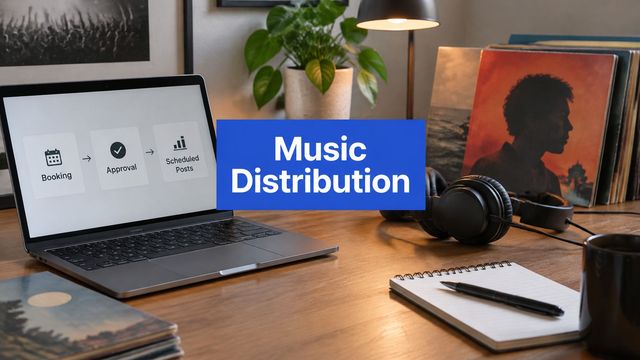
Once a track is submitted and paid for, the next manual task is scheduling the premiere. A proper automated system can handle this for you. It connects your submission form to a calendar and then directly to your SoundCloud account. This workflow turns your to-do list into a hands-off process.
A dedicated premiere scheduling tool gives you a visual calendar of all upcoming premieres. When a new submission is approved, you can drag and drop it into an open slot. The system then automatically publishes the track to your SoundCloud channel at the scheduled time. It pulls all metadata from the initial submission.
For anyone who wants to get into the technical side, learning about browser automation with Python can be a way to build a custom system. But platforms built for this already have a ready-made solution.
With a tool like Premierely, you can accept track submissions, collect payments, and schedule uploads – all from one dashboard. It automates what you're already doing manually. This frees you up to focus on growing your channel’s influence.
Turn premieres into long-term channel growth
A great-sounding premiere is the start, not the end. Every premiere needs to help you grow. Otherwise, you are just getting temporary spikes in plays, not building a real audience.
The single most effective way to do this is with a download gate. Instead of giving away a free download for nothing, you create a fair exchange. Listeners get the high-quality track, and you get the followers, engagement, and emails you need. A simple track premiere becomes a powerful audience-building machine.
Turn listeners into followers on autopilot
Think of a download gate as a friendly checkpoint. Before a fan can download the track, they have to complete a specific action. This is not a barrier; it is about building a community. You are offering something valuable-the mastered audio file-and asking for their support in return.
Your premiere booking platform should give you full control over these gates. A tool like Premierely Pro lets you require any combination of these actions:
- Follow your SoundCloud channel: The most direct way to boost your follower count with every premiere.
- Like the track: This signals quality to the SoundCloud algorithm and increases visibility.
- Repost the track: Amplifies your premiere’s reach by sharing it with that listener’s network.
- Leave a comment: Drives engagement and creates social proof that encourages more people to play.
This strategy ensures every download directly fuels your channel's key metrics. It turns passive listeners into active supporters. This makes your channel more attractive to artists and labels.
A download gate automates the audience growth process. It directly ties a track's popularity to your channel's follower count, creating a powerful feedback loop.
Build an email list you actually own
Beyond social metrics, download gates are perfect for building an email list. An email list is a direct line to your most dedicated fans. It is an asset you control completely, safe from any platform's algorithm. This is non-negotiable for running a premiere channel as a business.
It is as simple as setting your gate to require an email address to unlock the download. This step lets you collect contacts from listeners who like your taste in music. With this list, you can:
- Announce upcoming premieres to drive initial listens.
- Promote your paid premiere services directly to artists and labels.
- Share exclusive news about your channel, label, or events.
This is much more effective than a generic "sign up for our newsletter" box. For a deeper dive, check out our guide on how to use a SoundCloud email gate effectively.
Use data to prove your channel's value
The data from your premieres and download gates offers a clear picture of what your audience wants. Analyzing this data is how you refine your curation strategy. It also proves your channel's value to paying clients. A platform like Premierely Pro gives you analytics to see how each premiere performs.
Look at the numbers. Which tracks get the most downloads? Which get the most likes and comments? This data helps you make smarter curation decisions. You can consistently feature music that resonates with your audience.
When you can show a label concrete numbers, you are no longer selling vague "exposure." You are selling measurable results. That data-driven approach separates amateur channels from professional promotional partners.
Answer common mastering questions for premiere channels
As a channel owner, you are the final checkpoint for quality. Every track you premiere reflects on your brand. But what happens when a great track arrives with a poor master? Knowing how to handle these common mastering issues is what separates professional channels from amateur ones.
Let's cover the most frequent questions from channel owners about mastering. We'll discuss common mistakes, how to handle bad submissions, and if a "one size fits all" master is realistic.
What is the most frequent mistake when mastering for SoundCloud?
By far, the single biggest mistake is mastering the track way too loud. There is a myth that louder equals better. Producers often slam their limiters to hit aggressive targets like -8 LUFS. It might sound huge in their studio, but it falls apart on SoundCloud.
SoundCloud’s normalisation system turns down any track hotter than its target of roughly -14 LUFS. When that heavily squashed master gets turned down, its dynamic range is gone. The track ends up sounding weak and flat next to a more dynamic master.
To prevent this, you need clear rules for every submission:
- Target Integrated LUFS: Aim for a sweet spot between -14 LUFS to -12 LUFS. This range works with SoundCloud's system, not against it.
- True Peak Ceiling: Keep your peaks at or below -1.0 dBTP. This is non-negotiable for preventing clipping when SoundCloud transcodes the file.
The best fix is prevention. Educate the artists and labels submitting to you on these targets. A track properly prepared to master sound online will always sound better on your channel.
How should I handle a submission mastered too loud?
Getting an "overcooked" master will happen. You have a few ways to handle it. The right choice often depends on your relationship with the submitter and your channel's policies.
The best move is almost always to communicate. Politely reject the file and explain exactly why. Send them your mastering guidelines and explain that a less compressed master will sound punchier. This fixes the immediate problem and establishes your professional standards.
If you are in a tight spot with a deadline and a re-master is not an option, you could try a declipping plugin. Sometimes, these tools can bring some life back to a squashed file. But treat this as a last resort-the results can be unpredictable.
"A premiere channel’s value is tied to its quality control. It is always better to request a proper revision than to publish a sub-par master. Your long-term reputation depends on it."
The worst thing you can do is accept and post the track as-is. Doing so signals that your quality standards are low. This damages your brand over time. Protecting your channel's sound is key to building a respected name.
Can I use one master for all streaming platforms?
The short answer is yes, but you need to know what you are doing. Most major streaming players-Spotify, Apple Music, and YouTube-now use loudness normalisation. They all aim for a playback level around the -14 LUFS mark.
This means a single, well-prepared dynamic master can sound great everywhere. A track mastered to -14 LUFS with a true peak of -1.0 dBTP has become the unofficial universal standard. It is safe and effective.
That said, a few platforms have their own quirks:
- Spotify: Gives listeners "Normal," "Loud," and "Quiet" settings. These normalise to -14 LUFS, -11 LUFS, and -23 LUFS respectively.
- Apple Music: Their "Sound Check" feature normalises tracks to a slightly quieter -16 LUFS.
- Bandcamp: Does not use loudness normalisation by default, so tracks play at their original volume.
As a premiere channel focused on SoundCloud, your priority is optimising for that platform. A master made for SoundCloud is already perfectly suited for almost everywhere else. Requesting a 24-bit, 44.1 kHz WAV file mastered to -14 LUFS gives you a high-quality source that will perform reliably.
Managing a premiere channel is real work, and Premierely is the only platform built specifically for this business model. It turns premiere requests into a structured booking system, allowing you to accept submissions, collect payments, and schedule uploads from one dashboard.