
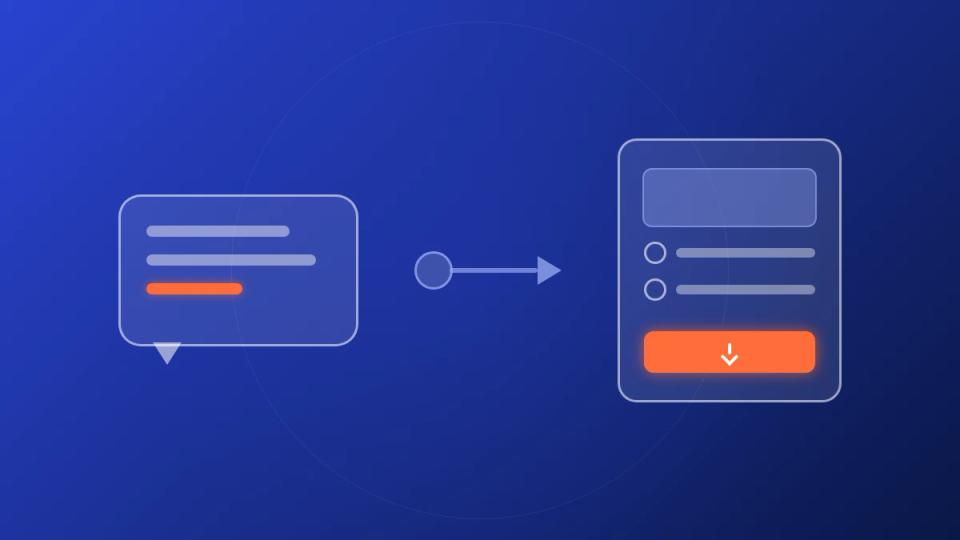
A download gate MCP is a Model Context Protocol server that connects an AI assistant such as Claude to your download gates. The assistant can then create, launch, and manage them by chat. Instead of clicking through a dashboard, you describe the gate you want, and the assistant builds it on your account. Premierely runs the first download gate MCP, live today for Pro channel owners.
If you run a SoundCloud channel, you already know the routine. A new free download goes out, so you open the gate tool and paste the track link. Then you pick the follow and repost actions, upload the file, and set it live. Then you do it again next week. A download gate MCP takes that routine and turns it into one message to your AI assistant.
What a download gate MCP is
A download gate MCP is an MCP server that exposes your download gate tools to an AI assistant. The assistant calls those tools on your behalf. So "make a follow-and-repost gate for this track" becomes a real gate on your account, built with your settings and branding.
The two halves of the name explain what it does. A download gate is a page where a fan completes a few actions and then gets the download. The actions are things like following your channel or reposting the track. MCP is the open standard that lets an AI assistant use outside tools. Put together, you get a gate builder that lives inside your chat window.
The reason this matters for a channel owner is simple. Gates are repetitive work with a few decisions inside them. That is exactly the kind of work an assistant handles well once it has the tools. You keep the decisions, the assistant does the clicking.
What MCP (Model Context Protocol) does
MCP, short for Model Context Protocol, is an open standard that gives AI assistants a shared way to connect to outside tools and data. Anthropic released it in November 2024, and it has since been adopted by Claude, ChatGPT, and most major AI coding tools. An MCP server publishes a list of tools, and the assistant decides when to call each one.
Before MCP, every app had to build its own plugin for every assistant. With MCP, an app builds one server and any assistant that speaks the protocol can use it. That is why a single Premierely connector works in Claude today and in other assistants that support custom connectors, without a separate integration for each.
The part that matters for your account is the sign-in. An MCP server like the Premierely one uses OAuth 2.1, the same kind of login flow you use to connect an app to Google. You sign in once, approve the connection, and the assistant gets an access token that only covers your own gates. You can read the full protocol on the Model Context Protocol site if you want the technical detail.
What the Premierely download gate MCP can do
The Premierely download gate MCP exposes 18 tools that cover the full life of a gate, from building it to pulling the leads it collected. The tools map one to one onto what you can do in the dashboard. Nothing you ask the assistant to do is a side door.
| What you ask for | Tools the assistant uses | What you get back |
|---|---|---|
| Build and launch a gate | launch_gate, create_gate, add_gate_action, set_gate_live | A draft or live gate with its public link |
| Edit an existing gate | update_gate, update_gate_action, reorder_gate_actions, remove_gate_action, duplicate_gate, delete_gate | The updated gate |
| Check results | list_gates, get_gate, get_analytics | Views, starts, and completions per gate |
| Pull leads | list_leads, export_leads_csv | Your lead list, or a CSV ready for your mailing tool |
| Set up once | update_branding, set_notification_prefs, resolve_soundcloud_url | Gate branding, completion alerts, and a checked SoundCloud link |
Gate actions work the same way they do in the dashboard. SoundCloud follow, like, repost, and comment are available to every channel owner. On Pro, once enabled for your account, you can also ask for Instagram, YouTube, Spotify, and Bandcamp follow actions. One gate can then grow more than one profile.
The reward side has three options. You can point the gate at a track that already lives in your Premierely account. You can give it an audio URL that Premierely hosts and plays on the gate page. Or you can send the fan to a link after they finish the steps. The assistant picks the right one from how you describe the gate, and asks when it is not sure.
How you connect Premierely to Claude
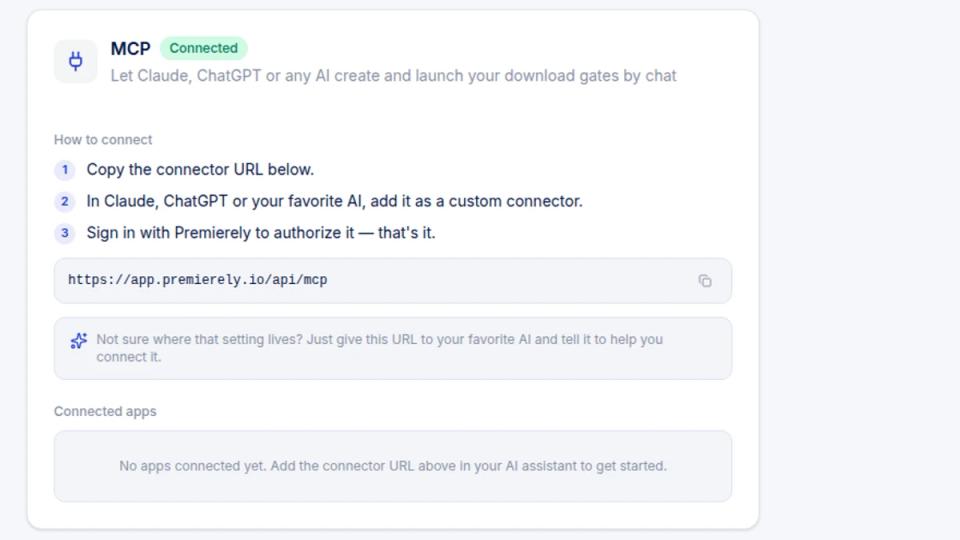
You connect Premierely to Claude by adding one address as a custom connector and signing in once. The whole setup takes about two minutes, and you can revoke it from the same screen any time.
- Open Settings > Integrations in Premierely and copy the connector address. It is
https://app.premierely.io/api/mcpfor every account. - In Claude, open the connectors menu, choose to add a custom connector, and paste the address.
- Sign in with your Premierely account when Claude asks, read what the connector can do, and approve it.
After that, Claude keeps the connection alive on its own. The access it holds expires and renews in the background, so you never re-enter a password mid-task. If you connect a second assistant later, it shows up as a separate connection, and you can revoke either one without touching the other.
The connector is a Premierely Pro feature. The download gate product page lists it next to the other gate features, and the Premierely Pro plan turns it on for your account.
How a gate goes from chat message to live link
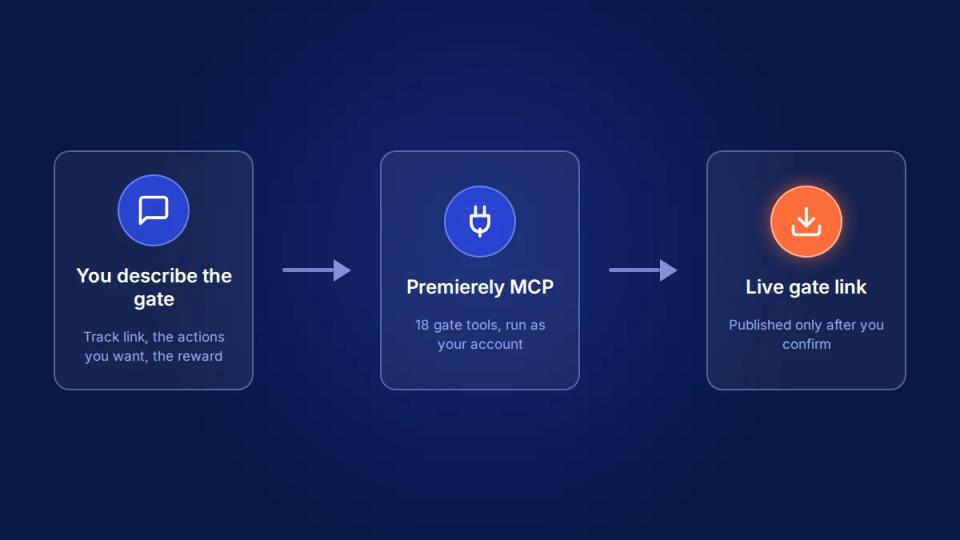
A gate goes live in three turns of conversation. You describe it, the assistant builds it as a draft and shows you what it made, and you confirm to publish. Here is what that looks like for a real release.
You type something like this:
Make a download gate for the new Märked release, soundcloud.com/marked/nv-reaper. Require a follow on the Märked profile and a repost of the track. Use the WAV I uploaded to the track as the reward.
Claude calls resolve_soundcloud_url to check the link, then launch_gate with the track reference, the two actions, and your saved branding. It comes back with the gate title, the actions in order, the reward type, and a preview link. It also tells you the gate is still a draft.
You reply "looks good, take it live." Claude calls set_gate_live with your confirmation and returns the public gate URL. You paste that link into the track description, and you are done.
The part I notice most after running Märked releases through it is what does not happen. I do not open the gate builder, scroll to find last week's gate to copy, or re-upload a file. Every Märked premiere already runs through Premierely, and the gate step was the last piece that still needed me in the dashboard.
Why the assistant never publishes or deletes without you
The assistant can prepare anything on your account, but two actions always stop and wait for your explicit yes. Taking a gate live and deleting a gate both require a confirmation in the tool call. The assistant asks you before it sends one.
This is a deliberate design choice. Speed is what you want while the assistant builds a draft. It turns into a liability the moment a half-finished reward would go public under your channel name. So the MCP server keeps the two irreversible steps behind a confirmation of their own.
Everything else about the connection follows the same idea. Every request runs as you, against your own gates and leads only. The server checks your plan and your account on every single call, not just at sign-in. And when you are done with an assistant, you revoke it from Settings and the access stops right away.
I have been clear on one thing since I started using AI in my own workflow. AI saves time and it does not do magic. The value here is the minutes you get back per gate, while you stay the one running your channel. That is why the assistant does the repetitive part and you keep the two decisions that matter.
Frequently asked questions
Can an AI create a download gate for me? Yes, if your gate tool has an MCP server. Premierely's download gate MCP lets Claude create a gate with actions, a reward, and your branding from one chat message. It publishes only after you confirm.
Do I need a Claude account to use the Premierely MCP? You need an AI assistant that supports custom connectors, plus a Premierely Pro account. Claude is the one this guide shows, and the same connector address works in other assistants that support MCP.
Is there a download gate API I can use instead? The MCP server is the supported way to work with gates outside the dashboard. It speaks a standard protocol, so any MCP client can use it, and it enforces the same ownership and plan checks as the app.
Can the assistant see other people's gates or leads? No. Every call runs as your account and only touches gates, leads, and settings you own.
Is the download gate MCP available on the Free plan? No. It is a Premierely Pro feature. Free accounts keep the full dashboard gate builder with up to three active gates.
What happens if I stop using the assistant? Go to Settings > Integrations and click Revoke next to the connection. Access stops immediately, and your gates stay exactly as they are.
Key takeaways
- A download gate MCP is an MCP server that lets an AI assistant build and manage download gates on your account by chat.
- MCP is the open standard from Anthropic that gives assistants a shared way to use outside tools, so one connector works across assistants.
- Premierely's download gate MCP exposes 18 tools that cover building, editing, analytics, leads, and branding.
- Setup is one address, one sign-in, and an approve click, with revoke available from the same screen.
- Publishing and deleting always wait for your confirmation, so the assistant moves fast on drafts and never on irreversible steps.
If you run a premiere or repost channel, Premierely is the booking system that takes a track from submission to scheduled upload. Now it builds the download gate for that track from a chat message too. The MCP is live on Pro today. Still choosing a gate setup? Read the guide to download gate tools for SoundCloud. Moving from another tool? The Hypeddit alternatives comparison covers that.
About the author: Gino Gagliardi runs the techno label Märked, which has published over 550 premieres and grown to 19K+ SoundCloud followers. He also builds Premierely, the booking system that runs every one of those premieres. He uses the download gate MCP on his own releases.
Sources: