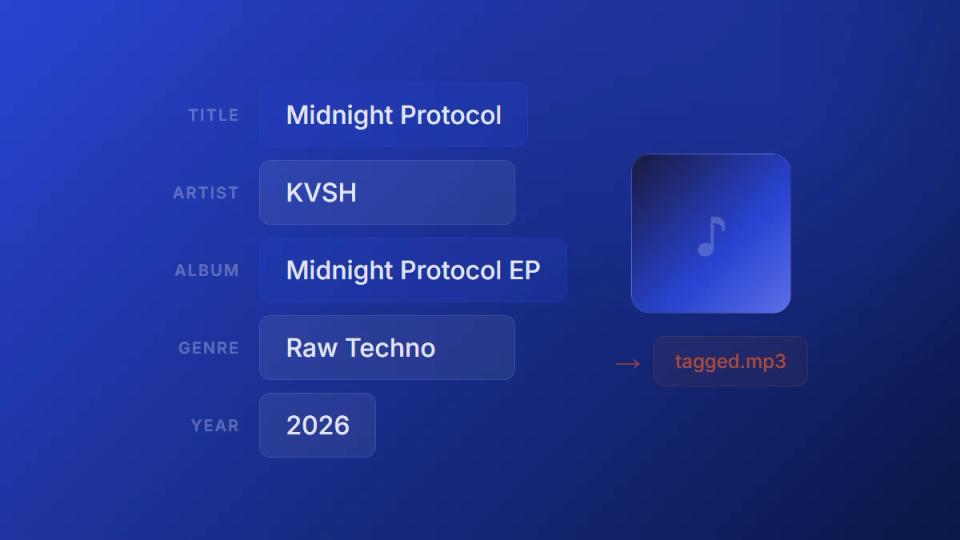
ID3 tags are the metadata stored inside an audio file: title, artist, album, genre, and artwork. This guide explains what each field does, which ones music platforms actually read, and how to fix them before you send a track out. If you just want to edit the fields right now, use the free audio metadata editor – it runs in your browser and never re-encodes your audio.
When someone downloads your track, that data shows up in their music player, file explorer, or DJ software. Missing or wrong tags make your release look unprofessional before anyone hits play.
Premierely’s MP3 tag editor fixes that in seconds. Drop your files in, fill in the fields, and download. Your audio stays untouched.
Why MP3 tags matter before you upload
MP3 tags tell every music player, streaming service, and file browser what your track is and who made it. Without proper tags, your release shows up as “Unknown Artist – Track 01” no matter how good it sounds. Getting this right takes less than a minute and changes how your music is perceived everywhere.
This matters across the entire music chain:
- SoundCloud uploads – Title, artist, and genre populate from file metadata. Wrong tags mean wrong display on your profile.
- Premiere submissions – Channel owners receiving tracks expect proper labeling. A file called “final_mix_v3.mp3” with no tags creates extra work for everyone.
- DJ libraries – DJs organize tracks by metadata. No genre or artist tag means your track gets buried in a library of thousands.
- Download gates – When fans download gated tracks, the file they receive is only as professional as the metadata inside it.
According to Reprtoir, the music industry loses an estimated $100 million annually from missing or inaccurate metadata. At the individual level, tagging errors lead to lost streams, missed royalties, and rejected distributions.
How to edit MP3 tags online in 4 steps
This MP3 tag editor runs entirely in your browser. Your files never leave your device – there’s no server upload, no account needed, and it works on any modern browser across desktop and mobile. For MP3 files, the tool strips the old ID3 tag and writes a new one while leaving the audio data completely untouched.
Here’s the workflow:
- Drag and drop your audio files – supports MP3 and WAV up to 50MB per file
- Fill in the metadata fields – title, artist, album, genre, year, track number, and more
- Add cover artwork – upload an image and it auto-resizes to 500x500px
- Download – save individual files or grab everything as a ZIP

Drop your files into the editor or click to browse. Supports MP3 and WAV up to 50MB per file.
The editor reads existing tags from your files automatically. You can update specific fields without clearing everything else. And because there’s no re-encoding, processing is nearly instant regardless of file size.
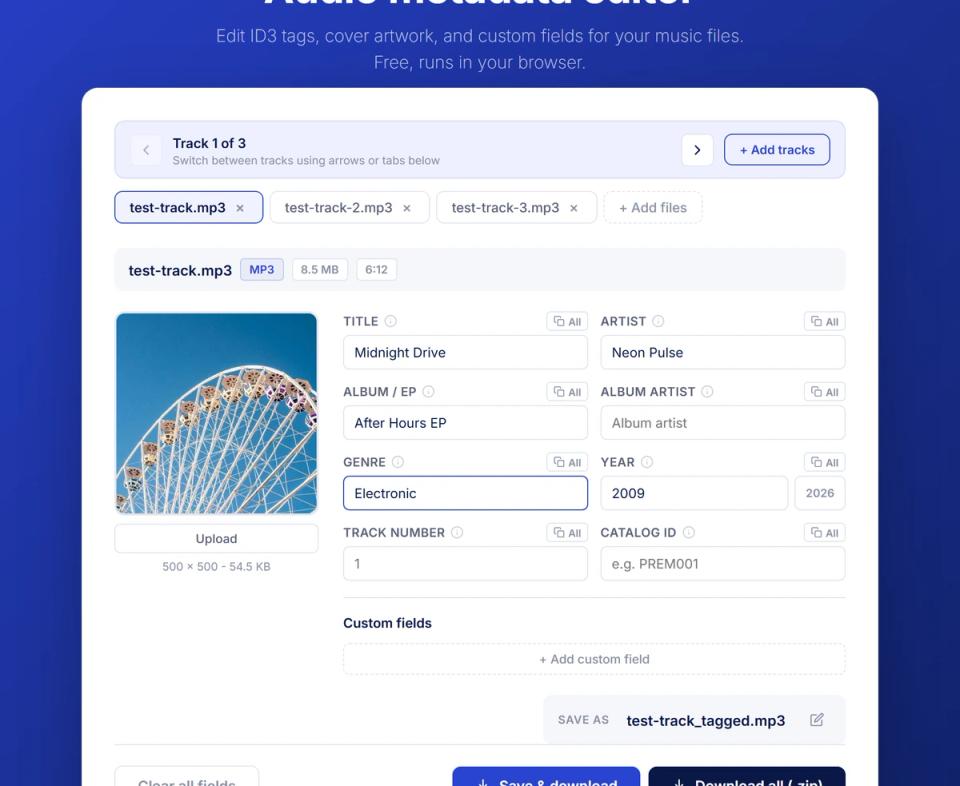
The editor with three tracks loaded, metadata fields filled in, and cover artwork embedded. Save individual files or download everything as a ZIP.
What ID3 tag fields can you edit?
The editor writes ID3v2.3 tags for MP3 files and RIFF INFO chunks for WAV files. These are the two most common audio formats in music production and promotion. Both tag formats are read by every major music player, DJ software, and streaming platform. Here’s every field you can edit in this MP3 metadata editor:
| Field | ID3v2 frame | What it controls |
|---|---|---|
| Title | TIT2 | Track name shown in players |
| Artist | TPE1 | Performer or act name |
| Album | TALB | Album or EP title |
| Album artist | TPE2 | Primary artist for compilations |
| Genre | TCON | Genre classification |
| Year | TYER | Release year |
| Track number | TRCK | Position in album or EP |
| Catalog ID | TXXX | Internal label reference |
| Cover artwork | APIC | Embedded image (500x500px max) |
Custom fields use TXXX frames – key-value pairs for anything the standard fields don’t cover. Add catalog IDs, label names, or other internal reference data that travels with the file.
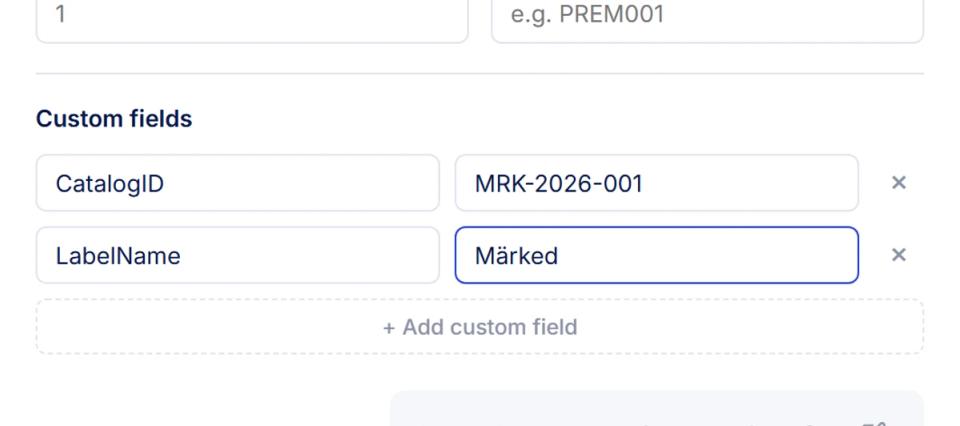
Custom fields let you store any key-value data inside the file. Here a catalog ID and label name are added as TXXX frames.
How to add cover art to MP3 files
Adding cover art to your MP3 turns a generic file into something that looks professional in every player and library. The editor accepts any image format, resizes it to a maximum of 500×500 pixels, and embeds it as a JPEG APIC frame directly inside the file.
Here’s how it works:
- Load your MP3 or WAV file into the editor
- Click the artwork area to open the image picker
- Select your cover image – any format works (JPG, PNG, WebP)
- The tool auto-resizes to 500x500px and embeds it as JPEG
According to the ID3 specification, both PNG and JPEG are valid APIC formats, but JPEG produces smaller embedded file sizes. This keeps the overall file size reasonable while maintaining clear display quality across players.
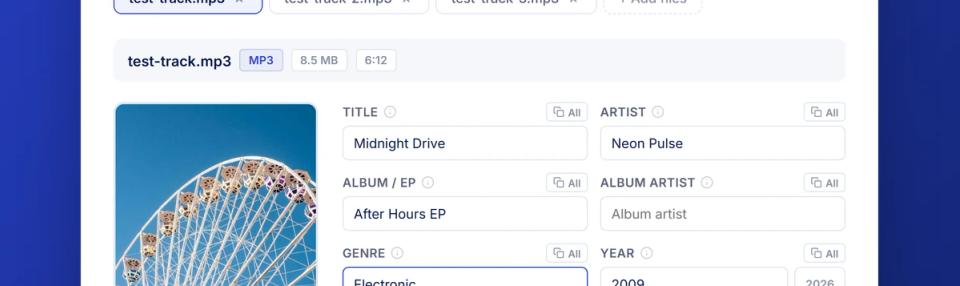
The uploaded image is resized to 500x500px and embedded directly inside the MP3 file as an APIC frame.
The embedded artwork travels with the file permanently. Whether someone opens it in iTunes, VLC, Serato, or a file browser – the cover art shows up. No external image file needed.
How to batch edit MP3 tags across a full EP
Most free MP3 tag editors handle one file at a time. This tool supports multi-file editing, which means you can upload an entire EP at once. Switch between tracks using tabs, and copy shared fields like album name, artist, genre, and year to all tracks in one click.
Here’s how batch editing works:
- Upload multiple files – drag your full EP or release into the editor at once
- Set shared fields – album name, artist, genre, and year apply across all tracks
- Set unique fields – title, track number, and artwork per individual track
- Download all – grab everything as a ZIP with all metadata written

Three tracks loaded at once. Switch between files using tabs or arrows, and use the “All” buttons to copy shared fields across every track.
This is built for real release workflows. When you’re preparing a 4-track EP for upload, editing each file individually in separate sessions wastes time. Load them all, fill in shared data once, tweak track-specific fields, and export. The whole process takes under a minute for a typical release.
How metadata fits into the premiere and repost workflow
For SoundCloud channel owners running premieres and reposts through Premierely, metadata is part of the upload pipeline that often gets skipped. When a label submits a track for a premiere, that file needs correct tags before it goes live on the channel.
For channel owners receiving tracks:
– Labels send you files for premieres. Those files don’t always arrive with clean metadata.
– Before uploading to SoundCloud, run them through the MP3 tag editor to verify and correct tags.
– Correct metadata means SoundCloud auto-populates title, artist, and genre during upload – less manual entry.
For artists and labels submitting tracks:
– Proper metadata on your submitted file signals professionalism to channel curators.
– When your premiere goes live, the metadata travels with every download through a download gate.
– Fans who grab your track through a gated link get a properly tagged file – not a mystery MP3 with no info.
After tagging your files, the tool connects you to SoundCloud channels where you can book premieres and reposts directly through Premierely.
The MP3 tag editor pairs well with Premierely’s other free tools. After tagging your files, use the audio fade tool to add clean intro and outro fades before final upload.
Key takeaways
- MP3 tags are what make your audio file identifiable – without them, players show “Unknown Artist” regardless of how good the music is
- The tool writes tags without re-encoding – your audio quality stays exactly the same, only the metadata changes
- MP3 and WAV are fully supported – ID3v2.3 for MP3, RIFF INFO for WAV, covering the two most common formats in music production
- Cover art embeds directly into the file – upload any image and the editor resizes and writes it as an APIC frame that shows up in every player
- Batch editing saves real time – tag an entire EP at once instead of editing files one by one
- Everything runs in your browser – no server uploads, no account, no installs, works on any device
Try the MP3 tag editor free in your browser. And if you’re a SoundCloud channel owner managing premieres, reposts, and submissions in one place, check out Premierely.
Sources:
– ID3.org – ID3v2.3.0 specification
– Reprtoir – Why metadata makes or breaks your digital distribution
– Audiodrome – ID3 tag: definition, structure, and common tag fields
– Wikipedia – ID3