Getting access to a Spotify for Artists account is the first step to proving your promotional value. It is the dashboard where artists manage their profile, see listener data, and pitch new music. For SoundCloud channel owners who treat premieres and reposts as a business, understanding this is critical. It is how you show clients that your premieres translate into real streams and listener growth.
Claiming and Verifying an Artist Profile
Before an artist can see the results of your work, they need to own their profile. Guiding them through this claim process shows you are a professional operator. It turns your premiere service into a true partnership backed by data.
The process starts on the Spotify for Artists website. The artist or their manager just needs to log in with a regular Spotify account. Then they search for their artist name to begin the process.
The Two Paths to Verification
There are two main ways to get verified, and one is much faster. The quickest route is by using a preferred distributor like DistroKid or TuneCore. These distributors have a direct line to Spotify, which automatically confirms the artist's identity.
The second option is manual verification. This is for artists whose distributor is not a preferred partner. They will need their artist URI, which is the unique code for their profile on Spotify. To find it, they go to their artist page, click the three dots, choose "Share," and then "Copy Spotify URI."
Verification is about trust and authenticity. It is a stamp of legitimacy for listeners and for the platform itself. This is a fundamental part of any serious promotion.
For manual verification, they must also link a social media account to help prove their identity. Spotify’s team then reviews the request, which usually takes a few days. While every platform is different, understanding verification, like learning how to get verified on YouTube, provides a good frame of reference.
Once approved, they get full access. For a channel owner using a premiere booking platform like Premierely, this is the moment you can ask for 'Viewer' access. Now you can pull post-campaign reports and show them the tangible growth you’ve driven.
Set up a professional Spotify artist profile
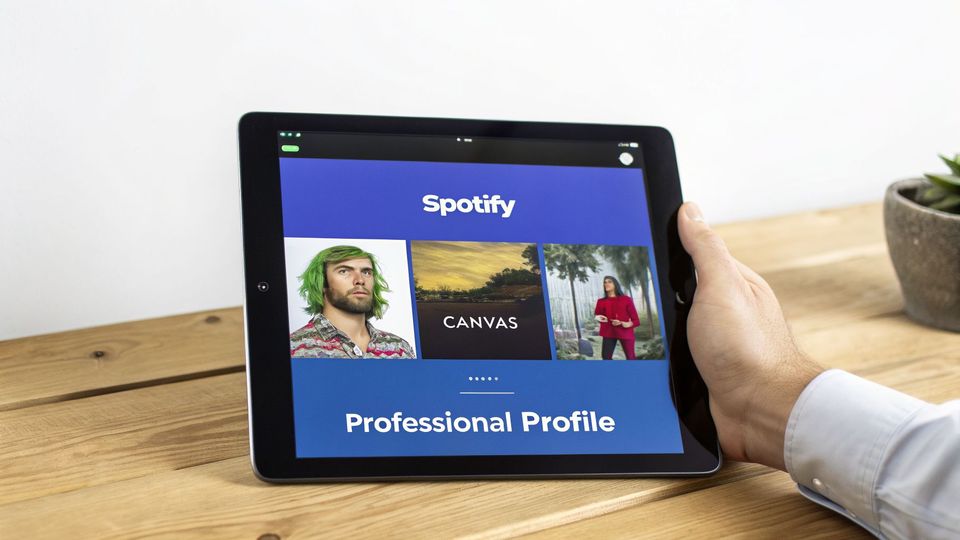
You have landed a premiere, and the traffic is flowing to the artist’s Spotify page. If that page has no bio, default images, and zero personality, you are losing potential fans. An empty profile kills momentum.
It tells new listeners the artist is not active or invested. This undermines the hype your premiere just built. As a channel owner, you must ensure artists you feature are ready to capture the audience you send them.
The Bio is the Story
The artist bio is the first real connection a potential fan makes with the person behind the music. Spotify gives you 1,500 characters to tell a compelling story. Artists should discuss musical influences, the project's origin, or what makes the sound unique.
On top of that, artists can link out to their Instagram, X (formerly Twitter), Facebook, and Wikipedia pages. This turns a passive listener on Spotify into an active follower across their social presence. Make this a required step for every artist you premiere.
Nail the Visual Identity
First impressions are everything, and on Spotify, that starts with images. A profile with high-quality, on-brand visuals immediately looks more legitimate and professional. Low-resolution pictures signal an amateur operation.
Spotify's requirements are specific:
- Header Image: At least 2660px by 1140px
- Avatar: At least 750px by 750px
Beyond the basics, the image gallery is a fantastic tool for giving fans a look behind the curtain. Artists can upload up to 125 photos showing their creative process, live shows, or studio life. It builds a much deeper connection than the music alone.
A polished visual identity builds trust. It shows new fans that the artist is serious about their career. This turns the traffic from your premiere into a real, long-term asset.
Activate Spotify Canvas
One of the most engaging features inside a spotify for artists account is the Canvas. This lets artists add a short, looping video (3-8 seconds long) to every track. It is a simple feature with a massive impact.
Tracks with a Canvas see a big lift in shares, streams, and playlist adds. It's a dynamic, eye-catching element that makes the listening experience feel more immersive. For a premiere, this is a must-have. It makes the track instantly more shareable and gives new fans a richer first impression.
Spotify Profile Optimization Checklist
Here's a quick checklist to run through with every artist you work with. Completing these steps ensures their profile is ready to convert the new traffic you're sending their way.
| Profile Element | Best Practice | Impact on Engagement |
|---|---|---|
| Avatar Image | Use a clear, high-resolution headshot or logo (750x750px min). | Instantly recognisable and professional. |
| Header Image | Use a high-quality, on-brand image (2660x1140px min) that reflects the artist's aesthetic. | Sets the visual tone for the entire profile. |
| Artist Bio | Fill out the 1,500-character bio with a compelling story. Mention influences, background, or a mission statement. | Connects fans to the artist's story, turning passive listeners into followers. |
| Image Gallery | Upload behind-the-scenes photos, live shots, or press photos to give fans a deeper look. | Builds a stronger personal connection and shows an active career. |
| Social Links | Add links to Instagram, X, Facebook, and Wikipedia. | Funnels Spotify visitors to other platforms where they can follow and engage. |
| Artist Pick | Highlight a new release, a playlist they're featured on, or a playlist they've curated themselves. | Directs traffic to the most important content right now. |
| Canvas Videos | Add a 3-8 second looping video to key tracks, especially new releases. | Increases track shares, streams, and adds to user playlists significantly. |
| Merch | Connect a Merchbar or Shopify integration to sell products directly on Spotify. | Creates a direct revenue stream from engaged listeners browsing the profile. |
Running through this list before a premiere goes live ensures the promotion has a lasting effect. A professional profile works for you, turning every new listener into a potential long-term fan.
Give your team and partners the right access

Releasing a track is a team effort. You have the artist, manager, publicist, label, and you-the premiere channel owner. Your Spotify for Artists account is built for that reality.
Instead of passing around the main password, you can grant different levels of access. For channel owners, this is a way to prove your value and build a lasting partnership. When you understand access levels, you position yourself as an essential part of their growth strategy.
Understanding the Different Access Levels
Spotify gives you a tiered system to control who can do what inside an artist's account. This keeps sensitive information protected while letting partners get work done. Sharing logins is unnecessary and amateur.
Here are the three roles you need to know:
- Admin: This is full control. Admins can edit the artist profile, see all analytics, and invite new team members. This level is almost always just for the artist and their direct manager.
- Editor: Editors can do most things an Admin can. They can tweak the profile, view analytics, and pitch upcoming tracks. They cannot invite or remove team members. This is the perfect role for a label partner.
- Viewer: Viewers get read-only access to the analytics section. They can see all the data but cannot change anything on the profile. This is the ideal access level for you, the premiere channel owner.
Gaining 'Viewer' access turns a one-off premiere into a data-backed partnership. It lets you show an artist the listener spikes, playlist adds, and follower growth that happened right after your promotion. This justifies your fees with concrete results.
How to Manage Your Team and Partners
Inviting someone is incredibly straightforward. The account Admin just needs to head over to the 'Team' section, click 'Invite,' and enter the person's info. Then they select the right access level-Admin, Editor, or Viewer.
If you run your premiere channel like a business, requesting 'Viewer' access should be standard. It signals professionalism and shows you are confident in the results you deliver.
This access allows you to stop guessing and start showing real data. You can demonstrate exactly how your SoundCloud premiere drove tangible results on Spotify. Suddenly, your service is a reportable marketing campaign with a clear ROI.
For channel owners using a premiere booking platform like Premierely, this approach fits perfectly. You’re already turning email requests into a booking form. Now, you can use the hard data from Spotify to prove your value and encourage repeat business.
Use analytics to show tangible promotional results
Data is the only proof that matters when you're charging for promotion. When you run a premiere, your client's Spotify for Artists account becomes the source of truth. It turns your work into a measurable event with a clear return on investment.
Your main destination is the 'Audience' tab. This is where you’ll find the core metrics that prove your value: streams, listeners, and followers. These are the numbers labels and artists actually care about. A sharp spike in listeners right after your premiere is the cleanest evidence of your impact.
Moving Beyond Basic Stream Counts
A jump in streams is great, but sophisticated clients want to see more. The real power of Spotify for Artists is digging deeper into where those streams came from. This is how you transform your service from a simple premiere into a strategic campaign.
Here’s where to focus your attention:
- Source of Streams: This tells you how people discovered the track. A huge win is a spike in streams from "Other listeners' playlists" or "Algorithmic playlists". It’s proof your premiere created enough buzz to trigger Spotify’s own machine.
- Audience Demographics: This is where you can see the age, gender, and location of the new listeners. If your premiere channel targets techno fans in Berlin, this data proves you hit your target. You are getting the right plays.
- Follower Growth: A new listener is good for a day. A new follower is a fan for the long haul. Tracking the increase in an artist's followers after your premiere is a powerful metric. It shows you are helping build a sustainable career.
Your analytics dashboard is your report card. You can screenshot the 'Audience' tab, send it to a client, and show how your premiere led to a listener jump. That is how you prove your promotional power is targeted and effective.
This connects your promotion to real growth on the platform that pays artists. The financial incentives are huge. Dutch artists on Spotify can see average payouts of $0.003–$0.005 per stream. With independent artists globally earning over $5 billion in 2024 royalties, your ability to drive streams directly impacts an artist's income. You can discover more insights about these Spotify statistics on ourownbrand.co.
Turning Data into a Compelling Report
Your job is to frame data in a way that makes sense to your client. After a campaign wraps up, pull together a simple report. Combine screenshots of the key metrics with a few sentences explaining what they mean.
Show them the 'before and after' picture. A graph showing a flat line of daily listeners that suddenly spikes on your premiere day is very persuasive. Don't forget to highlight playlist adds as a key performance indicator. You can learn all about Spotify playlist analysis in our dedicated article. This approach turns you into a trusted partner, justifying higher fees and locking in repeat business.
Pitch new tracks to Spotify's editorial playlists
Getting an artist onto a major Spotify editorial playlist provides exposure to a massive audience. The key is the pitching tool built into every Spotify for Artists account. As a premiere channel owner, your power is coordinating a release strategy around this feature.
Your premiere can be the catalyst that gives a track the momentum it needs. But there's one golden rule: timing. The track has to be unreleased and pitched at least seven days before its release date. This is not a suggestion. It is the minimum lead time Spotify's editorial team needs to review the track.
The Pitching Form: A Guide for Artists
When an artist pitches their track, they will be asked to fill out a form that provides context. This is their chance to tell the song’s story. It is more than just metadata; it is a sales pitch.
They’ll need to nail down specifics like:
- Genre and Sub-genre: Do not just say "Electronic." Be specific. Tags like "Melodic Techno" or "Lo-fi House" give editors a clearer picture.
- Moods: How should the track make someone feel? Using tags like "Introspective," "Energetic," or "Chill" helps editors place it correctly.
- Instrumentation: What gear was used? Mentioning a specific synth like a "Roland TB-303" or noting "live percussion" adds valuable detail.
- A Personal Pitch: This is a crucial 500-character field. Here, the artist can share the story behind the song or marketing plans. It's their one shot to make a personal connection.
Your SoundCloud premiere acts as early proof of concept for Spotify's editors. When you drive initial engagement, it signals that the track already has momentum. This early buzz can be the deciding factor that gets a track noticed.
The initial premiere generates audience growth. This then provides concrete data and social proof for the pitch.
Coordinate Your Premiere for Maximum Impact
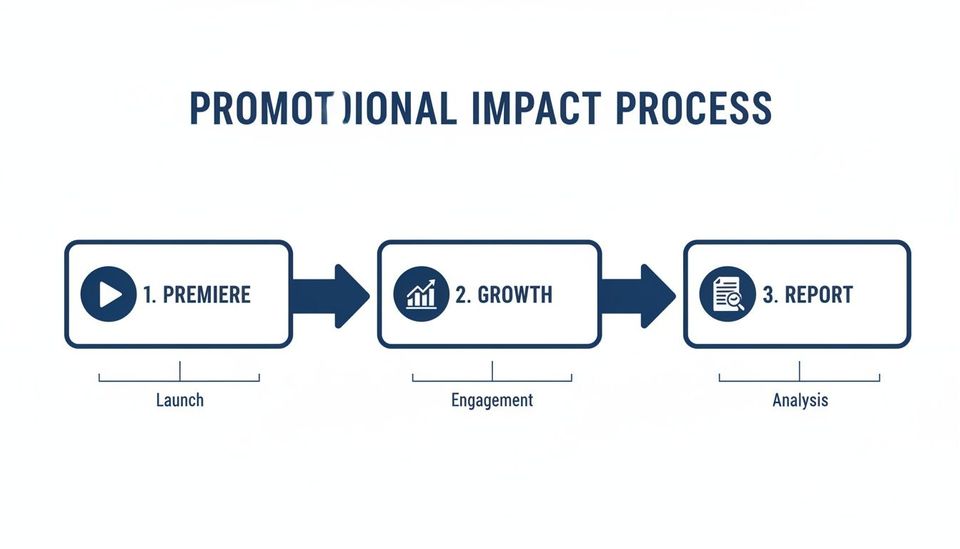
By timing your SoundCloud premiere with the official release, you create a powerful combination. The engagement you generate sends strong signals to Spotify's algorithms that a track is gaining traction. Editors are always looking for these early signs of a hit.
This strategy is effective in electronic music hubs like the Netherlands. In the Netherlands, Spotify for Artists has been instrumental in turning local talent like Tiësto into global superstars. Your premieres can push listeners to Spotify, where artists can track the impact with real-time data.
A coordinated push also influences algorithmic playlists. When you align your premiere with the official pitch, you become a strategic partner. This is how you help a track land on playlists like Spotify's Release Radar.
Build client reports that justify your premiere fees
Running a premiere channel is a business. When labels and artists pay you for promotion, they are investing in results. A simple post is a service, but a data-backed report transforms that service into a professional campaign.
The easiest way to do this is to use your client's Spotify for Artists account. The data inside is how you prove your work has a real impact. This justifies your fees and gets clients to come back for their next release.
This is not about building a monster spreadsheet. It is about grabbing a few key screenshots and telling a simple story with them. You want to show the "before and after." A graph showing daily listeners spiking on your premiere day is the most powerful visual you can create.
Crafting a Compelling Post-Campaign Report
A great report tells a story of growth. You start with the premiere on your SoundCloud channel and end with measurable results on Spotify. This shows a clear return on their investment and turns your service into a strategic marketing tool.
Focus your report on these key areas from the client's Spotify for Artists dashboard:
- Listener Spike: Screenshot the daily listener graph from the 'Audience' tab. Highlight the jump on and right after your premiere date.
- Playlist Adds: Look for adds to "Other listeners' playlists." This proves your premiere resonated enough for people to save the track.
- Geographic Reach: If your channel targets a specific region, use location data to show a listener increase. A simple line like, 'Week 1 Post-Premiere: +15% increase in NL listeners,' speaks volumes.
This data-driven approach positions your channel as a serious promotional partner. You are no longer just selling a repost; you are selling measurable audience growth.
Building a simple report changes the conversation. You're discussing campaign results, not just an upload. This moves you from a service provider to a strategic partner, justifying higher prices and building lasting loyalty.
This process is powerful for electronic music promotion in regions like the Netherlands. Data from Spotify for Artists shows growth for NL acts like Hardwell, with 5.3 million monthly listeners. That growth is often fueled by playlist placements that start with cross-platform promo from channels like yours.
You can dig deeper into daily chart performance on this Spotify data resource. To make this process even smoother, you can use an AI reporting tool to generate client reports and turn raw data into insights.
Turning Reports into Repeat Business
By delivering a clear report after every premiere, you build trust and show undeniable value. It is a professional follow-up that sets you apart from channels that just upload and move on.
This simple step shows you care about your client's success. This makes them far more likely to book you for their next release. For artists looking to capitalize on this momentum, check our guide on how to make a pre-save link for Spotify to learn how to get ahead.
Premierely automates your entire premiere workflow-from submissions and payments to scheduling and posting-freeing you up to focus on delivering and reporting on the results that keep clients coming back.