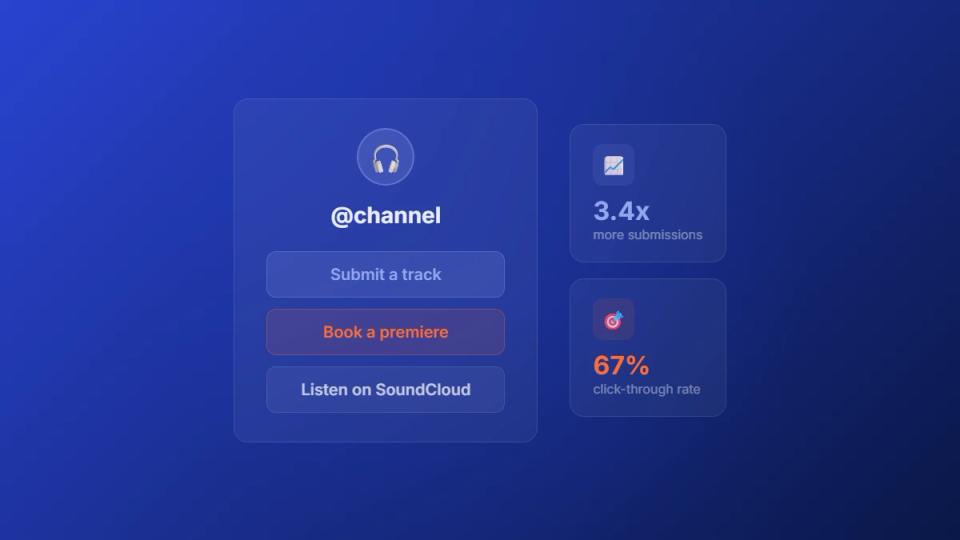
Your link in bio is the most valuable digital real estate for your SoundCloud channel. Dropping a link to your profile is a missed opportunity. Think of it less like a signpost and more like a professional front door. It funnels artists directly into your submission process and ends the chaos of scattered DMs.
Build a central hub for premiere submissions
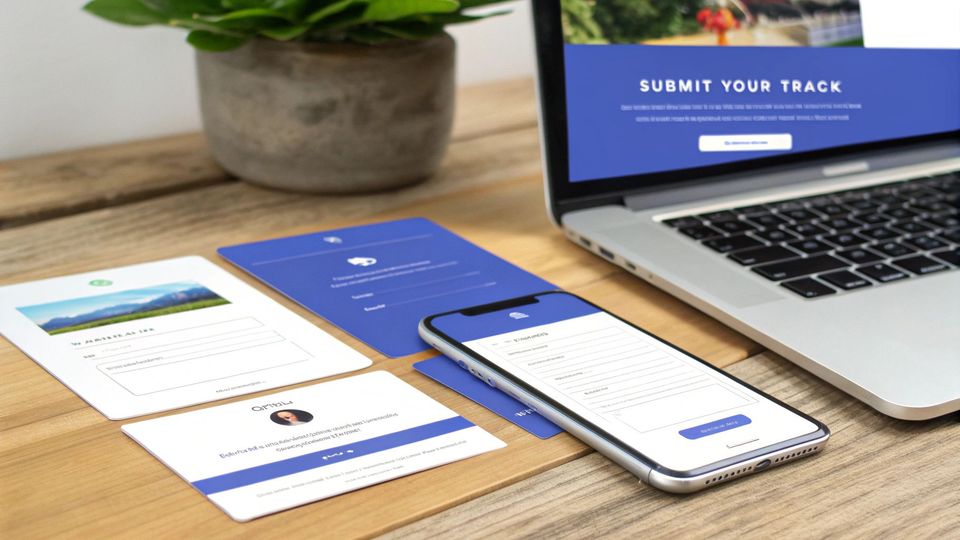
If you treat your channel like a business, you need clear pathways for artists. A messy submission process buried in direct messages suggests an amateur operation. A dedicated link in bio page frames your channel as a serious business. This is your central hub where you turn casual interest into actual submissions.
Instead of one link, you create a simple page that organizes everything an artist needs. It acts as your channel’s reception desk, and it is open 24/7. This approach makes it easy for artists and labels to submit music correctly. It also drastically cuts down on your own admin time.
What to include on your premiere hub page
Your page needs to be clean, branded, and focused on one goal: getting high-quality submissions. Overloading it with a dozen options just confuses people. Stick to these core elements to build a powerful entry point for your premiere service.
- A clear, primary call-to-action (CTA): This must be the biggest button on the page. Use direct, action-focused text like “Submit your track for premiere” or “Get featured.”
- Your branded booking form: The main CTA should lead here. It is the form artists use to upload their track and fill in details for their SoundCloud premiere.
- Featured premieres or playlists: Show off your best work. Link to a few successful premieres to provide social proof. This gives artists a taste of your curation quality.
- Download gate library: If you offer gated downloads, include links here. This is a great secondary CTA to build an email list from fans and followers.
The SoundCloud scene is competitive, especially in active markets. Take the Netherlands, for example, where SoundCloud is the second-largest music platform with over 346,565 users. Channels using optimized link in bio hubs to manage submissions report up to 30% higher engagement on premieres. The process is smoother and more professional for artists.
To give you a clearer picture, let’s compare the old way with the new, organized approach.
Link in bio strategy comparison
| Feature | Basic SoundCloud link | Dedicated submission hub |
|---|---|---|
| First impression | Casual, hobbyist | Professional, organized |
| Submission process | Chaotic (DMs, emails) | Centralized via a single form |
| Artist guidance | None—artists have to guess | Clear, step-by-step instructions |
| Call-to-action | Vague (“Follow me”) | Specific (“Submit your track”) |
| Admin workload | High—manual sorting and replies | Low—submissions are pre-organized |
| Conversion rate | Low | High |
The difference is significant. A dedicated hub doesn’t just look better; it actively improves your workflow. It also improves the quality of submissions you receive.
Create a professional first impression
A well-organized link in bio page does more than collect files. It builds trust and communicates professionalism from the first click.
When an artist lands on a page that clearly lays out the submission process, it shows you value their time. That initial impression can be the deciding factor for an artist choosing your channel.
This organized approach automates what you are probably already doing manually. It turns a mess of premiere requests into a slick booking system. This frees you up to focus on discovering and sharing incredible music.
Integrate your booking and payment system
A professional front door is only half the battle. Once you have an artist’s attention, the next step needs to feel instant. By plugging your booking form and payment gateway straight into your link in bio page, you create a direct path. This turns interest into a confirmed premiere without giving them a reason to click away.
It is all about removing friction. Instead of sending artists across different sites and DMs, you give them everything they need. They can submit their track, see available premiere slots, and pay to lock it in. This simple setup transforms a casual browse into a confirmed booking.
Connect your Premierely booking page
If you are a label owner juggling a high volume of requests, this integration is necessary. It automates the back-and-forth you are already doing. This reduces booking admin from hours to a few minutes per submission. All it takes is linking directly to your Premierely booking page from your link in bio.
That one link connects artists to your entire automated machine:
- Submission form: Artists upload their track and fill out all necessary details in a structured way. No more chasing down missing info in DMs.
- Live calendar: They see your actual availability and can book a slot that works for them. This eliminates scheduling conflicts and double-bookings.
- Secure payments: Payment gets collected upfront through Stripe Connect. This secures the booking and guarantees you get paid on time.
This hands-off process immediately frames your channel as a serious, professional operation. It shows you have a real system in place. This builds a ton of trust with new and returning artists.
The power of a self-serve system
This self-serve model is becoming the industry standard for channels serious about growth. Take the Dutch music scene, for example—it’s packed with entrepreneurial channel owners who’ve embraced automation. Current data shows that 70% of indie labels now use bio links to pull in 40% more submissions every month. For repost networks, adding scheduled reposts has increased their income by 35%. You can find more insights on the Dutch startup scene over at F6S.com.
When you automate the intake, scheduling, and payment collection, you are building a scalable business. It frees you up to focus on what actually matters: curating music and promoting your channel.
This integrated approach is a cornerstone of smart SoundCloud channel management. It swaps chaotic DMs and messy spreadsheets for an organized, professional system. Your link in bio page stops being a list of links and becomes the command center for your premiere operation.
Use download gates to collect emails and build your following
A smart link in bio strategy is not just about managing submissions. It is about building a real community around your channel. One of the best ways to do that is by weaving download gates into your landing page. This flips the script from a simple transaction with artists to a conversation with your fans.
Offer something exclusive—a special remix pack, a folder of unreleased tracks, or a producer’s sample kit. The only way fans can get these files is by taking a specific action. Just like that, you start turning passive listeners into genuine supporters.
Turn listeners into followers
A download gate is a simple trade: you give fans valuable content, and they give you a valuable action. It’s a clear win-win. Your followers get exclusive music they cannot find anywhere else. You get a direct boost to your channel’s key stats and communication lines.
- Social proof actions: Require a follow, like, or repost on SoundCloud to unlock a download. This is the fastest way to increase your channel’s visibility and engagement.
- Email collection: Gate your content behind an email sign-up. This gives you a direct line to your biggest fans for announcing new premieres.
This approach moves beyond just promoting music and starts building a real asset. An engaged email list and a high follower count are things you own. This gives you more control over your reach that is not tied to an algorithm.
This kind of automation creates a very smooth workflow. It is much like the process artists go through when booking premieres or reposts.
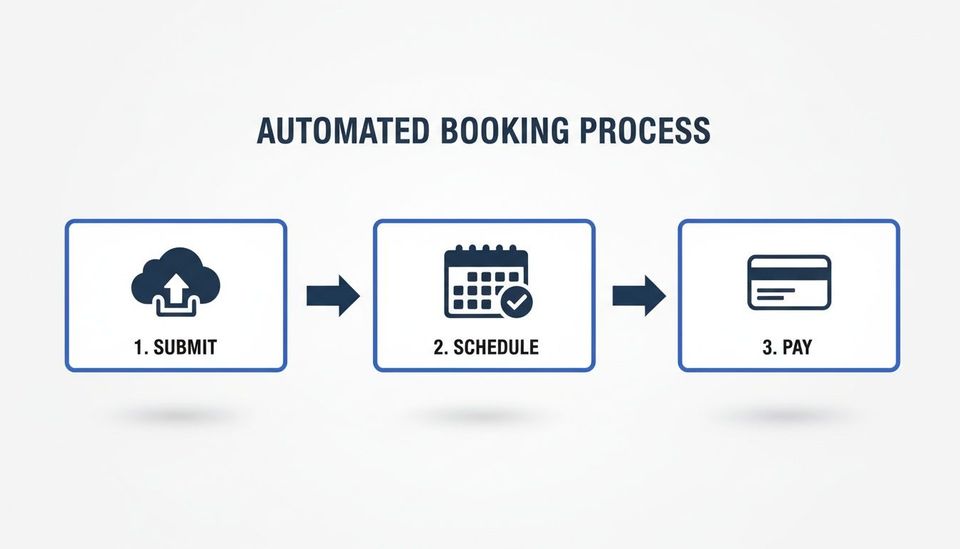
This visual breaks down how every step can be handled in one system. From submitting a track to scheduling a date and making a payment, it removes manual work.
Craft compelling offers
The secret to a successful download gate is an offer that feels exclusive and desirable. Vague promises do not work. You need clear, exciting copy that instantly tells people what they are getting.
For example, instead of a boring “Free Download,” try something with more impact:
- “Download our exclusive remix pack – free for followers!”
- “Get the unreleased B-sides from our latest premiere – join our list!”
- “Unlock our signature producer sample pack with a repost!”
This specific, action-oriented language makes all the difference. You can dive deeper into setting up offers in our complete guide to download gates for music.
By using a tool like Premierely, you can easily set up and manage these gated downloads. It automates the whole process. This turns listeners into followers and helps you build a stronger, more connected community.
Design your link in bio page for maximum impact
A great link in bio page is not just a list of URLs. It’s the front door to your premiere channel. It is a designed space that guides artists and fans exactly where they need to go. Your page needs to feel like an extension of your SoundCloud profile to build a professional brand.
That means using the same logo, color scheme, and fonts you use everywhere else. When an artist lands on your page, that consistency builds immediate trust. A messy, inconsistent design feels unprofessional and can make an artist hesitate before submitting.
Establish a clear visual hierarchy
When someone hits your page, their eyes should go straight to the most important button. For most premiere channels, that is the submission link. Put your main call-to-action (CTA) right at the top where it is impossible to miss.
Make it a big, bold button with a color that stands out. The text should be short and direct, leaving no room for confusion. Vague button text like “Click here” is weak. You need action-oriented language that tells the artist exactly what they are about to do.
- Primary CTA example: “Submit a premiere”
- Secondary CTA example: “Download our exclusive remix pack”
- Tertiary link example: “Listen to our top premieres”
This structure guides the visitor’s journey. It pushes your main goal to the forefront while giving them other valuable options. If you’re starting from scratch, there are great guides that show you how to create a Link In Bio page that works.
An ideal page layout for premiere channels
Let’s make this practical. Here is a simple but powerful structure for your link in bio page. This layout is all about converting visitors into submissions and followers. It organizes everything logically and puts your channel’s priorities first.
Your link in bio page should be clean, focused, and built for action. Every single element must serve a purpose. If it does not drive a submission, a download, or traffic to content, get rid of it.
Here’s a breakdown of the ideal layout, from top to bottom:
- Your channel logo: Positioned right at the top for instant brand recognition.
- Brief channel bio: A quick one-liner describing your channel’s genre (e.g., “The home of deep house premieres.”).
- Primary CTA button: The “Submit a premiere” link, taking artists straight to your booking form.
- Secondary CTA buttons: Links to your best gated downloads or any featured sample packs.
- Key playlist links: Two or three links to your most popular SoundCloud playlists to showcase your curation.
- Social media links: Small, clean icons for your other social profiles, tucked away at the bottom.
This simple structure makes sure artists can find what they need in seconds. It projects a professional image that will attract high-quality submissions.
Track performance and optimize for conversions
Setting up your link in bio page is just the beginning. If you want real results, you cannot just set it and forget it. You need to track its performance, see what is working, and make adjustments. The point is to understand how people interact with your page to guide them toward actions that matter.
Most modern link in bio tools come with built-in analytics. These dashboards show you the click-through rates (CTR) for every single link. This data is your roadmap, showing which calls-to-action are working and which are being ignored.
Use data to make smarter decisions
Analytics take the guesswork out of the equation. Instead of wondering if your “Submit a premiere” button is working, you can see how many people are clicking it. This insight lets you make data-driven changes that directly affect your channel’s growth and income.
For instance, a new gated download might get 80% of all clicks, while your main submission link only pulls in 10%. This does not mean the download gate is a bad idea. It tells you there’s a big opportunity to tweak your page’s layout or copy.
Your analytics tell a story about what your audience truly wants. A high click rate on a download gate shows strong interest in your exclusive content. A low click rate on your submission link might mean the offer is not clear enough.
The Premierely Pro dashboard pulls all of this together. It lets you see revenue data right alongside your page performance.
This screenshot gives you a clear overview of your channel’s activity. By connecting the clicks on your bio link to the revenue you’re generating, you get a complete picture. To make sure all your efforts are tracked accurately, it’s worth looking into UTM parameter best practices.
Continuous optimization for better results
Optimization is a constant loop of testing and refining. Do not be afraid to make small changes and see what happens over a week or two. Your analytics will tell you if you are moving in the right direction.
Here are a few adjustments you could test, based on your data:
- Button text: Is “Submit Music” too generic? Try “Book a premiere slot” and see if that increases clicks.
- Link order: If a secondary link is outperforming your primary CTA, move your most important link to the top.
- Offer clarity: Make the value of each link obvious. Instead of “New playlist,” try “Listen to our hottest premieres.”
By regularly checking your analytics and making these kinds of informed tweaks, you can refine your link in bio strategy. This process of continuous improvement helps you collect more emails and set the right premiere prices. It turns your page into a powerful asset for your channel.
Frequently asked questions about your link in bio
Building out a smart link in bio strategy always brings up a few questions. This is especially true for SoundCloud channel owners. Let’s tackle some of the most common ones. You can stop guessing and start turning that single link into a real asset for your premiere business.
How many links should I have?
It is tempting to throw every possible link onto your page, but that often backfires. When you give people too many choices, they get overwhelmed and end up clicking nothing. This is called decision fatigue, and it is a real conversion killer.
You are better off keeping it lean. Aim for 3-5 key links at most.
Think about your goals. What is the number one thing you want an artist to do? That link—probably “Submit a premiere”—needs to be at the top. Everything else is secondary. Every single link has to earn its spot.
The point is not to show artists everything you do. It’s to guide them toward the specific actions that grow your channel and your business. Less is more.
Do I need to pay for a link in bio tool?
Not always. The free tools are fine for just listing a few links. But if you are running a premiere business, you are managing a workflow. That is where a dedicated tool makes a difference.
Think of a system like the premiere booking platform from Premierely as more than just a link page. It is the engine connecting your bio link to your booking calendar, payment processor, and download gate system. That integration turns a simple page into a professional, automated machine for handling submissions.
How do I get more people to click my link?
Getting that click starts before someone even sees your link in bio page. You have to build intrigue and give them a clear reason why they should click.
Here are a few things that work:
- Talk about it in your content: Call it out directly in your social captions. Something like, “Want your track featured? Hit the link in our bio to submit” is simple and effective.
- Create a little urgency: Announce you only have a few premiere slots left for the month. Or say that a specific download gate is only live for a limited time. A little scarcity pushes people to act now.
- Offer something exclusive: Your link needs to be a gateway to value. This could be an unreleased track, a sample pack, or direct access to your premiere booking calendar.
Can’t I just link straight to my SoundCloud profile?
You could, but it is a big missed opportunity. Sending an artist to your SoundCloud profile is like dropping them in a crowded party. There are dozens of things to click on, tracks to browse, and comments to read. It is pure distraction, and they might forget why they clicked.
A dedicated link in bio page is your filter. It cuts through all that noise.
It creates a clean, simple path for artists to follow. You control their journey, making sure the first thing they see is the action you want them to take. This one change often separates a hobby channel from a professional premiere business.
Premierely is built for channel owners who treat premieres and reposts as a business. It provides the tools to accept track submissions, collect payments, and schedule uploads from one dashboard. https://premierely.io