Spotify’s Smart Shuffle is an intelligent playlist feature that adds new, complementary songs to your playlists based on the mood and style of what you’ve already saved. It turns a static list into a dynamic listening session, mixing familiar tracks with fresh, algorithmic discoveries.
What smart shuffle actually does
Think of Smart Shuffle as a personal DJ who understands your playlist’s mood. It intelligently adds new music that matches the specific vibe you have curated. This turns your collection of tracks into an evolving discovery experience. It is very different from the classic shuffle function.
How it differs from classic shuffle
The classic shuffle feature only reorders the songs already in your playlist. It plays what you have saved in a different sequence. Smart Shuffle actively injects brand-new tracks into your listening queue.
These suggestions are not random. They are chosen by an algorithm that analyzes a few key things:
- Playlist context: The algorithm analyzes the genre, mood, and tempo of your songs.
- Your listening history: It considers your personal taste profile-songs you like and skip.
- Wider user data: The feature also looks at what other listeners with similar tastes play.
This system helps Spotify keep you engaged while you find your next favorite artist. For premiere channel owners, understanding this is vital. It’s a powerful, built-in promotional channel that can get a new track before a matched audience. Knowing the contrast between Spotify’s discovery model and SoundCloud’s community platform is important.
The point of Smart Shuffle is to break the loop of listening to the same songs. It introduces managed chaos into your listening habits. It blends trusted favorites with algorithm-chosen discoveries.
For many users on the free mobile plan, this is now the default way to listen. It ensures even a short playlist can fuel a long listening session. By slotting in new music, Spotify keeps the experience from going stale. This prevents “playlist fatigue,” which is key for keeping listeners on the platform.
How to use smart shuffle on your device
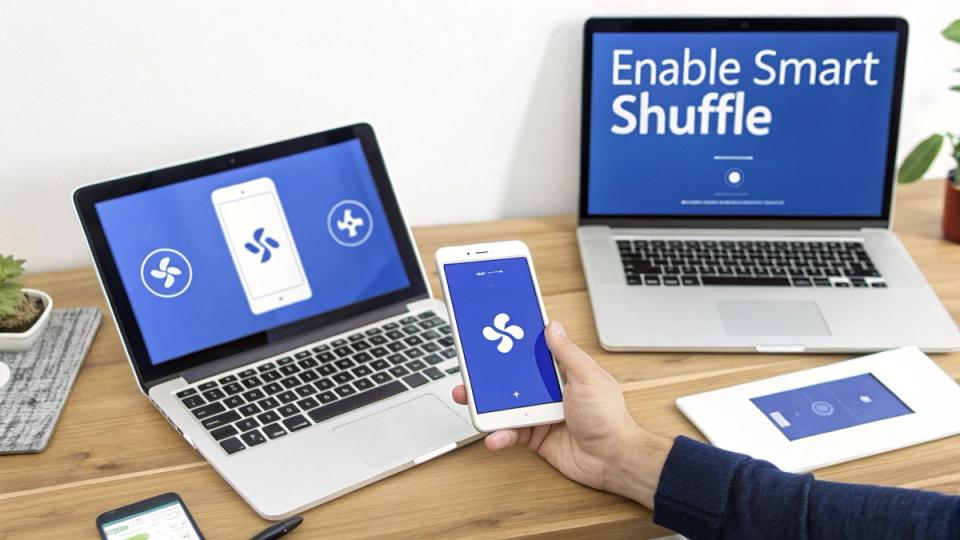
Let’s cover how this feature actually works on your phone or computer. Toggling Smart Shuffle on or off is simple once you know what to look for. The controls are nearly identical on iPhone, Android, or the desktop app.
Everything centers on the shuffle icon-those two crossed arrows. When it is white (or grey on desktop), shuffle is off. When it is green, you are in classic shuffle mode. You will know Smart Shuffle is on when the green icon has a small sparkle symbol. Tapping the icon cycles through three modes: Off → Classic Shuffle → Smart Shuffle.
Enabling and disabling on mobile (iOS and Android)
For anyone listening on their phone, activating Smart Shuffle takes just a couple of taps. Here is the exact process.
- Open a playlist: Go to any playlist you want to listen to. The feature works best on lists with 15 songs or more.
- Find the shuffle icon: You will see the shuffle icon near the big green play button.
- Tap to activate: Tap the icon once for classic shuffle (it turns green). Tap it a second time to switch on Smart Shuffle-you will see sparkles appear.
- Tap to deactivate: To return to the original playlist order, keep tapping the icon. One tap goes to classic shuffle, and another tap turns shuffle off (icon turns white).
For premiere channels, this is where it gets interesting. A listener enabling Smart Shuffle tells Spotify, “Show me something new.” Your premiere could be the next track the algorithm serves. You are securing a ticket into Spotify’s discovery engine, not just a playlist spot.
How to use it on desktop
The process on the Spotify desktop app for Mac and PC is just as direct. The icons look and behave the same way. This makes it easy to switch between modes.
- Find your playlist: Choose any playlist from your library on the left.
- Look for the shuffle icon: The shuffle icon is in the playback bar at the bottom.
- Click to cycle modes: One click turns on classic shuffle (green). A second click activates Smart Shuffle (green with sparkles).
Understanding how your audience uses Smart Shuffle is a strategic advantage. Every time a listener hits that sparkle icon, they invite Spotify to play music matchmaker. This is a huge benefit for artists and labels submitting to your channel. It offers them an entry point into a powerful algorithmic discovery system.
How to solve common spotify shuffle problems
If you think, “Spotify keeps adding songs I didn’t pick,” you are not alone. This is usually Smart Shuffle working as intended. Those unexpected tracks are algorithmic suggestions to help you discover new music. If shuffle keeps letting you down, try one of these free Spotify alternatives and see which one plays your music the way you want.
The quickest fix is to simply turn the feature off. Tap the glowing shuffle icon until the sparkles disappear. This will put you back in classic shuffle mode. This guarantees Spotify only plays songs from your chosen playlist. This simple tap solves the most frequent complaint about unwanted music.
How to fix issues beyond smart shuffle
But what if the problem is not Smart Shuffle? Sometimes, playlists feel repetitive or the shuffle function seems genuinely broken. This often points to a technical glitch within the app itself. It is usually caused by a corrupted cache or an outdated app version.
A corrupted cache can make Spotify act unpredictably. It might repeat the same sequence of songs. An older app version might be missing crucial bug fixes or algorithm improvements. Both issues can usually be fixed with a few quick maintenance steps.
A broken shuffle is frustrating for any listener. For a channel owner, knowing these fixes is part of providing a professional service. You can guide artists who ask why their premiered track is not getting varied plays.
How to refresh your spotify app
If turning off Smart Shuffle did not solve your problem, the issue is likely app data. Clearing the cache is the first and least disruptive step. It gets rid of temporary files without logging you out or deleting downloads.
If that does not work, a clean reinstallation is the next logical move. This process gives the application a complete reset. It clears out deep-rooted data conflicts that might be causing playback issues.
How to clear your cache:
- Go to Settings in the Spotify app.
- Select Storage.
- Tap Clear cache.
How to perform a clean reinstallation:
- First, clear the cache using the steps above.
- Uninstall the Spotify app from your device.
- Restart your device to clear any remaining temporary files.
- Reinstall Spotify from your device’s app store.
These steps are your toolkit for fixing most shuffle-related oddities. You can ensure a smooth, predictable listening experience by understanding the feature and technical glitches. For curators who run premiere channels, mastering these details reinforces your expertise.
How smart shuffle affects your premiere strategy
Smart Shuffle is more than a new button for listeners. For premiere channel owners, it changes how you should approach your business. This algorithm slips new, similar tracks into a user’s queue.
This means a track you premiere has a direct line to be discovered by new listeners. That single placement is not just a one-off post. It is a launchpad for algorithmic discovery. It is a free promotional boost that pushes a release beyond your own followers.
Many listeners get confused by this, thinking the shuffle is not “random” anymore. They are not wrong, but they are missing the point.
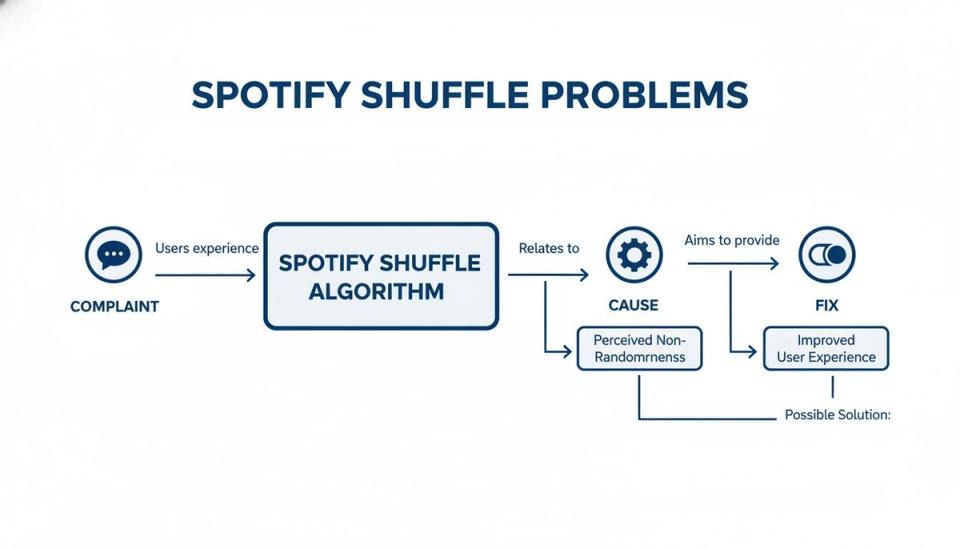
What feels like a bug to a user is a feature working as intended. Your job is to ensure your premieres are the tracks that get picked up.
How to optimize tracks for algorithmic discovery
So, how do you make a track “attractive” to Spotify’s Smart Shuffle? It all comes down to metadata. This is the background information that tells Spotify what your song sounds and feels like. The more accurate your metadata is, the higher the chance it gets pulled into a queue.
- Genre and sub-genre tags: Get specific. Do not just tag a track as “Techno.” Is it “Hardgroove Techno”? The more precise you are, the better Spotify can match it.
- Mood and vibe descriptors: Use words that paint a picture. Think “driving,” “ethereal,” or “energetic.” This helps the algorithm understand the track’s feeling.
- Instrumentation and vocals: Tag the key sonic elements. Items like “acid bassline” or “female vocals” give the algorithm crucial data points.
This is where you shift from just running a channel to running a business. You help artists and labels work with Spotify’s discovery tools by advising them. This provides real, tangible value that goes beyond the initial premiere.
Smart Shuffle turns your curated playlists into launchpads. A track gets actively promoted to new, relevant listeners. This creates a ripple effect of exposure that benefits you and the artist.
Adopting this mindset positions your channel as a genuine strategic partner. Mastering these details is how you deliver better results for your clients. This builds stronger relationships that lead to more premiere bookings.
How to use smart shuffle for music premieres
If you run a premiere channel, a placement is just the first step. Spotify’s Smart Shuffle is not just for fans. For you, it is a powerful discovery engine that can give your premieres a life of their own.
When you place a track, Smart Shuffle can inject it into the listening sessions of thousands of fans. It is like giving the song a free, algorithmic push into new, relevant audiences. This is not a small perk; it is a massive advantage you can offer.
How to frame the algorithmic advantage
You are no longer just selling a spot on a single playlist. You are offering an entry point into Spotify’s discovery ecosystem. This shows artists you understand how modern music promotion works.
Here is how you can explain this to your clients:
- Bonus reach: Explain that Smart Shuffle can take their track and suggest it to listeners of similar playlists.
- Targeted discovery: Highlight that this feature targets users who already like that specific sound.
- A longer lifespan: A normal premiere has a short peak. When the algorithm gets involved, a track can stay in rotation for weeks.
This shifts the conversation from a one-off transaction to a strategic partnership. It proves you are thinking about the long-term health of their music.
By understanding Smart Shuffle, you turn a standard premiere into a dynamic launchpad. Your channel becomes a catalyst for algorithmic discovery. This is a huge value-add that sets you apart from other channels.
How to integrate with your promotion services
Smart Shuffle works hand-in-hand with your other services. Think of it as a chain reaction. Your premiere gets the track into the system. Smart Shuffle and Release Radar then pick it up. Optimizing a track’s metadata boosts its chances of getting picked up by both.
This comprehensive approach allows you to replace email requests with a booking form. You can build a structured system that gets better results for everyone. A premiere booking platform like Premierely is built for this exact purpose. It automates the entire workflow from submission to scheduling.
Running a premiere channel is a business, not a hobby. Premierely is the only platform built specifically to automate what you’re already doing manually. Turn your submission DMs and emails into a structured booking system, collect payments automatically, and schedule uploads all from one dashboard. Visit the Premierely website to see how it works.