
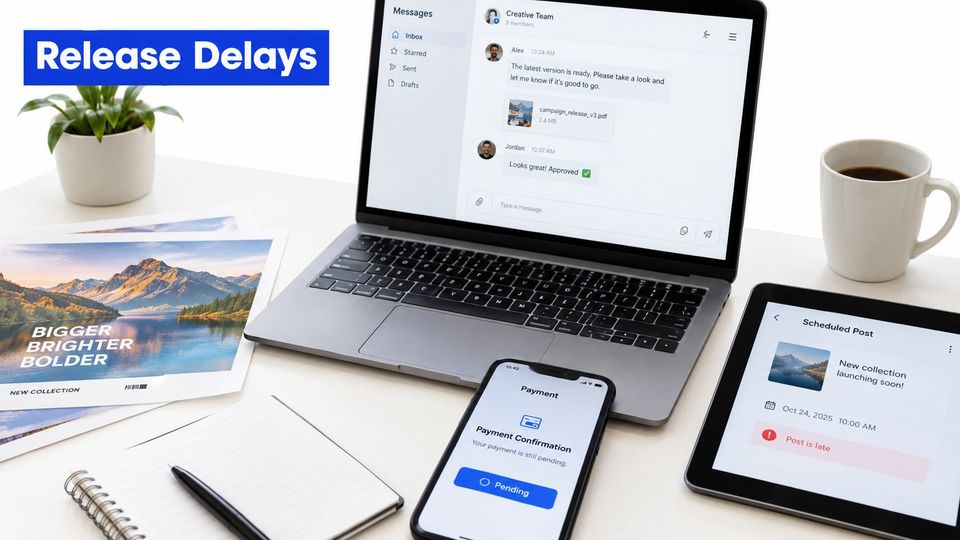
A release gets approved in a DM on Tuesday night. The artwork arrives days later, the payment is still unconfirmed, and the post goes up late. You're left sorting messages instead of listening to music and deciding what belongs on your channel.
The same work repeats every week: collecting requests and files, scheduling posts across channels, and checking what happened after publication. A useful distribution automation handbook treats those jobs as separate parts of an operation, with a clear point where you make the editorial call. Automate the repeatable handoffs. Keep the decision about what to premiere in human hands.
Why your premiere week keeps falling apart
Inbox triage can make a busy week feel like a broken process. A request comes through one DM, a music link through another, and artwork lands in a folder without a clear release name. You still have to work out whether you accepted the booking, whether the date is free, and whether the post went live where you intended.
That leaves you doing three different jobs at once. You collect requests and assets, schedule and publish across channels, then try to prove what happened after the post went live. The first two jobs can follow rules. The last needs a record you can trust.
Separate the admin from the curation
Your taste is the product of a premiere series. Checking whether a date is open, chasing a missing link, and copying a description into different upload screens don't improve that taste. They take time away from hearing the release and deciding whether it fits.
The distinction matters because automation can move a request along, but it can't make a sound editorial decision for you. A good workflow gives you one place to review a request, approve or reject it, and leave a record of that choice.
Borrow the modular approach
The ABB Distribution Automation Handbook is a technical reference published as modular material, not as one conventional textbook. Its listed structure includes Chapter 3, “Elements of power distribution systems,” and Chapter 8, “Power System Protection practices.” Chapter 8 covers protection topics including electrical safety, relay coordination, transformer and motor protection, backup protection, automatic reclosing, and fault location (ABB's Distribution Automation Handbook).
The useful lesson for a music curator is about structure, not electrical engineering. Complex operations are easier to run when you separate them into repeatable modules and write down where human approval is required. List the work that feels like genuine curation, then mark the admin that keeps interrupting it.
How a request becomes a published premiere
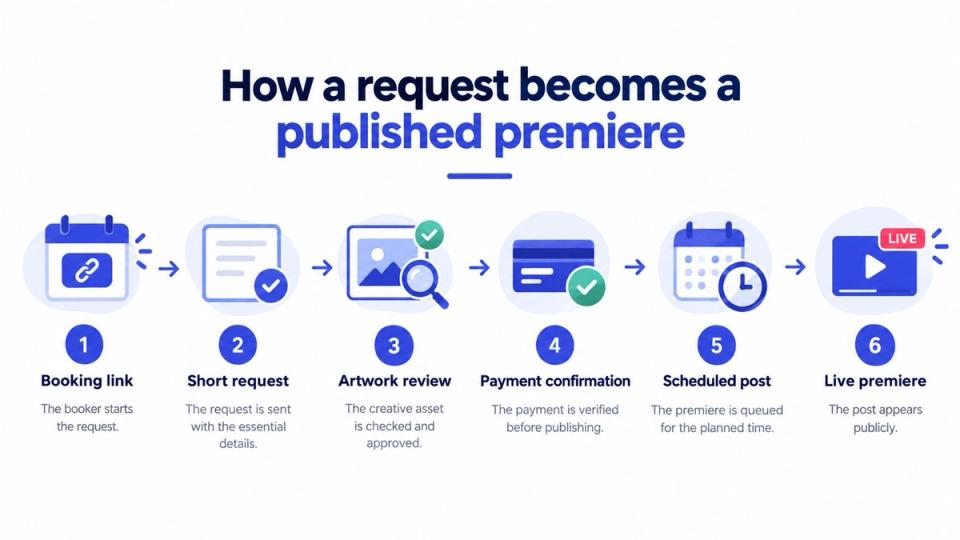
A good booking path makes clear what the booker must supply and what you need to handle. Start with a booking link that shows the promotions you offer. The artist chooses a service, then sends the release title, a music streaming link, and a short message. That gives you enough context to decide whether the request fits before you collect the full assets.
Keep the approval handoff clear
Every request should land in one queue. You review the release and accept or reject it there. If you approve it, the booker can then provide the audio, artwork, and press text, so you're not collecting detailed assets for a submission you won't use.
That timing reduces avoidable file handling, but it doesn't remove your responsibility to check the material. Review what arrives, confirm it matches the approved release, and keep any correction connected to the same booking record. For a closer look at handling incoming SoundCloud requests, see this guide to managing SoundCloud submissions.
Let one approval trigger the scheduled work
The booker picks a date and pays through the curator's storefront before the premiere is scheduled. On Premierely, the payment lands in the curator's Stripe account when checkout completes, and curators can also offer a service for free. One approval schedules the premiere and publishes it to connected channels. Audio and artwork go to SoundCloud at the booked time, and the same premiere can go to connected Instagram, YouTube, and TikTok channels.
The system can also fill title and description templates from the booking form. Custom fields can appear as one-click chips on Pro. These steps cut repeated entry, but they don't correct a bad title or a wrong audio file on their own. Keep a final review where the cost of a mistake is high.
The same basic path can work whether you charge or run a free series. The important part is that the request, decision, date, and publication status stay connected instead of getting scattered across messages.
Which parts of the workflow you should automate
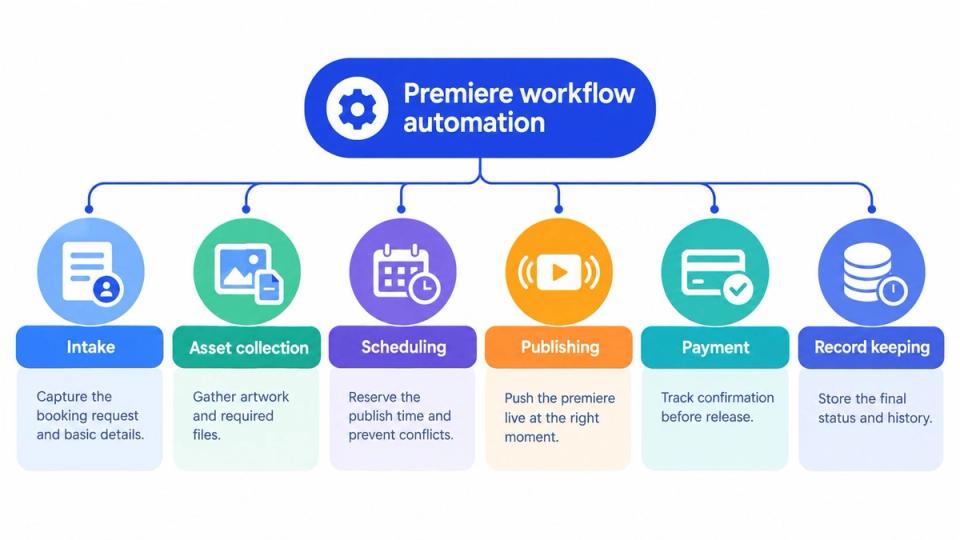
A premiere operation works better when you treat each task as its own module. Intake, file collection, scheduling, publishing, payment, and record keeping all serve a different purpose. The mistake is to automate the entire chain before you decide which parts need your judgment.
Automate the repeatable handoffs
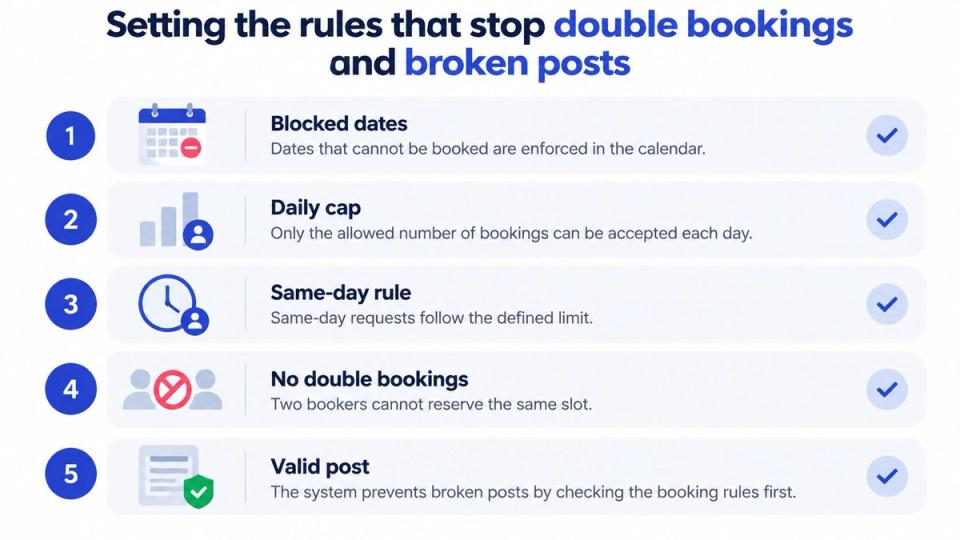
A booking form can collect the same basic details every time. A calendar can enforce your blocked dates, daily cap, and same-day rules. A publishing flow can use the approved booking details to prepare scheduled posts, while payment handling can record whether a paid booking completed checkout.
These jobs have clear inputs and outcomes. That makes them good candidates for automation, provided you can review the result and correct errors. For a wider view of tools and workflows, this guide to social media automation can help you think through which repeat tasks belong in a system.
Keep the approval gate human
Your selection rules may include genre, quality, rights information, or fit with the series. Some rules can help you screen requests, but a machine shouldn't decide what your audience will trust. A curator's value includes the releases they decline, not only the posts they publish.
Write down your process before you set it up. Decide what a rejection message should say, what information you need to approve a release, and who can change a booking after approval. One approval queue gives you a clear record of the decision, while a scattered trail of DMs makes it harder to explain what happened.
Practical rule: Automate the route to your decision, not the decision itself.
When the workflow is clear, you can pick one module to fix first. If requests keep getting lost, start with intake. If dates clash, set the calendar rules. If you spend too much time copying details into posts, build templates and check them before publication.
Comparing manual, semi-automated and booking-system workflows
The right workflow depends on how much work you can handle without letting the process slip. A manual setup can suit a small series where you know every booker. A form and scheduler may reduce some chasing, but you still connect the pieces. A booking system can put requests, decisions, and scheduling in one place, though paid bookings may carry a fee.
| Workflow | How requests arrive | When assets arrive | Payment collection | Double-booking control | Channels per approval | What you own after |
|---|---|---|---|---|---|---|
| Manual | DMs and email | Often scattered across messages | You confirm and track it | Your calendar or spreadsheet | You post to each channel | Your notes, if you keep them current |
| Semi-automated | A form or inbox | Through a form or follow-up | Separate payment tool or manual check | Calendar or scheduler rules | Often requires manual handoffs | Form data and separate records |
| Booking system | One booking link and queue | After approval | Checkout can record payment | Calendar rules block unavailable slots | Can publish to connected channels from one approval | Booking status and publication details |
Manual work gives you direct control over each handoff, but you must remember every step. If artwork arrives separately from the request, you need to match it to the right release. If payment is handled elsewhere, you need to confirm it before you schedule the post.
Semi-automation helps with one part of the chain, such as collecting submissions or reserving dates. It doesn't necessarily connect approval, payment, and publishing, so you may still copy details and check status across separate tools.
A booking system connects more of that path, but it won't remove editorial review or prevent every mistake. Check what happens after approval, which channels are connected, and what records you can access later. Choose the setup that matches your real weekly workload, not the one with the longest feature list.
Setting the rules that stop double bookings and broken posts
A booking can fit the calendar and still fail at publication. Write down what must be true before a premiere goes live, then make those conditions part of the operating routine.
Put the rules in plain language
Before configuring a booking system for music curators, write each rule so a booker and a curator would interpret it the same way. For example: “A premiere is ready to publish only when the approved audio, artwork, release time, and destination links match the booking.” Plain wording makes it easier to spot gaps and decide what needs a human check.
Check the post before it goes live
Use a short pre-publish checklist: confirm the audio belongs to the approved release, the artwork is correct, the time matches the intended timezone, and every link works. These checks catch different errors. Automation can apply the process, but it cannot judge whether the track or artwork is editorially right.
If a booker sends a replacement file after approval, keep the correction with the same booking record. Record what changed and which version should publish. That leaves one clear source of truth when it is time to post.
Reading the numbers that tell you what worked
A single total can hide the difference between channels and releases. Look at revenue per channel, engagement rate per track, follower growth tied to uploads, and the steps in each download gate. Each measure answers a different question, so don't combine them into one score.
A repost, stream, save, view, and download-gate conversion aren't interchangeable outcomes. A repost can expose a release to a channel's audience, while a gate conversion records a fan completing the action you asked for. Treating each event as the same kind of success can make a channel look more effective than it is.
Keep a record by release and channel
Record what went live, where it appeared, and when it was published. Compare similar releases on the same channel before you draw a conclusion. That helps you spot whether one release format or channel is producing the result you care about, without letting a broad average hide the detail.
A download gate can ask fans to follow, like, repost, or comment on SoundCloud before they receive a file. It can also ask for actions on Instagram, YouTube, Spotify, TikTok, or Bandcamp. The reward can be a hosted audio file with a built-in player or a redirect link. Fans don't need a Premierely account to use a gate; Pro can collect emails, which the curator can export.
Gate activity still needs context. A fan who completes a follow action is not the same as a listener who streams a track, and an email is a contact record, not proof of a sale. Review the action the gate asked for before comparing results.
You can use channel analytics for music curators to review revenue per channel, engagement rate per track, follower growth tied to uploads, and gate funnels. Read those measures alongside the release record, so you know which post and channel produced the activity.
Where automation goes too far
Fast publishing can help you keep a schedule, but speed doesn't make a release right for your channel. If you automate acceptance as well as delivery, you risk trading the reason people trust your taste for a fuller calendar. Keep a person responsible for approval, even when the rest of the workflow runs by rule.
That approval should leave evidence. Record where the asset came from, flag any release-level concern, and keep a clear route for a rejected booker to ask for a review. If you alter a post after publication, keep an audit note of what changed and why.
Keep rights and corrections traceable
A release may have different edits, captions, artwork, identifiers, or takedown status across channels. Keep a platform-neutral record that connects the release, version, curator, publication time, and takedown status. That record helps you check what happened when a rights question or metadata correction comes up.
Don't automate a rights decision just because the file passed an upload check. Keep human review for approval, disputed ownership, unclear asset provenance, and decisions to alter or remove published work. A slower review can protect the reputation of a label or premiere channel whose audience expects someone to stand behind the selection.
The system can move a file. Only your process can show why you accepted it.
Your weekly distribution routine
Set one time to clear the queue. Approve or reject each request with a written reason, then let approved bookers supply the assets. Check that calendar rules held, confirm the posts appeared on each channel, and review the numbers at the end of the week.
Gino built Premierely to solve his own problem running a premiere series, which still cost him three to four hours a week even after automation. The practical lesson is that automation reduces admin, but you still need a routine and a human approval gate.
What should stay manual?
Keep the editorial decision manual. A system can gather details and schedule an approved post, but it can't take responsibility for whether the release fits your channel.
What should you automate first?
Choose the task that interrupted you most this week. Move that one module into a clear process before your next release, then check whether the new handoff removes work.
How much does Premierely cost?
Premierely is free to start. Pro costs 10 EUR per month, and paid bookings carry a 5% fee. Check those costs against the admin time your current process takes.
Premierely is a booking system for curators that keeps requests in one queue and lets one approval schedule and publish a premiere to connected channels. If you want to replace inbox chasing with a clear approval gate and a repeatable publishing routine, visit Premierely and see whether it fits your weekly workflow.