You run a premiere series, and you spend more time chasing files than listening to music. A good automation distribution system gives that chase to software and leaves taste, rights, and final say with you. That split matters more than any single upload button.
The week that made me rethink my premiere workflow
Monday starts with requests spread across email, SoundCloud messages, and Instagram. You read the same short pitch in three places, you open private links on your phone, and you try to remember which artist wanted Friday. By Tuesday, three bookers want the same date, and one has already told his label the slot is his.
Wednesday brings a different mess. You approve a track, then you wait for the WAV, the artwork, and a press text that arrives as a screenshot. The artwork lands after you fill the slot with someone else, so you write an apology that takes longer than the upload would have taken.
Money and timing break down outside the inbox
A paid premiere can stall when the payment sits as pending and neither side knows who should act next. You do not want to publish before the money clears, and the booker does not want to pay again. A repost then goes out late because you're uploading from a phone between other jobs, and the artist screenshots the wrong time for his own post.
If you run a weekly SoundCloud premiere or repost series, you know this loop. The music decision takes minutes. The admin around it eats the week.
You should judge music and approve release details. Software should move dates, payments, files, and reminders between those decisions.
An automation distribution system sits between your inbox and the published post. It does not pick tracks for you, and it should not fake audience activity. It moves work that does not need your judgment, in the same order, every week, so a late file or a full calendar stops the process early instead of surprising you at publish time.
What an automation distribution system actually is
An automation distribution system connects rules, queues, templates, and channel accounts so a release can move from request to published post in set steps. You still approve the music. The booker still supplies the files and pays when the service costs money. The system carries each approved item to SoundCloud, YouTube, Instagram, and TikTok at the booked time.
Think in inputs, processing, and outputs. Inputs are the request, the payment, the audio, the artwork, and the release text. Processing covers your approval, checks on the files, and the schedule. Outputs are separate posts shaped for each channel, not one post copied four times.
Warehouses show you why people still handle exceptions
Warehouse work uses the same split. Software and machines coordinate picking, sorting, scheduling, and dispatch, while people handle exceptions and approvals. Warehouse automation figures put the market at $26.5 billion in 2024 and $59.52 billion by 2030 at 18.7% compound annual growth, yet only about 25% of warehouses used any automation in 2024 and roughly 10% used advanced automation. Growth does not mean every task disappears. It means repeat handoffs get connected first.
Electric grids followed a longer path from pilots to standard tools, and distribution automation research cites Navigant Research forecasting revenue rising from $6.3 billion in 2013 to $11.3 billion by 2020. Your version is smaller and closer to home. Software detects what's missing, holds the slot, and restarts a failed upload without asking you to rebuild the whole job.
Some bookers now make demos with an AI music production platform before they send you a final master. That does not change your side of the work. You still need the finished file, clear rights, and a date you control.
The six stages of a curator's distribution workflow
You start when a booker sends a short request through one booking link with a release title, a music link, and a message. You approve or reject that request from one queue. The booker uploads audio, artwork, and press text only after approval, so you never store files for music you turned down.
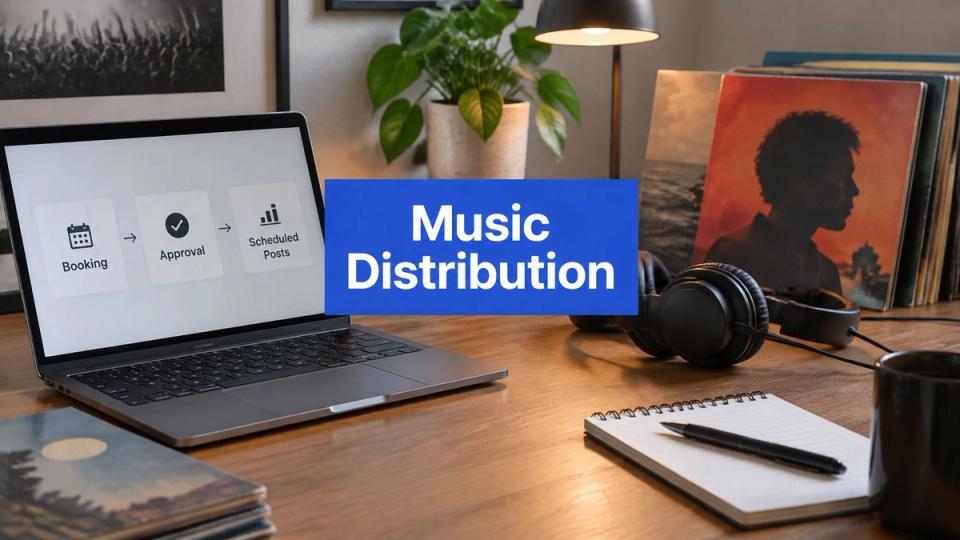
The flow below maps the path your own week already follows, even when you run it by hand.
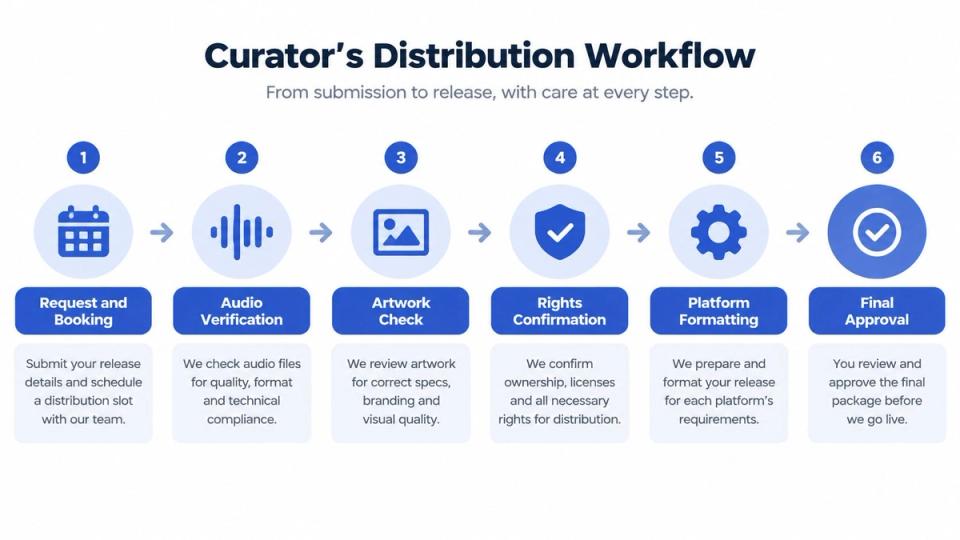
Each stage hands one clear output to the next stage
- Request and booking gives you a dated slot. The calendar blocks dates you close, applies your daily cap, and stops two bookers taking the same space.
- Editorial approval gives the booker a clear yes or no. You decide because taste and fit sit with you.
- Payment and confirmation gives both sides a paid or free record. The booker picks a date and pays in one step, and money for a paid booking lands in your Stripe account when checkout completes.
- Asset collection gives the system publishable files. The booker sends final audio, artwork, and text after the yes.
- Scheduling and preflight gives you checked channel jobs. Templates fill titles and descriptions from the booking form before any post goes live.
- Channel publication gives each audience its own post. One approval sends the premiere out at the booked time.
Good soundcloud channel management treats those stages as one path, and writers who work to streamline draft to distribution use the same logic for text. Each channel publish runs as its own stateful job, so one failed account does not undo the others. A reported event-driven benchmark moved latency from 150 ms to 45 ms and throughput from 5,000 to 25,000 events per second, with 99.99% availability after a single-node failure and 12-second recovery. You do not need that scale, but you do need the same habits, namely stored states, safe retries, and a queue for jobs that cannot run.
The video below shows the publishing end of that thinking in practice.
You keep control at approval and at final publish permission. Software prepares, checks, schedules, and reports. That line protects your accounts and keeps a booker's upload from turning into audience activity you never agreed to run.
How the four channels fit into one approval
SoundCloud carries the main audio and artwork for most premiere series. YouTube needs a video file or a visual built from the artwork and audio. Instagram and TikTok need short video cuts that work on a phone screen, with text written for people who may hear only a few seconds before they swipe.
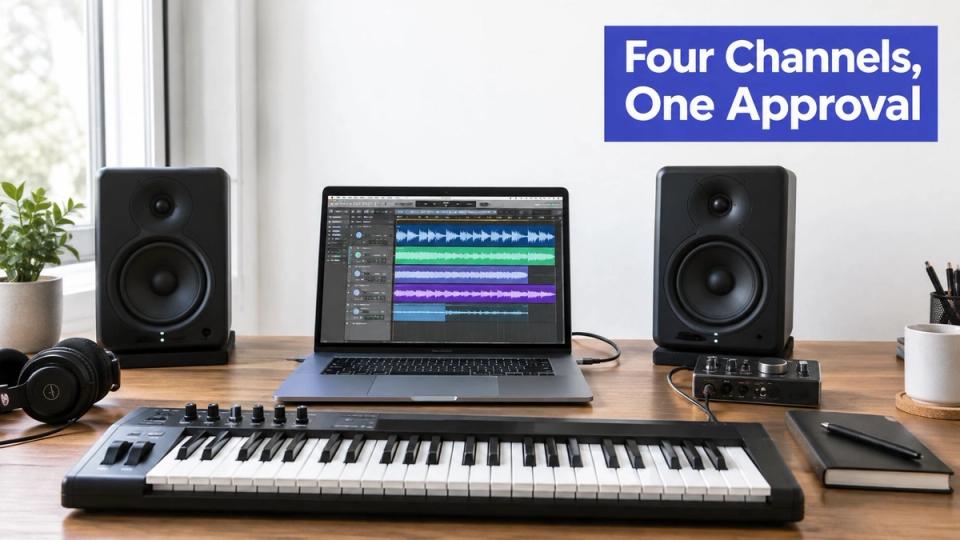
Each channel needs its own checks before the booked time
One audio file and one artwork file can cover SoundCloud and a simple YouTube visual. They cannot guess a good TikTok hook or decide which drop belongs in an Instagram clip. Your system should ask the booker for the right cut after approval, while you can still reject a weak edit and ask for a better start point.
File and posting limits also differ by account. A technical publishing guide reports 256 GB as YouTube's maximum upload size, 100 Instagram API-published posts per rolling 24-hour period per account, and 4 GB for TikTok video uploads. You probably won't hit the video size limits with a premiere visual. You can hit account limits when several campaigns land on the same day, so each account needs its own queue and its own failure state.
One approval should start four jobs. It should never assume four channels accept the same file, text, or timing.
YouTube uploads also resume after a broken connection and then process in the background, so your system should track queued, uploading, processing, published, and failed states rather than mark a job done at upload. That detail sounds technical until a large visual stalls overnight. A stored session and byte position let the upload continue instead of starting again.
The audience case for doing this work well is clear in recorded music as a whole. IFPI reports global recorded-music revenue of US$29.6 billion in 2024, up 4.8%, with streaming at US$20.4 billion and 69.0% of revenue and subscription streaming at 51.2%. Your premiere sits inside that listening habit. People find the clip where they scroll, then they play the full track where they listen.
Free versus Pro, framed as a workflow decision
You do not need a paid plan because a pricing page tells you to upgrade. You need one when your week includes work the free setup cannot carry, such as several channels publishing from one approval or email capture on download gates. Start free, run real bookings, and watch where your hand still enters the loop.
| Workflow question | Free | Pro |
|---|---|---|
| How do you start taking bookings | Free to start, with one booking link and one approval queue | Same booking link, with wider publishing and lead tools added |
| How many channels publish from one approval | One channel setup fits a single SoundCloud series | SoundCloud plus connected Instagram, YouTube, and TikTok channels |
| How do paid bookings fit your month | You can test paid premieres and reposts at low volume | You can run paid bookings as a regular weekly offer |
| How do download gates pay you back | 3 active gates, with fan actions on SoundCloud and other channels | No gate cap, WAV and FLAC files, and email capture you can export |
| How do you fill an empty slot | You wait for direct requests | You browse the shared pool of declined bookings in full |
| What does the plan cost | No monthly fee | 10 EUR per month, with a 5% fee on paid bookings |
Your channel count tells you when paying makes sense
If you run one SoundCloud channel and a few premieres a month, stay free and learn the flow. If you run a label across four channels, collect emails from gates, and want declined bookings from other channels, Pro pays for itself in hours you stop spending on repeat uploads. The fee question is plain. Would you rather keep every cent and do the channel work by hand, or give up a small cut and get the date, payment, files, and posts tied together?
Why rights and preflight checks belong inside the automation
Faster publishing hurts you when it spreads a bad claim to every channel at once. A remix with uncleared stems, a bootleg edit, or artwork the booker does not own can go live in four places before you finish your coffee. Slow is not the goal either. Checked and ready is the goal.
The checklist below puts rights work before the schedule, where you can still fix it.
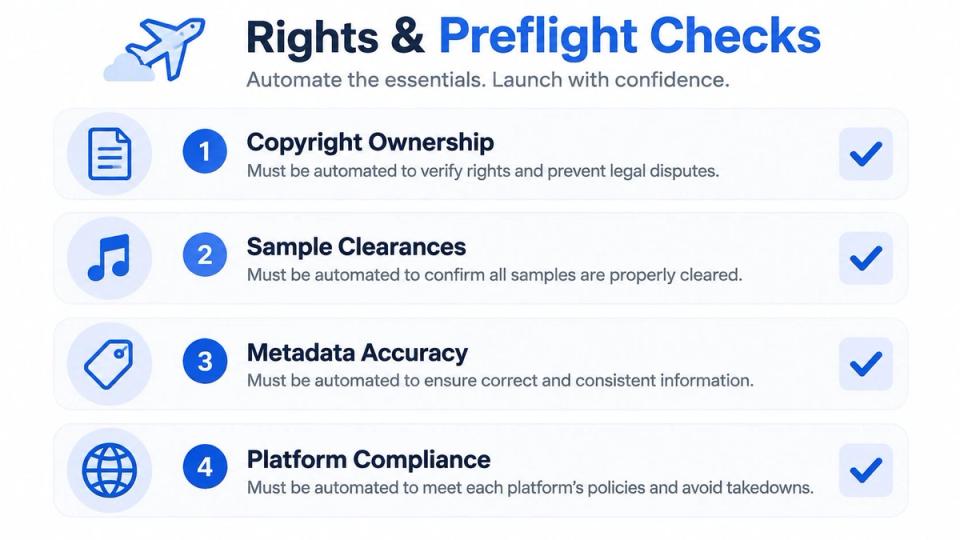
Your preflight step should catch missing claims early
Collect a rights statement, sample and remix notes, split details, credits, territory limits, and ISRC or UPC data when the release needs it. SoundCloud guidance on matching says creators must hold complete rights for TikTok, Facebook, Instagram, and YouTube matching, and co-writes, samples, or uncleared beats must be resolved before distribution. Your system should pause the booking when answers conflict, then send it to you rather than publish and hope.
YouTube shows the same need from the rights side. YouTube says Content ID partners upload media with metadata, each asset must represent intellectual property the partner owns, and sound recordings need title, artist, and record label at minimum. A matching system can then apply the owner's chosen policy to monetize, block, or track a video. Wrong artist spelling or a missing label credit is not a small typo in that setting.
A music copyright checker habit belongs right after asset collection, while the booker still answers messages and can send proof. Keep a record of who approved the asset, when they approved it, and which file version went live. That record saves you when a label asks why an old mix appeared or when an artist disputes a credit after the post gains plays.
Beyond publishing - leads, gates, and channel analytics
Publishing ends one job and starts three others. You want the next booking, you want fans to act on the track, and you want to know which uploads earn money or followers. A booking-first system can reuse the same release record for all three jobs instead of sending you to separate tools.
Declined bookings can fill slots you cannot sell
When another channel declines a booking, the booker can send it to a shared pool that Pro channels browse in full. You set genre alerts, read the request, and click I'm interested when the track fits. If the booker picks your channel, the booking accepts itself at your price and lands on your calendar as a paid slot. That works because the request, date, and price already sit in one record.
Download gates turn a free file into a owned contact
A fan follows, likes, reposts, or comments on SoundCloud to get a file, and you can also ask for Instagram, YouTube, Spotify, TikTok, or Bandcamp actions. The reward can be a hosted audio file with a built-in player or a redirect link, and the fan needs no account with the booking system. Strong download gates for music ask for one clear action and deliver the file fast, because fans drop out when you stack too many steps.
On Pro, gates collect emails you own and can export. That list matters when a channel changes its feed or a post gets buried. You can email people who took the last free download and tell them the next premiere is live.
Channel analytics then tie the loop together. You read revenue per channel, engagement per track, follower growth tied to uploads, and gate funnels that show where fans stop. Your SoundCloud-focused link-in-bio page sends the same listeners back to the newest premiere and gate, so one release keeps feeding the next booking.
Common questions and a practical takeaway for your next week
What does the paid booking fee cover for you
The fee covers the booking path that ties the request, date choice, checkout, asset upload, schedule, and publish jobs together. You're paying to stop matching payment notes to email threads by hand. If you only run free premieres, you can keep the service free and still use the same approval and scheduling flow.
What happens when one channel fails and the others publish
Each channel runs as its own job, so a failed Instagram post should not block a SoundCloud premiere that already went live. The system checks the remote post state before it retries, which stops duplicate uploads after a network break. You then fix the failed account, file, or permission and rerun only that job, while the live posts keep their links and comments.
Does automation give you permission to publish or repost
No. Automation prepares work, but your accounts still sit under each service's rules. SoundCloud terms require automated uploads or account actions to be specifically and deliberately initiated by the user through authenticated access, and they prohibit repetitive automation that misrepresents popularity or activity. Keep evidence that you approved the booking, watch for expired or revoked tokens, and pause a campaign when account permission breaks. Never use scheduling tools to fake plays, likes, reposts, or comments.
Working rule for your accounts: automate preparation, checks, scheduling, and status tracking. Keep the publish decision tied to a real approval you can show later.
How do gate emails reach you on Pro
Fans enter an email as part of the gate flow on Pro, and the system stores that contact against the gate rather than leaving it inside SoundCloud or Instagram. You export the list and use it with the mail tool you already trust. Tell fans plainly what you will send, because a download list built on surprise mail will not stay subscribed.
Where should you start if your inbox still runs the series
Move one part at a time. Put next week's requests behind one booking link, set blocked dates and a daily cap, and collect files only after approval. Add templates once you see your most common title and description pattern, then connect more channels when one clean SoundCloud week feels boring in a good way.
Treat your week as the unit you're fixing, not a single post. One clean path from request to published premiere saves a few minutes each time, and those minutes add up across a month of premieres. If you want one concrete booking-first version of this setup, look at Premierely and test it with one real slot before you move the whole series.
Premierely gives you a booking system where one approval takes payment, collects assets, and publishes a premiere to the channels you connect at the booked time. You keep the music and rights decisions, and software carries the repeat admin that used to fill your inbox. Visit Premierely to start free and run your next premiere through one link.