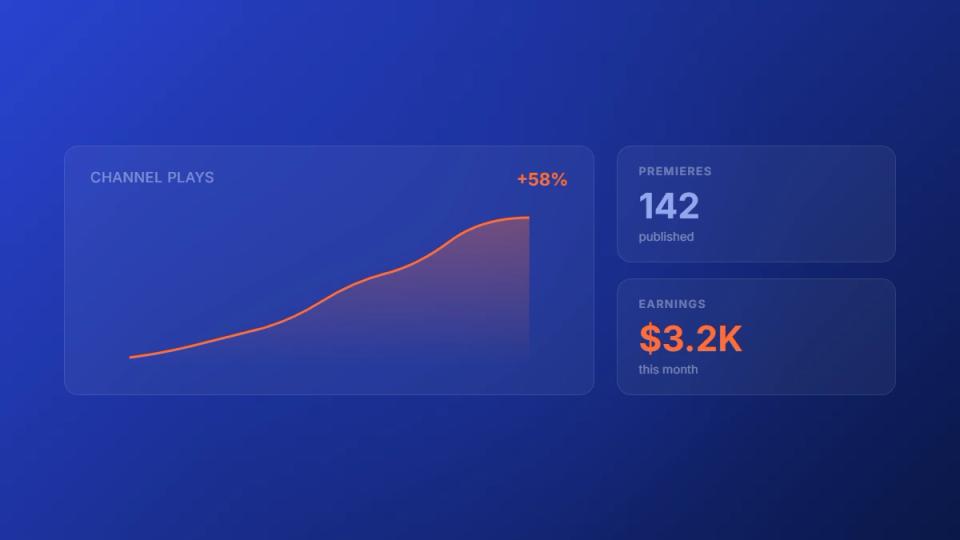
A SoundCloud premiere channel is a curated launchpad for new music. It’s a channel that debuts fresh tracks from other artists and labels. This gives their music its first push to an audience that’s already listening. The best channels treat this as a business, not just a hobby.
Build a professional premiere booking system
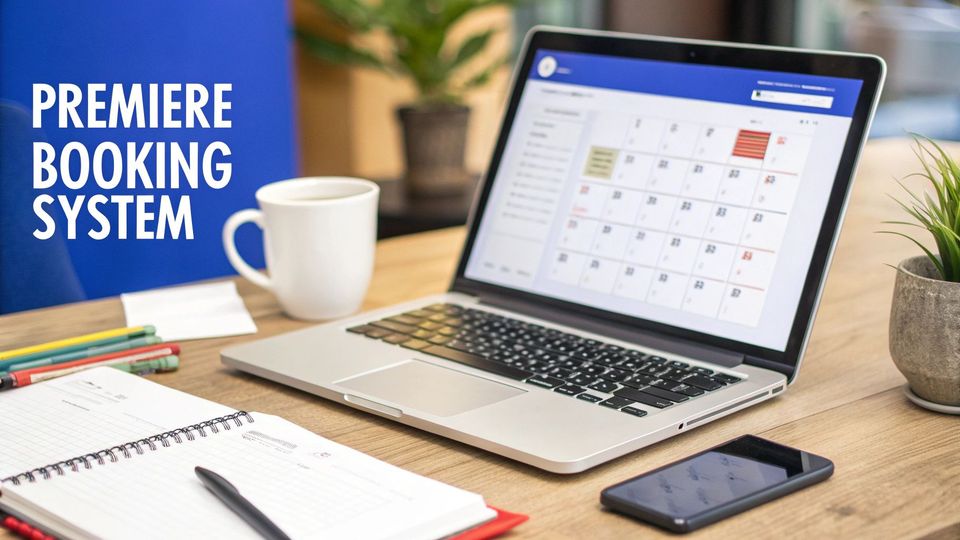
Running a serious premiere channel requires moving beyond DMs. Juggling submissions through direct messages is chaotic and unprofessional. It consumes hours that could be spent finding great music.
A professional operation needs a proper system. This creates an organized, predictable workflow. It replaces scattered DMs with a central hub for all requests. When artists see you’re organized, you will attract higher-quality submissions.
Establish a centralized submission form
Your booking form is the front door to your channel. It’s the first impression an artist gets, so make it a good one. It should be branded with your logo and colors.
This single form needs to collect everything you need upfront. No more back-and-forth emails asking for WAV files or social links. For a deep dive into building one, there are guides on How To Create Booking Forms that can get you started.
Make sure your form asks for these essentials:
- Artist and Track Information: The basics-artist names, track title, and genre.
- Required Assets: Simple upload fields for the audio file (WAV or MP3) and cover art.
- Social and Contact Links: All social media profiles and an email for communication.
- Proposed Release Date: Let artists suggest a date that works for their schedule.
Implement an organized scheduling calendar
Once you have a submission form, you need a calendar to manage the flow. A public-facing scheduling calendar gives artists a clear view of your available premiere slots. This stops the “are you free on the 15th?” back-and-forth. It is the key to preventing double-bookings.
A scheduling calendar turns your premiere requests from a messy inbox into an organized booking system. It creates a self-service experience where artists can simply pick an open date and book it.
This calendar should connect directly to your submission workflow. When an artist picks a date and sends their track, that slot gets reserved automatically. This step reduces booking admin from hours to just minutes per premiere. We cover this in our guide on effective SoundCloud channel management. This frees you to focus on curating music and growing your community.
Set your prices and automate payments
Let’s discuss when your channel becomes a real business: when you start charging. Getting pricing and payments right separates a hobby from a sustainable operation. Chasing artists for money in DMs is awkward and unprofessional.
To grow, you need a system. A clear pricing structure where artists pay in advance is essential. The entire transaction should happen on its own. This is how you turn curation into a predictable income stream.
Choose a pricing model that fits your channel
There is no magic number for a premiere’s worth. The right price depends on your channel’s size and engagement. A good starting point is to see what similar channels charge. Use that as a baseline, then build a model that makes sense for you.
Here are three common pricing models that work well:
- Flat-Rate Fees: This is the simplest approach. You charge one fixed price for every premiere. It’s easy to manage and communicate.
- Tiered Pricing: This is where you offer different packages. A basic tier might be the premiere itself. A premium tier could include extra services like a repost or an Instagram shout-out.
- Audience-Based Pricing: With this model, the price scales with your reach. You could charge a set rate based on your follower count.
Automate payment collection with Stripe
Once you decide on your prices, you need to get paid without the headache. Manually sending invoices is an administrative nightmare. The solution is integrating a payment processor like Stripe Connect directly into your submission process. This makes payments entirely automatic.
Here’s how it works: an artist books a premiere slot and is sent to a checkout page. This ensures you get paid before you do any work. It removes the risk of someone disappearing after their track is live.
By automating payments, you secure your revenue upfront. It removes the awkward task of chasing artists for money. It professionalizes your operation and builds trust.
The potential here is large. For example, some Netherlands-based SoundCloud premiere channels saw success with SoundCloud’s own monetization models. Data from 2022-2025 showed that a mid-tier Dutch channel with 50,000 followers could get an average of 1.2 million monthly plays. You can find more label performance data on Songstats.com. This shows how a structured, paid approach can turn a channel into a solid income source.
To work with a global pool of talent, you need to know how to accept international payments without friction. An integrated system handles currency conversions and compliance automatically.
Automate your upload and repost schedule
Running a premiere channel is a constant juggle. The real work is managing the whole pipeline, from approval to go-live. Manually uploading tracks and setting them public is a recipe for burnout. It’s tedious and easy to make a mistake.
This is exactly where automation helps. It is a critical tool for any SoundCloud premiere channel that wants to grow.
The goal is a ‘set it and forget it’ system. Once a track is approved, the tech should take over. An approved premiere should appear on your channel at the scheduled time. This one shift can reduce booking admin time from hours down to minutes.
Move from manual uploads to automated publishing
Moving away from manual uploads is a significant operational upgrade. The old way involves dozens of small steps for every premiere. You have to download the track, log into SoundCloud, and upload the files.
An automated workflow reduces that entire sequence to a single “Approve” click.
- Direct SoundCloud Integration: A platform like Premierely connects directly to your SoundCloud account. This connection allows the system to publish on your behalf.
- Pre-populated Metadata: Information from your submission form-artist name, track title, tags-gets carried over automatically.
- Timed Releases: You set the schedule, and the system makes it happen. A track booked for Friday at 3 PM will go live on the dot.
This process removes the daily grind of content management. It means you can approve a week’s worth of premieres in one session. Then you can trust that everything will roll out perfectly.
Schedule reposts across your entire network
For those managing more than one page, automation is essential. Many curators run a network of channels, each with its own niche. Offering reposts across this network adds value but is a logistical nightmare to coordinate manually.
This is where a unified dashboard becomes indispensable. Instead of logging into multiple SoundCloud accounts, you can schedule reposts from one screen. This is crucial for:
- Playlist and Repost Network Curators: Manage your portfolio of channels effectively.
- Promotion Agencies: Offer tiered packages that include reposts on partner channels.
- Label Owners: Cross-promote new releases across your main label page and sub-labels.
This flowchart breaks down how you can structure your pricing with these add-ons.
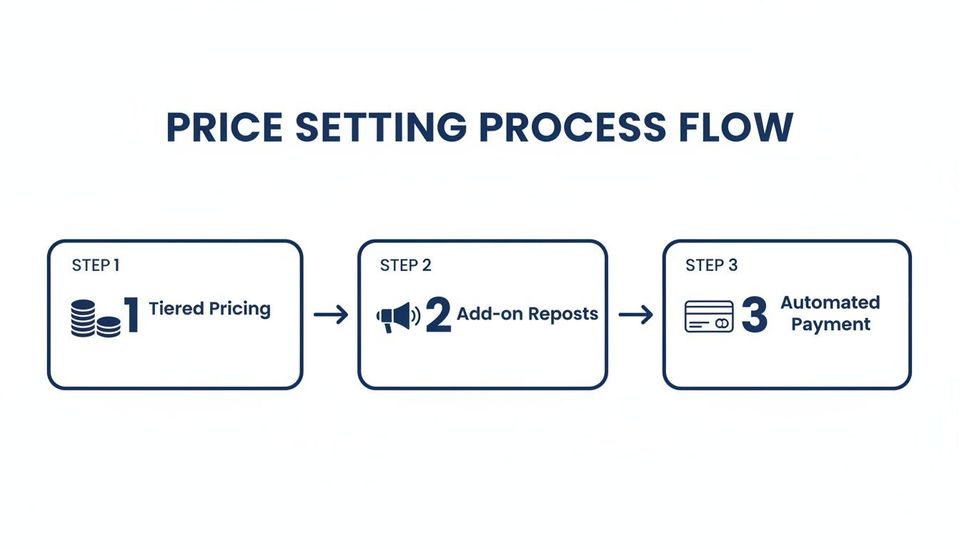
Tiered pricing, add-on reposts, and automated payments create a professional system. By automating both the initial upload and all following reposts, you can build high-value promo packages.
If you want to go deeper on this, check out our guide to SoundCloud repost automation.
Use download gates to collect emails and social proof
Monetization is a major goal for any serious SoundCloud premiere channel. But it’s only half the picture. The other crucial half is audience growth. One of the best tools for that job is the download gate.
It’s a simple idea with a big impact. You offer a free track download, but the listener performs a social action first. Instead of just grabbing the file, you ask them to follow, repost, or give their email. It’s a direct way to turn passive listeners into engaged followers.
Turn listeners into followers and subscribers
Think of a download gate as a bridge connecting a listener to a fan. You have their complete attention when they want to own a track. Placing a small action in their path at that moment is an effective way to get their support.
You’re not just giving away music; you’re making a fair trade. They get a high-quality track, and you get a new follower or an email. Every premiere becomes a growth opportunity.
Download gates turn downloading from a simple transaction into a community-building moment. You can grow your email list and social proof automatically through gated downloads.
Take the Netherlands, for example, where SoundCloud’s advertising has recently expanded. An analysis showed that channels using download gates grew their audience by 18% on average. That’s a clear demonstration of how gates can be a strategic tool for development.
Choose the right gate for your goal
Not all download gates are built the same, because not all goals are the same. The action you ask a listener to take should align with your objective. Thinking strategically here is key.
You have a few options, and each one offers a distinct benefit:
- Require a Follow: This is the most straightforward way to increase your follower count.
- Require a Repost: This action is all about reach. Every person who reposts shares your track with their own network.
- Require an Email Signup: This is the long game. Building an email list gives you a direct line to your most dedicated fans.
- Require a Like or Comment: These actions increase a track’s engagement numbers.
For a complete look at the options, check our guide on the best download gate tools for SoundCloud. Premierely makes it easy to set these gates up. It allows you to test which actions connect best with your audience.
Manage submissions and artist communication
As your SoundCloud premiere channel gains traction, you’ll get a steady stream of artists. This is the goal. But it quickly turns into a flood of DMs, emails, and comments. Managing this flood separates a respected tastemaker from a chaotic page.
Getting your approval workflow right builds a reputation that attracts top-tier artists. If your system is a mess, tracks get missed and messages go unanswered. A central place to handle everything shows you treat your channel like a serious business.
Create a centralized review dashboard
The heart of any solid workflow is having one place to see everything. A proper dashboard brings every track submission into one clean view. From there, you can listen to the track and check the artist’s info.
Your central hub should let you:
- Preview Tracks Instantly: Listen to the music right inside the dashboard.
- Access All Assets: See the cover art, social links, and track details in one spot.
- See Communication History: Keep a record of every message exchanged with the artist.
This simple change replaces the chaos of manual tracking with a clear process. You can review new submissions and push them to the next stage in minutes.
Use templated responses for professional communication
Consistent and timely communication is everything. Artists appreciate a quick response, even if you’re turning down their track. But writing a unique reply to every submission would take up your entire day. This is where templates become your secret weapon.
You can create pre-written replies for your most common interactions. This ensures every artist gets a professional, on-brand message.
A professional management system shows you’re a serious operator, which encourages higher-quality submissions. Using templated responses for approvals and rejections maintains a consistent, respectful tone with every artist.
For example, your templates could cover:
- Approval: A message confirming the premiere and outlining the scheduled date.
- Rejection: A polite note explaining why the track isn’t the right fit.
- Request for Information: A quick message asking for a missing asset, like a WAV file.
Using a premiere booking platform like Premierely lets you build and send these templates with one click. It is a major time-saver and makes sure you never leave an artist waiting.
Manual vs. automated premiere workflow
| Task | Manual Method (DMs and Email) | Automated System (e.g., Premierely) |
|---|---|---|
| Submission Review | Juggling dozens of emails and DMs to find track links, artwork, and info. | All tracks and assets are in one central dashboard for an easy, side-by-side review. |
| Communication | Manually typing out individual replies for every approval and rejection. | One-click templated responses for consistent, professional, and fast communication. |
| Asset Management | Downloading files to a local folder, which quickly becomes a disorganised mess. | All assets (audio, art, metadata) are stored neatly with the submission record. |
| Scheduling | Manually updating a spreadsheet or Google Calendar, constantly risking double-bookings. | Approved tracks are automatically placed on an integrated calendar, showing only open slots. |
This structured workflow keeps your assets, messages, and scheduling perfectly organized. It shows artists you’re a pro. It builds the trust you need to make your channel a destination for great music.
Analyze your channel performance for growth
Running a successful SoundCloud premiere channel is about more than having good taste. If you want to grow, you have to treat it like a business. That means making decisions based on data, not just a gut feeling.
Going beyond surface-level stats like plays and followers is where growth happens. You need to dig into the numbers that drive your revenue. This includes premiere income, submission conversion rates, and download gate performance. This is how you spot what’s working and fine-tune your strategy.
Identify your most valuable content and artists
Think of your analytics dashboard as a map. It shows you which genres, artists, and track styles generate the most engagement and income. This insight is valuable for sharpening your curation strategy.
Start by focusing on these metrics:
- Top-Performing Premieres: Find the tracks with the highest plays, likes, and reposts.
- Highest Revenue Drivers: If you run paid placements, track which premiere packages are most popular.
- Submission Conversion Rate: What percentage of submitted tracks do you approve?
By analyzing performance data, you move from guessing what your audience wants to knowing. This allows you to double down on the content that grows your channel.
Optimize your growth and monetization strategies
Once you know what’s working, you can optimize your channel for growth and revenue. For example, if you notice tracks with gated downloads get more engagement, make that a standard feature.
It’s also about watching the bigger picture. In the Netherlands, when SoundCloud expanded its Go+ subscription service, premiere channels had a new revenue stream. As SoundCloud’s ad inventory in the region more than doubled after 2021, tools to manage the increased volume became essential. This shows how platform changes can directly affect your income.
A platform with built-in analytics, like Premierely Pro, becomes valuable. It gives you the data needed to make these strategic moves. Having that complete picture helps you build a more profitable SoundCloud premiere channel.
Frequently Asked Questions
Running a premiere channel means you’re part curator, part business owner. It’s a constant balancing act. Here are straight answers to the questions that appear most often.
How do I figure out the right price for a premiere?
Pricing hinges on your channel’s size, audience engagement, and niche reputation. A good starting point is to look at what similar channels in your genre charge. This will give you a feel for the market.
A simple way to begin is with a flat fee tied to your follower count. Something like €10–€20 per 10,000 followers is a solid baseline. Once you have that, you can build out a few packages.
- Basic Tier: The standard premiere upload.
- Mid-Tier: The premiere, plus a repost on your main channel.
- Premium Tier: The premiere combined with reposts across your network of partner channels.
Pay attention to which packages get booked most. Adjust your prices based on demand. Premierely Pro’s revenue analytics can show you which price points bring in the most money.
What is the most effective type of download gate?
The “best” download gate is the one that serves your biggest goal right now. Your objective should dictate what you ask listeners to do.
If you’re focused on on-platform authority, requiring a follow and a repost is powerful. This combo directly increases your follower count and gets more ears on your music. If your goal is to build a long-term asset, asking for an email signup is the smarter move. An email list is a direct line to your biggest fans.
A smart strategy is to switch between gate types. Use social gates for a quick momentum boost. Use email gates to capture long-term value.
How can I handle all these low-quality submissions?
As your channel gets bigger, quality control becomes a challenge. Demos that don’t fit your sound can clog up your review process.
First, set very specific submission guidelines on your booking form. Be clear about the genres you accept and any technical standards. Next, consider adding a small submission fee, even just €1–€5. It is a simple filter that discourages artists who are not serious.
Finally, use an automated system with templated rejection messages. This lets you decline tracks quickly but professionally. It saves you from writing hundreds of individual emails.
Premierely is the only platform built for the premiere and repost model on SoundCloud. You can accept track submissions, collect payments, and schedule uploads from one dashboard. Start for free at premierely.io.