
If you run a premiere or repost channel, share playlist on spotify shouldn’t sit in the “nice extra” bucket. It’s part of the promo package. You already push tracks on SoundCloud, post clips, chase artists for assets, and keep release dates from colliding. A Spotify playlist gives that campaign a second surface, one that’s easier for artists, labels, and listeners to pass around after the premiere day rush fades.
For channel owners, this matters because the work doesn’t stop when the SoundCloud upload goes live. Good operators keep a release moving across platforms. A shared Spotify playlist can support a premiere, extend a repost, and give clients another asset they can circulate without asking you for more edits or more admin.
Why sharing playlists matters for premiere channels
A lot of premiere channels still treat Spotify as someone else’s job. That’s a mistake. If you’re selling exposure, then your offer isn’t just a SoundCloud upload. It’s the way you package attention around that upload.
A curated playlist of your recent premieres gives labels something useful to share. It also tells artists that your channel isn’t only a posting outlet. You’re acting like a promoter with distribution instincts. That difference helps justify your fee far better than vague promises about “support.”
Treat the playlist as part of the campaign
Here’s the practical use. You premiere a track on SoundCloud. Then you add the official Spotify version to a branded playlist like “This Week’s Premieres” or “Warehouse Picks.” Then you share that playlist in the SoundCloud description, your socials, and your artist handoff.
That gives the artist two things:
- A second promotional asset – not just the premiere link, but a playlist placement they can send to fans, managers, and other curators
- A longer campaign tail – the track keeps circulating after the first SoundCloud push
- More proof of effort – clients can see the promotion stack, not guess at it
Spotify notes that listeners who follow an artist after discovering them through shared playlists are 3 times more likely to stream that artist over the next 6 months, according to Spotify for Artists listener and follower stats. For a premiere channel, that’s the strongest argument for adding playlist sharing to your workflow. It doesn’t just create a click. It can support retention.
Practical rule: If a release is good enough to get a premiere slot, it’s good enough to get playlist support too.
Use Spotify sharing to make your service stickier
This is also a client retention move. Labels remember the channels that help a release travel. A SoundCloud premiere gets the first hit of attention. A Spotify playlist helps keep the release in circulation in a format their audience already uses daily.
That matters even more for labels pushing EP campaigns. They don’t need another casual repost partner. They need a channel that can package a release well and keep it visible. If you want more context on how Spotify activity fits into the wider release business, this breakdown of royalties from Spotify is worth reading.
A shared playlist won’t replace the core SoundCloud hustle. It complements it. That’s the point.
The different ways to share your playlists
Spotify gives you several ways to move a playlist around, but each method works best in a different setting. Don’t use one share method for every situation. That’s where a lot of promotion gets lazy.
Start with the visual overview first.
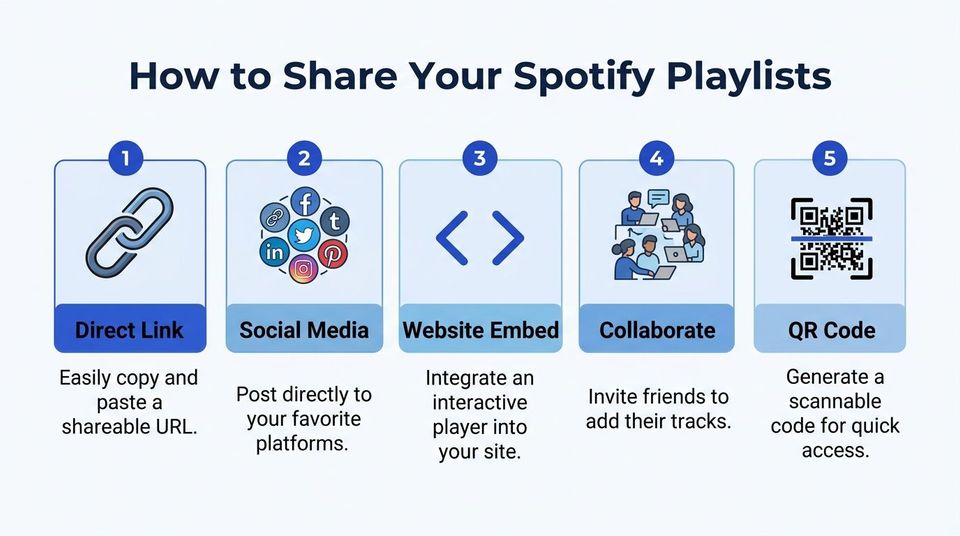
Copy link for bios, DMs, and track descriptions
This is the default method because it travels everywhere.
On mobile, open the playlist, tap the three-dot menu, hit Share, then choose Copy Link. On desktop or web, open the playlist, click the three-dot menu, and copy the link from the share options.
This method matters because the Copy Link route drives 70-80% of all playlist discoveries, based on Viberate’s guide to sharing Spotify playlists. The trade-off is just as important. Only 20-30% of clicks result in follows when the audience is mismatched, so don’t drop the same link everywhere and expect it to convert.
Use copy link when you’re placing the playlist in:
- SoundCloud descriptions – especially on premieres tied to the same style
- Artist handoff messages – so labels can repost the playlist with their own caption
- Instagram bio tools – where one clean click matters more than fancy formatting
If you want a simple outside reference on platform-specific sharing options, this guide on how to effectively share Spotify playlist is a useful companion.
After you’ve got the basics down, this short walkthrough can help newer team members follow the same process:
Use Spotify Codes at events and on printed material
Spotify Codes are better offline than most channel owners think. Open the playlist, go to the share menu, and pull up the code graphic. People can scan it in the Spotify app.
This matters for event promoters with channels. Put the code on a flyer, door poster, booth card, or aftermovie graphic. Viberate reports 40% higher in-person engagement for Spotify Codes versus standard links in event settings, in the same playlist sharing guide. That’s useful if your SoundCloud channel is tied to a club night or label showcase.
Don’t ask people in a venue to type a long URL. Give them a code they can scan before the next set starts.
Direct social share for fast artist co-promotion
Spotify also lets you share directly to social platforms from the app. This is the fastest option when a track just dropped and you need the artist to repost quickly.
It isn’t the most controlled method, but it’s fast. That speed matters on release day. If your client is active on Stories, status posts, or DMs, direct social share reduces friction.
Embed code for websites and press pages
Embed is useful when you run a label site, event landing page, or archive page for past premieres. On desktop, open the playlist, go to the share options, and copy the embed code.
Use embeds when you want the playlist to sit inside:
| Placement | Best use |
|---|---|
| Label website | Showcase current roster tracks |
| Event page | Warm up attendees before a show |
| Premiere archive | Keep older releases discoverable |
If you’re also managing artist-side Spotify pages, this guide to a Spotify for Artists account is a good adjacent read for team members who handle profile upkeep.
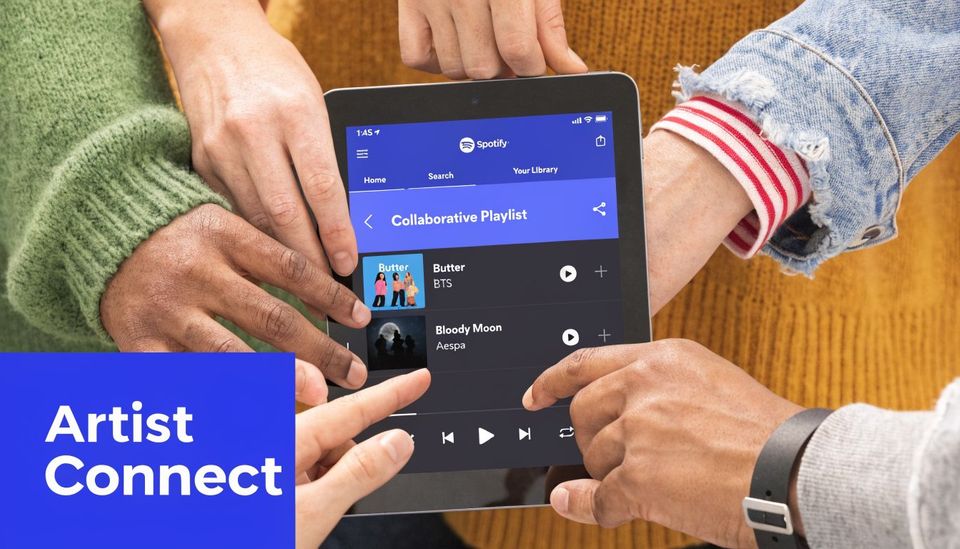
Use collaborative playlists for label and artist features
A standard playlist is useful. A collaborative one can turn a one-off client into a repeat partner.
The best use case is simple. You create a playlist around a label feature, a monthly premiere round-up, or a regional scene spotlight. Then you invite the featured artists or label team to add supporting tracks. Now everyone involved has a reason to share it.
Set it up with rules before you invite anyone
The setup is straightforward. Open the playlist, hit the three-dot menu, choose the collaboration option, and send the invite link to approved contributors. Keep the owner role on your side. That’s how you avoid losing control of the list.
The feature has real pull. Symphonic’s collaborative playlist guide says 65% of invited users contribute within 24 hours, and that can lead to 30-50% follower growth from the collaborator’s audience. The same source notes support for up to 100 collaborators and edit propagation latency under 200ms globally.
Those numbers are useful, but the operational point matters more. Collaboration works because every contributor brings their own audience into the share loop.
Keep curation tight or the playlist falls apart
Most collaborative playlists fail for boring reasons. The invite list is too broad. Nobody sets genre boundaries. One artist dumps unrelated tracks into the queue and the whole thing starts looking sloppy.
Use clear rules:
- Limit the brief – one label sound, one mood, or one campaign period
- Name an owner – one person approves removals and sequencing
- Set track limits – otherwise contributors treat it like personal storage
- Review after launch – especially in the first day, when many individuals contribute
Operator note: Collaboration only works if the playlist still sounds like your channel. If it turns random, nobody shares it twice.
For premiere channels, this is more than a feature. It’s a relationship tool. You aren’t just posting the client’s track and disappearing. You’re building an asset both sides can keep using.
Best practices for promoting your shared playlists
The playlist itself isn’t the strategy. The promotion loop around it is.
A lot of channel owners build a good list, share it once, then wonder why it stalls. The fix is usually boring. Better naming, better placement, better timing, and a stronger handoff to the client.
Build playlists around a clear job
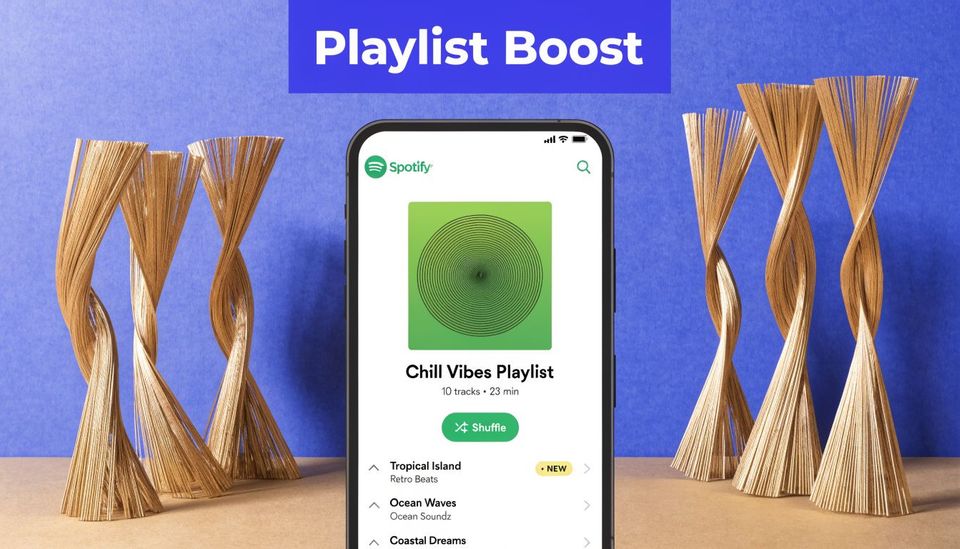
“Best tracks” is weak. “This week’s melodic techno premieres” is useful. Listeners need to know what problem the playlist solves before they click.
I see the strongest playlists fall into a few practical buckets:
- Weekly premieres – good for channels with frequent uploads
- Label spotlights – useful when one label sends multiple releases
- Mood or genre sets – stronger for discovery than mixed-format lists
- Event support playlists – best for promoters tying online and offline activity together
YouTube coverage of playlist analytics notes that artists on playlists with over 100,000 followers can reach a Playlist Reach to Followers ratio above 5:1. That doesn’t mean every channel will hit that scale. It does show why well-positioned playlists can amplify a release far beyond the artist’s own base.
Put the playlist where traffic already exists
A common miss is promoting the playlist only on Spotify-adjacent channels. That’s backwards. Put it where you’ve already earned attention.
One effective loop looks like this:
- Premiere goes live on SoundCloud
- Description includes the Spotify playlist
- Artist reposts both the track and the playlist
- Playlist points listeners back to your channel or release stack
- Exclusive download sits on SoundCloud side for fans who want more
That last step matters. If you’re offering a gated download, Spotify traffic can support your SoundCloud goals instead of pulling attention away from them.
Keep branding consistent across links and assets
A playlist cover should look related to your channel, label, or event brand. Not identical, but clearly part of the same operation. That consistency helps when an artist shares your playlist in a crowded feed.
If you’re trying to organize multiple assets in one profile link, these best link in bio tools are worth reviewing. They help when you need one page for a premiere link, playlist link, event page, and sign-up destination.
A playlist gets shared more often when the artist can understand it in one glance and repost it without rewriting your whole pitch.
For teams managing artist profiles alongside the campaign, this guide to a Spotify for Artists account can help keep the presentation side tidy.
Common problems when sharing playlists and how to fix them
Most Spotify sharing advice is too basic for people running real promo operations. It explains where the share button is. It doesn’t explain what to do when a campaign underperforms, a collaborator derails the playlist, or the cross-platform tracking gets muddy.
That gap is real. A review of the topic in this discussion of missing promoter-focused Spotify sharing guidance points out that most online guides ignore cross-platform promotion strategy, share analytics, and the link between Spotify sharing and SoundCloud premieres. That’s exactly where channel owners need the most help.
Fix weak performance before you blame the platform
If a playlist gets clicks but few follows, the issue usually isn’t Spotify. It’s the offer. The playlist name may be vague. The audience may be wrong. The tracks may feel too broad.
Check these first:
- Mismatch between title and content – if the playlist says peak-time techno and opens with mellow cuts, people bounce
- Bad placement – a playlist for existing fans performs differently from one aimed at discovery
- No artist handoff – if the client doesn’t share it, you lose their side of the audience
Protect your curation if multiple people touch the list
Collaborative playlists can drift fast. The fix isn’t banning collaboration. It’s setting boundaries early and pruning the list often.
Use a short operating rule with every invite:
Add tracks that fit the brief, don’t reorder the opening run, and message before making big changes.
That keeps the list useful without turning it into committee work.
Clean up broken links and stale embeds
Links can break in practical terms even when they still technically work. Old descriptions stay live. Team members paste the wrong playlist version. A web embed points to an archive list nobody updates anymore.
A simple maintenance habit works better than fancy tooling:
| Problem | Fix |
|---|---|
| Old playlist in SoundCloud description | Replace it during release-week checks |
| Wrong playlist shared by artist team | Send one approved link in the handoff email |
| Embed feels abandoned | Tie updates to your weekly release routine |
If you run volume, the lesson is blunt. Sharing playlists isn’t casual admin. It’s campaign maintenance. The channels that treat it seriously look more professional to labels and waste less effort on dead links, confused artists, and scattered promo assets.
If you’re tired of juggling premiere requests across email, DMs, spreadsheets, payment links, and manual SoundCloud uploads, Premierely gives channel owners one place to accept track submissions, collect payments through Stripe Connect, schedule uploads, automate SoundCloud posting, and use download gates for likes, reposts, comments, follows, or email collection. It’s built for channel owners who treat premieres and reposts as a business.