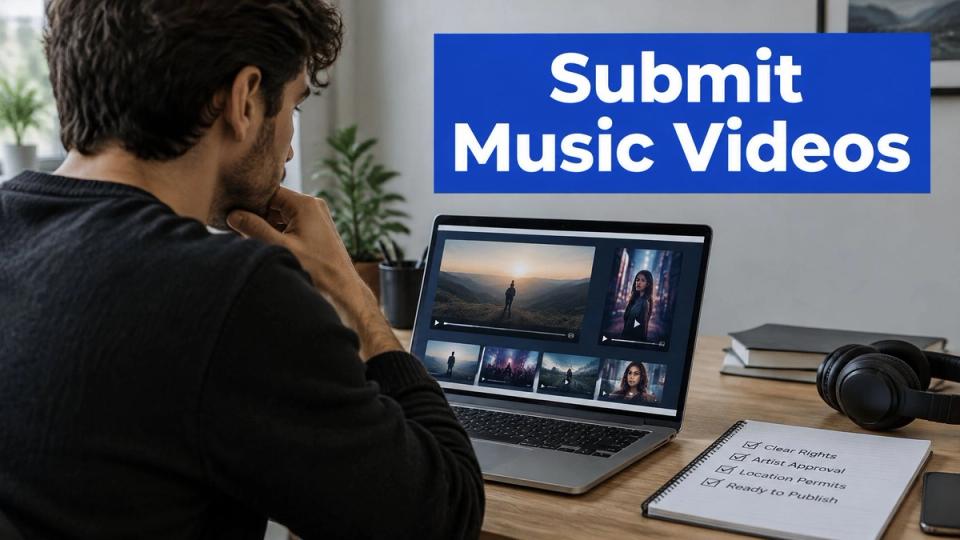
Say it's Friday and your queue holds six music videos, each sent in a different format. Only two are ready for the channels the artists booked. One has captions cut off by a vertical crop, another has no sample clearance, and a third arrives with a new edit after you've timed the captions.
When artists submit music videos, you need more than a playable file. You need a set of channel-ready cuts, clear permission to publish each one, and release details that don't change halfway through the booking.
Each channel needs its own cut and tracking link
Treat the destinations as separate releases with a shared source. A full YouTube video, an Instagram Story, and a SoundCloud premiere ask the audience to do different things, so they need different edits and measures of success.
Use these as your working delivery formats, rather than assuming every destination accepts the same export.
Channel formats, length rules and main risks
| Channel | Frame and size | Length or audio rule | Main risk |
|---|---|---|---|
| YouTube video | 16:9 landscape, 1920 x 1080 | Full track length, progressive MP4 | Rights claims can block, mute or monetize the video |
| YouTube Shorts | 9:16 vertical, 1080 x 1920 | Claimed Shorts of 1 to 3 minutes can be blocked | Trimming the full video doesn't remove claim restrictions |
| Instagram Story | 9:16 vertical, 1080 x 1920 | Keep the visual substantial, not just the audio | Full-length audio faces greater limits in other Instagram video contexts |
| TikTok post | 9:16 vertical, 1080 x 1920 | Confirm the current length limit before upload | A full official video often needs a new vertical edit |
| SoundCloud premiere | No video frame, square artwork | Audio only, plus artwork and formatted title | The full booking needs permission for the audio and any accompanying video elements |
Under YouTube's rights guidance, claimed Shorts between one and three minutes can be blocked when an active claim applies. Cutting a section from an approved full video doesn't make that Short safe to publish.
Instagram's music guidance says Stories have no limits on music use, while longer or full-length recorded tracks in other videos are more likely to be limited, muted or blocked. Keep the visuals substantial, and don't treat that Stories guidance as permission to use music you haven't cleared.
You build a working set from the master
Prepare three delivery versions as your starting set. Keep the full master for YouTube, make a vertical cut for Shorts, Stories and TikTok, and supply an audio-only premiere for SoundCloud.
The vertical version still needs a destination check. Move text away from interface controls, keep the performer in frame, and choose an opening that makes sense without the full video's intro.
Premierely fills your title and caption templates from form answers and renders destination formats at posting time, saving hand reformatting. Its automatic distribution workflow doesn't decide whether your cut suits the channel or whether you hold the rights.
Give each destination its own tracking link, and choose one main result for each placement before publication. Use native reporting for video views and follows, and tagged links for visits or actions on a release page. For coordinating the main upload, Social Media Scheduler offers a resource to plan YouTube releases ahead.
Ask three questions about every incoming file. Which channels is it for, does it fit that frame, and which rights documents are on file?
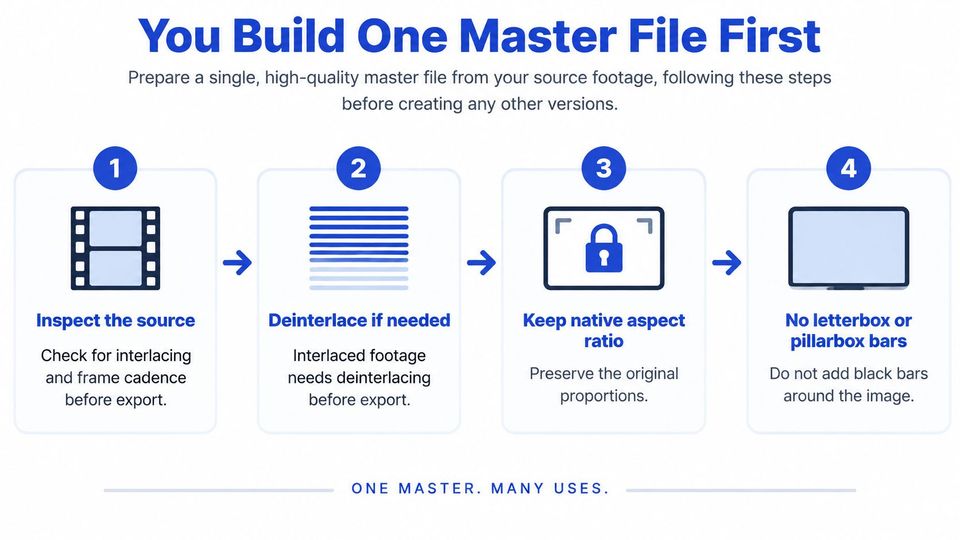
You build one master file first
A flawed master multiplies its own flaws. One sync offset, bad crop or stutter baked into the approved file gets copied into the YouTube upload, the vertical Short, the TikTok cut and every scheduled post that follows. Build every derivative from a checked master, and treat a compressed file forwarded through a message thread as a viewing reference, never the source.
You check the source before you export
Run each check against the original file before you export a single derivative.
- Inspect the original footage. Look for interlacing and uneven frame cadence during movement. Deinterlace an interlaced source before export so moving edges don't show comb-like lines.
- Preserve the native aspect ratio. Don't stretch the image or bake in letterbox or pillarbox bars. Bars added to a widescreen master waste picture area on phones and embedded players, and they become dead space you can't recover when you cut the vertical versions.
- Export a short test. About thirty seconds is a useful working sample if it covers fast motion, a dark shot and a clear vocal entrance. Approve that sample before committing to the full export.
- Use a repeatable encoding preset. YouTube's recommended upload settings specify progressive MP4 with H.264 High Profile, AAC-LC audio at 48 kHz, 4:2:0 chroma, a closed GOP, two consecutive B-frames and the moov atom at the beginning for Fast Start; reference video bitrates are approximately 8 Mbps for standard-frame-rate 1080p and 35–45 Mbps for 4K at standard frame rates. The same guidance accepts 24, 25, 30, 48, 50 and 60 fps, so match the recorded rate rather than adding a needless conversion.
- Check sound and movement together. Watch a clear mouth movement or drum hit and confirm the audio lands with the picture. Open the export in a separate player such as VLC so you test the file itself instead of trusting the editing timeline.
- Review the uploaded result. Wait for the intended resolution to finish processing, then watch the opening, transitions and ending. A clean local export doesn't excuse a broken upload.
You keep the approved master separate from working edits
Name the master clearly and keep it apart from review copies, with the filename itself carrying the approval status so nobody guesses which file is final. If you use a media library to manage social content with FoPost, keep approved exports in a distinct location from draft cuts so a colleague can't schedule the wrong version.
Use this video as a separate viewing reference while checking your production workflow.
A good master shows clean edges, steady audio and no stutter at the first frame. If the test fails, correct the source or the export settings before you cut anything else; resampling or padding a weak master only spreads the flaw into every channel-specific version that follows.
You clear the rights before you pitch
A clean upload isn't proof of clearance. A file can play without a warning while the submitter still lacks permission to authorize your channel, your territories or your planned edits.
Ask the central question before accepting the booking. Can this person authorize every use you intend to publish? A streaming link and a friendly message don't answer it.
Rights evidence for each element of a music video
| Element | Who approves | Evidence to send |
|---|---|---|
| Sound recording | Label or master owner for each territory | Signed licence or label letter naming the video and territories |
| Composition | Publisher or songwriters | Split sheet identifying owners, plus publishing approval where needed |
| Samples and interpolations | Each relevant rights holder | Written clearance for each sampled or interpolated piece |
| Featured performers | Each featured artist | Written consent to appear and be published |
| Footage and stock clips | Rights owner or authorized licensor | Licence showing online use and territories |
| Artwork and brand appearances | Artist, designer or brand where permission is needed | Permission or release form covering the planned use |
A split sheet helps identify composition owners; it doesn't automatically grant publication rights. Read the scope of each document rather than treating the presence of an attachment as a pass.
You check the scope of each permission
Say a producer submits a remix with a sampled vocal and licensed stock footage. The sample clearance and the footage licence are separate documents, and neither replaces permission for the remix itself.
Check whether the documents cover your channel, the planned territories and the promotional cuts. A licence for the full video may need closer review before you extract a new clip or pair the audio with different visuals.
SoundCloud's terms require uploaders to own the needed rights or have permission, including for private uploads. Buying or downloading a recording doesn't grant publication rights, and credit or a non-commercial label doesn't replace consent.
A rights check passes when the documents cover the intended use, not when the artist says the track is theirs.
SoundCloud's copyright guidance explains that automated matching checks audio rather than the upload's title or description. Renaming a track won't protect it from a match, and a later database addition can affect an earlier upload.
Use a music copyright checking workflow to organize those questions, but keep the actual permissions with the booking. Request missing documents when the submission arrives and store them with the request before approval.
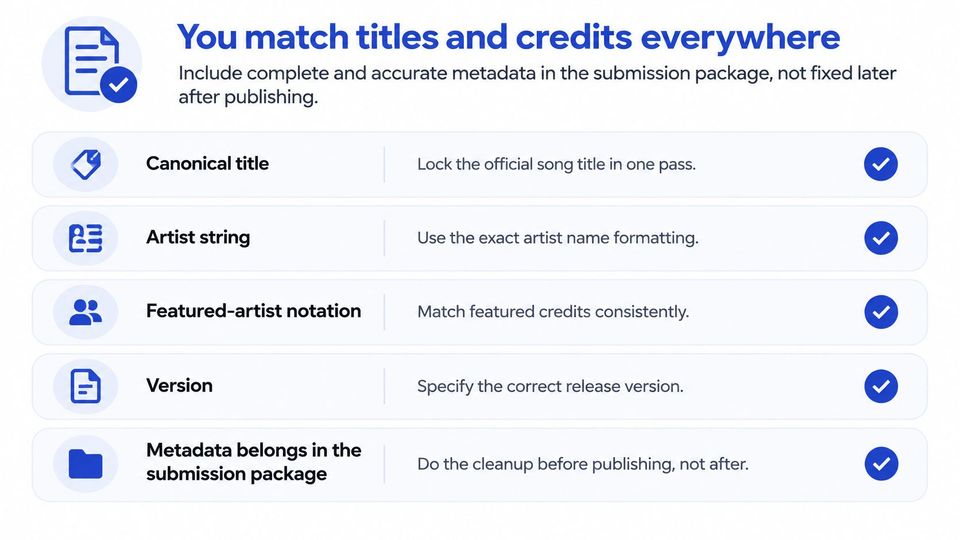
You match titles and credits everywhere
Metadata belongs in the submission package. If the artist name changes between the request, rights letter and upload form, you have to stop and resolve which version is correct.
Use this checklist when you lock the release details. The music metadata guidance supports treating titles, credits and release details as controlled delivery information rather than casual promotional copy.
- Canonical title and artist string. Copy the approved spelling and punctuation into every destination. Some distributors display music exactly as delivered, so a typo can follow the release.
- Featured-artist notation. Agree on the credit once and check it against the rights documents. Don't drop a featured performer to shorten a title.
- Version label. Choose official video, visualizer or remix according to the asset. Keep that label consistent between the file and the booking form.
- Description text. Lock the release facts, credits and destination-specific call to action. Leave room for each channel's own tracking link.
- Artwork and territories. Confirm the approved image and publication scope together. A global posting schedule shouldn't rely on permission limited to one market.
You apply one title convention to every booking
Set a house pattern such as Premiere - Artist - Track [CATALOG ID] and use it consistently. Keep the underlying artist and track fields separate so you can change channel formatting without changing the release's identity.
Keep the field checklist beside the booking form.
Supply captions as a separate, timed file checked against the locked picture. Embedded text doesn't replace caption delivery, and changing the edit after timing captions creates avoidable rework.
Use the audio metadata tool when preparing audio details, then retain the exact submitted package for later checks. Have the request form collect the locked fields up front; after approval, the booker uploads the audio, artwork and details themselves.
You approve only when the package passes five checks
Your decision rule should be plain enough for another curator to apply. Approve a request when the evidence is complete; reject it when a required item is missing, even if the track suits your series.
The booker finds your public storefront, chooses a premiere or repost, and sends the request with release information. Review the locked fields and rights documents before approval, while keeping the final audio, artwork and press-text upload in the post-approval stage.
You separate review evidence from delivery uploads
You still need enough material to assess the proposed publication. Ask for a review link, format details, caption confirmation and rights evidence without treating that review material as the final delivery upload.
Run these checks in your request queue.
- Rights evidence is complete. Each relevant element has permission covering the planned use and territories.
- The proposed files fit the destinations. The master and planned cuts match the channels booked.
- Titles and credits agree. The request uses the locked artist, track and version fields.
- Captions match the edit. The booker confirms that the caption file follows the final picture.
- Tracking is assigned. Each destination has its own link and a defined result to measure.
Approval rule: Don't use a booked date as a reason to overlook missing evidence.
If a check fails, name the exact problem in the rejection note. Ask for the stock-footage licence or corrected caption file, rather than saying the submission is incomplete.
In our booking workflow, you approve or reject requests from one queue, and approval schedules the premiere or repost for publication. Publishing to several connected channels from that approval is a Pro feature; the scheduling calendar prevents double bookings, but neither function replaces editorial or rights review.
On the next request, resolve the missing evidence before you release the slot.
Your common submission questions get direct answers
Does a free booking need the same checks?
Yes. The price doesn't change who owns the recording, whether the captions fit or whether the edit works on a phone. A free booking needs the same review for every connected destination included in that booking.
Don't create a weaker approval route for unpaid placements. You still publish under your channel's name.
What happens if a document is missing at approval?
Reject the request and identify the missing document. The booker sends it before you review again.
Be precise about the gap. Asking for written sample permission covering the planned territories gives the booker a clear next action.
Can one master file serve every channel?
Use it as the source for the full YouTube video and the SoundCloud audio delivery. Vertical destinations need their own cut, and you must check permission for each planned use.
Don't assume an automatic crop preserves the story. Watch the actual vertical output before it enters the posting schedule.
How do you know which channel earned the results?
Set one success metric per channel before publication and give each destination a separate tracking link. Read native viewing and follow activity alongside the tracked visits, rather than treating every click as a new fan.
Keep the takeaway practical. Clear the rights and formats before approval so you don't spend release day repairing a booking that wasn't ready.
Premierely is a booking system for music curators, with paid or free bookings, one review queue and scheduled publication after approval. Visit it to set up your booking workflow, then make rights evidence and channel-ready formats part of your next submission review.