You are halfway through the week, and the same track is sitting in three places. One artist is in your DMs, a label manager is in email, and a spreadsheet says the Friday slot is open while your calendar says it is taken. You spend the evening matching files to names instead of listening.
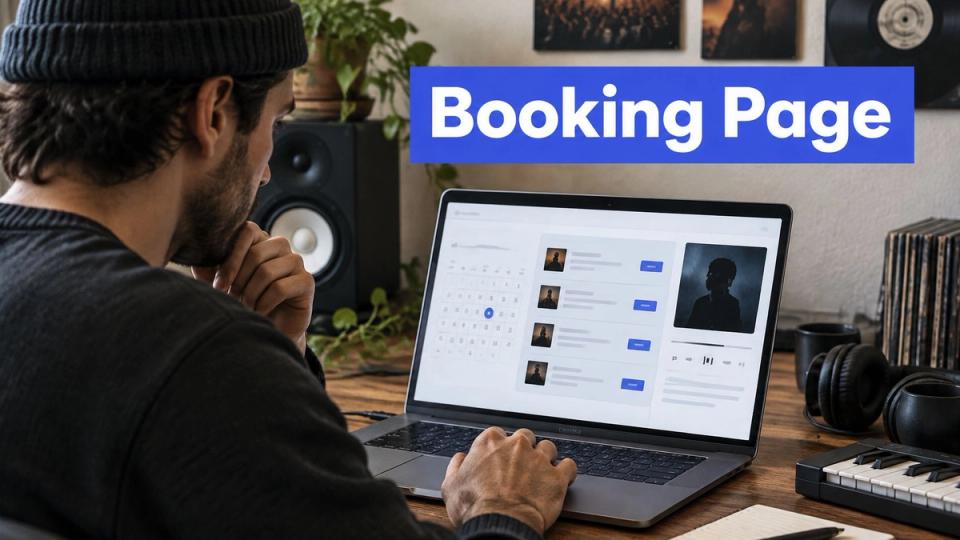
A booking page template stops that chase. It is an approval queue, not a brand page. The booker sees what you sell, what it costs, what to send, and which dates are open. You see one request, and you approve it or reject it.
Your booking page answers questions in a set order
A booker does not read your page the way you built it in your head. They ask six questions, in order, and they leave if the next answer is missing. Put the page in that same order.
| Block | Question it answers | What to show |
|---|---|---|
| Intro | Who runs this channel? | Your name, channel names, and the genres you cover |
| Services and prices | What can I buy, and what does it cost? | Each service with its price, or a free label |
| Requirements | What do I need to send? | File types, links, and text the booker must supply |
| Calendar | When can my release go out? | Open dates the booker can pick |
| Policy summary | What happens if something goes wrong? | Rejection, cancellation, and reschedule rules in plain words |
| Submit button | What do I do now? | One clear action, such as Book this premiere |
The calendar does the most work. The booker picks a free date on your calendar, and that pick blocks a double booking before you open the request. They pay on the storefront before anything is scheduled, so a paid slot is not a promise you still have to chase in chat.
Practical rule: If the first screen does not show the offer, the price, and the files, move those blocks up. A booker who only reads that screen should already know what to buy.
Before you publish, open the page on a phone and cover everything below the first screen. If you cannot answer those three questions from what is left, the page is not ready. If you are still choosing where the page lives, compare website builders for coaching businesses and pick the one that lets you put a form, a price, and a calendar on one page without a second tool.
The submit button is one action. "Book this premiere" beats "Submit" because the booker knows what happens next.
Your services list shows each price and destination
Do not sell "promotion" as one vague line. A premiere, a repost, a story, a YouTube video, and a TikTok post go to different places and need different files. Each row names the destination, the files, and the price.
| Service | Where it publishes | What the booker sends | Price |
|---|---|---|---|
| Premiere | SoundCloud audio | Audio file, artwork, title, press text, release link | Your price, or free |
| Repost | SoundCloud | Release title, music streaming link, short message | Your price, or free |
| Instagram story | Instagram vertical Story | Vertical visual, link, short message | Your price, or free |
| YouTube video | YouTube landscape video and vertical Short | Video file or link, title, description | Your price, or free |
| TikTok post | TikTok vertical video | Vertical video, caption | Your price, or free |
The artist picks the service and pays on your booking page, so the details arrive with the request instead of in a second email. Under each price, add one line that says what they get, such as one SoundCloud slot on the date they pick.
SoundCloud's promotion guide says to start promotion two to four weeks before release and to turn one track into Reels, TikToks, and Shorts. That is why you collect one release record once: artist, track, release date, artwork, press text, and destination link. You reuse that record on every row. Keep a separate publish date for each service, because a story and a full premiere often need different days.
You approve the request before you build channel-specific posts. After approval, you adapt the same record instead of asking for the brief again. If you are setting those prices for the first time, read how curators charge for SoundCloud premieres and then delete any service you cannot deliver this month.
Your form asks only for what you need to publish
Split the form into two stages. You should never receive a full audio pack for a request you are going to decline.
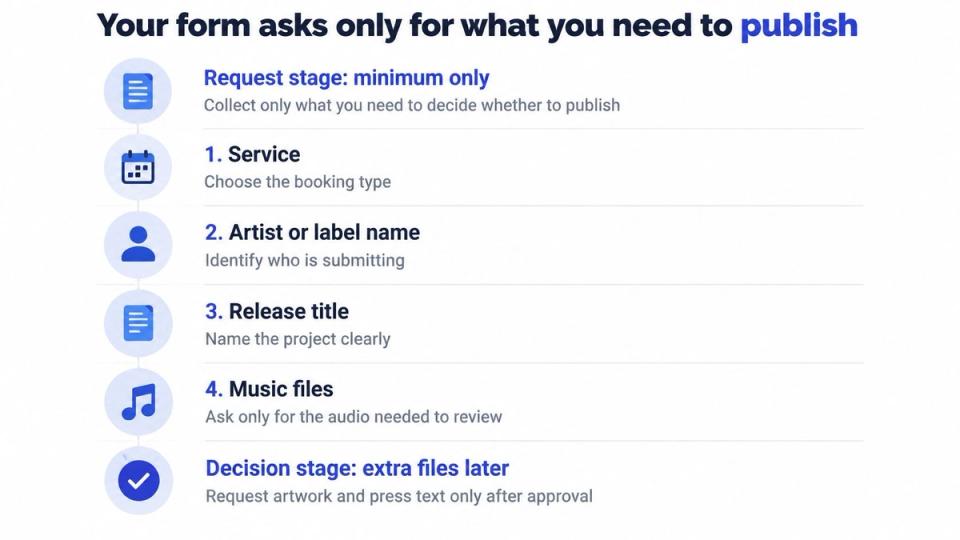
The request stage is the minimum you need to decide.
- Service. They pick premiere, repost, story, YouTube, or TikTok so later fields match that choice.
- Artist or label name. You know who is asking.
- Release title. You can tell two tracks apart in the queue.
- Music streaming link. You can hear the record without a file upload.
- Short message. They say why this date fits your channel.
- Preferred dates. You see the slot before you commit.
- Contact email. You can reply if the request is incomplete.
You approve or reject from that queue. Only after you approve does the booker upload the rest.
- Audio file. You need the master only if you are publishing it.
- Artwork. The channel needs a cover that matches its crop.
- Press text. You paste this into the description instead of rewriting from a DM.
- Timezone. A premiere set in the wrong zone is hard to pull back after it goes live.
Show only the fields that match the service. A repost booker never sees an audio upload. Next to each upload, write the file type and the size limit in plain words, and set those limits to what the channel accepts.
Baymard's 2024 checkout benchmark found an average of 11.3 form fields across 5.1 steps, and 17% of users abandoned because checkout was too complex. A short request, then assets, then payment, stays under that load. Take payment at the moment your policy names, either at request or at approval, and say which one on the page.
Name fields so a browser can fill them. If a field fails, keep what they typed, name the bad field in text, and let them fix it. WCAG 2.2 asks for labels on inputs and a text description of each error. The artist books on your link, picks the promotions you sell, and sends the title, streaming link, and short message. After you approve, they upload the audio, artwork, and details themselves. A tighter intake is also how you manage SoundCloud submissions without a second inbox.
Bookers finish the form faster when it fits a phone
Many artists send the request the hour the master lands, and they do it from a phone in a studio or a car.
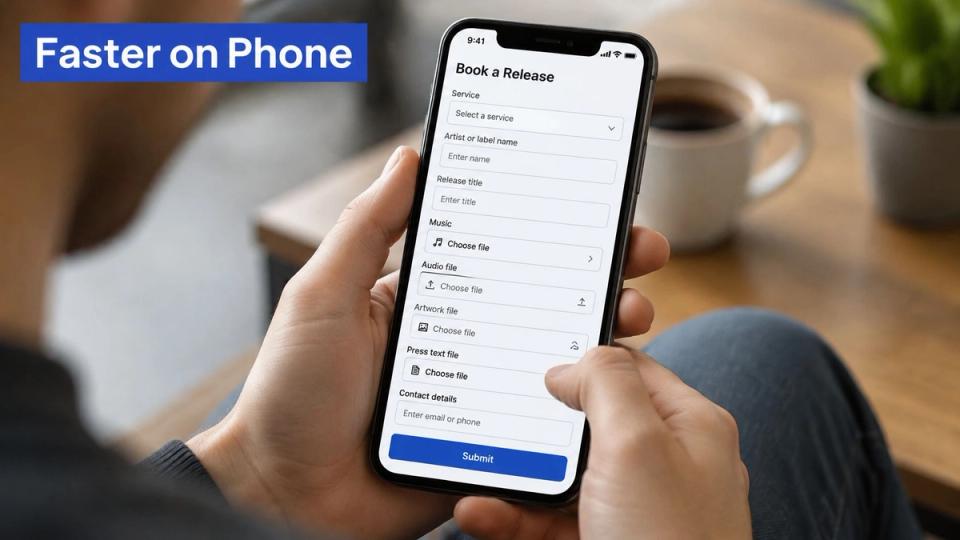
Baymard's mobile research reports that mobile users are five times more likely to abandon a task when a site is not built for a phone. The same benchmarks put average form completion at 51.7%, with 45% of people who view a form and 66% of people who start one finishing it. Those gaps are where your requests die.
A phone layout keeps the next tap obvious
Use one column and one field per row. Make the tap targets large enough for a thumb. Name each field so the phone can autofill the email and the artist name.
Upload fields need a progress bar and a retry button. Large audio and artwork fail on slow connections, and a silent failure looks like a broken page. When an error shows, name the exact field in text, keep every answer they already typed, and give a way to correct it. Do not make them start over. Do not use color alone to mark the error.
The keyboard path should follow the same order as the screen. Put a keyboard-friendly date control next to the visual calendar so someone who cannot use the grid can still pick a day. A slow page loses the same people, so speed up your landing pages before you blame the offer.
End the form with a summary of the service, the price, and the files. After they submit, the confirmation shows the approval status, so they know the request is waiting and not lost.
Watch one full submit on a phone before you share the link. If you have to pinch to hit a field, the form is not done.
Your policy says who pays when a premiere falls through
The question bookers ask most is simple. What happens to my money and my slot if the premiere does not go out?
Most pages list the files and stay silent on that question. Silence turns into email. Split two cases on day one. You reject a request because it does not fit the channel. Or the booker cancels, moves the date, or sends files you cannot use. Those are not the same event, and they should not share one refund line.
Zenoti's 2025 benchmark reports an 8% cancellation rate and a 3% no-show rate for salons. Those are not music numbers. They still show that missed bookings are common enough to write down before the first paid request.
Say when you take payment, at request or at approval. Set a cutoff for moving a release date. State what happens when audio or artwork is unusable.
| Situation | Outcome to state | Trigger |
|---|---|---|
| You reject the request | Full refund, or no charge if payment was not taken | You click reject in the queue |
| Booker cancels before approval | Full refund | Booker cancels before you approve |
| Booker moves the release date | Reschedule to an open date, or refund | Booker asks before your cutoff date |
| Assets are missing at the deadline | Slot released, no refund after the cutoff | Your asset deadline passes |
| Publish time is missed on your side | Reschedule or full refund | Post does not go live at the set time |
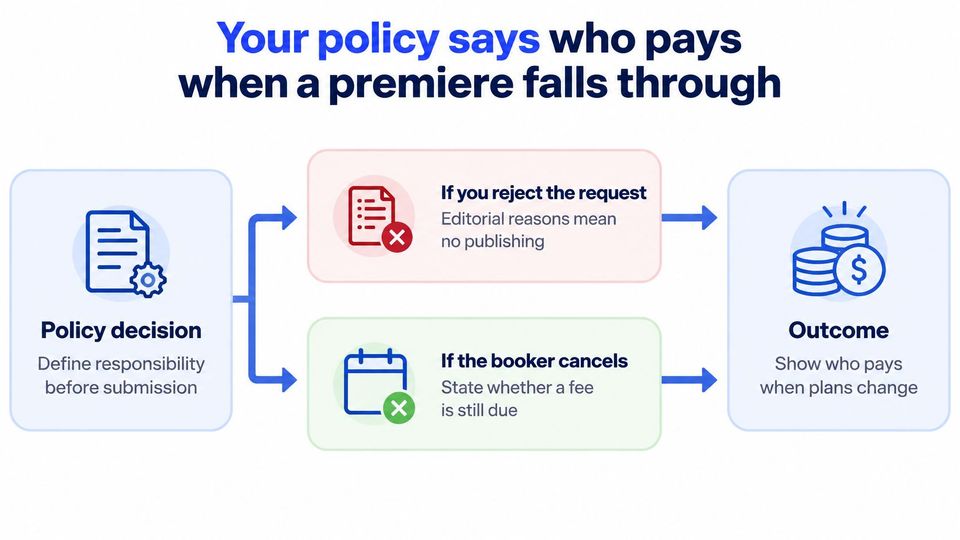
Name each outcome in plain words: refund, reschedule, or slot released. Tie it to the trigger that starts it. After you approve, the booker supplies the assets, and the booking system schedules and publishes the premiere or repost at the set time. Put this summary above the pay button so they agree to it before they pay.
Bookers ask four questions after launch, so answer them now
Put these answers in short paragraphs under the form. Use the same plain words as the rest of the page.
Should prices show on the page
Yes. A hidden price means the booker writes you to ask, and that message is the work you are trying to remove. Show the number, or the word free, on the service row.
Can you change services after bookings start
Yes, but an approved booking keeps the terms you approved. Change the price and the file rules for new requests. Leave approved bookings on the old terms so you do not reopen a paid slot.
Do you need a separate page for each channel
No. One page lists every service. Each service carries its own destination, its own files, and its own date. A second page only gives you a second place for the calendar to drift.
What if no one books for a month
Check the first screen first. A missing price or an unclear service is the usual cause. Then shorten the request stage and look at the field where people stop. Fix that field before you add a new offer.
You publish one page this week and test it first
Publish one page this week with the services you already run. Do not wait for a perfect design.
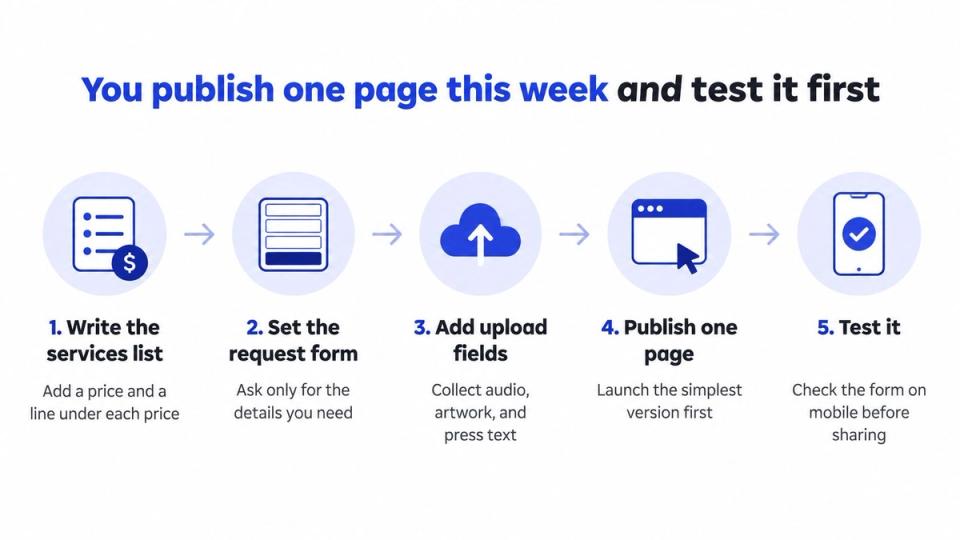
- Write the services list. Put a price on each row and one line under the price that says what the booker gets.
- Set the request fields and the file rules. Ask for the seven decision fields first, and show uploads only after you approve.
- Write the policy summary from the outcomes table. A booker should see refund, reschedule, and slot released before they pay.
- Test on a phone, on a slow connection, and with the keyboard only. Follow the same order as the screen. The University of Washington asks for accurate labels, a logical tab order, and feedback a screen reader can announce.
- Submit one test booking yourself and approve it. Confirm the date blocks, the payment moment matches your policy, and the confirmation shows a waiting status.
- Check speed before you share the link. Google's Core Web Vitals guidance sets the 75th percentile targets at Largest Contentful Paint within 2.5 seconds, Interaction to Next Paint below 200 milliseconds, and Cumulative Layout Shift no higher than 0.1.
After launch, track field-level abandonment, upload failure rate, payment retry rate, and time to confirmation. Fix the step where bookers stop. A page that is fine on your desktop can fail when an artist uploads a large file on a weak connection, so reserve space for the upload, show progress, and keep the layout still when prices and errors appear.
Premierely is free to start, with a shareable premiere and repost form, a booking calendar, repost automation, and Stripe payments, so you can run this test before you pay for more. If you want a wider look at how a public page fits a weekly premiere habit, see this note on a booking page outlook.
A booking page template works when a booker can see the price, know what to send, and submit without writing you a message.
Premierely is a booking system where artists pick a premiere or repost on your public page, pay if you charge, and wait for your approval before they upload audio, artwork, and press text. One approval can schedule the post and send it to the channels you connected, which is the queue this template is built around. Open Premierely and put your current services on one page this week.