You've sent forty emails. The few replies are polite, but none of those labels has released anything close to your track. On the other side of the inbox, a curator is trying to hear new music while chasing a missing master and checking who cleared a vocal.
A music label submission needs to work for both people. The artist needs a fair listen. The person reviewing it needs a playable track, a clear reason to care, and enough information to decide what happens next.
Pick labels whose catalog already fits your track
Start with the label's releases, not its follower count. Pull its last ten to fifteen releases as a working sample and listen beyond the biggest track. You're checking what the team chooses often, not what it tried once.
Mark yes or no against genre, tempo range, production style, and audience overlap. Does your track belong beside those releases? Would the same DJ play it, or would the same channel audience stay for it?
You drop labels that need too much explanation
Drop a target when it fails on two or more of those checks. That's a practical sorting rule, not a prediction of acceptance. A careful send gives you a stronger case than a long list of weak matches.
Use a list of indie record labels to find candidates, then check each label's current catalog and submission page yourself. An old directory entry doesn't tell you whether the team still accepts demos.

Send your strongest finished, mastered track by default. A batch only helps when the label asks for range; otherwise, you make the listener choose which file deserves attention.
The Music24 submission guide treats the first 30–60 seconds as a practical screening window, so your opening needs to establish quality and identity. That doesn't mean adding a false drop. It means removing accidental silence, export errors, and anything you already know needs fixing.
A convincing fit line names a musical connection, not your admiration for the label.
Finish with five to ten targets. Beside each name, write why your track fits and copy the submission route the label names.
Every label submission needs a complete package
| Item | What to include | Format or spec | Why the label needs it |
|---|---|---|---|
| Audio master | Finished, mastered version of the track | WAV at 16-bit/44.1 kHz or 24-bit; MP3 at 320 kbps only as backup | Playback check and ingest |
| Private streaming link | Link that plays without login | Private link, tested in a logged-out window | Listening without download barriers |
| Track title and version | Exact title and mix name | Plain text, no emojis or extra tags | Catalog and metadata match |
| Artist name | Stage name as it will appear on platforms | Same spelling in every document | Avoids duplicate artist records |
| ISRC | Unique recording code | 12 characters | Required to enable monetization on SoundCloud |
| Credits | Songwriter, producer and publisher names | Full names; ISWC if known | Publishing and royalty accounting |
| Genre, BPM and key | Short genre tag and musical details | BPM as a whole number, key in standard notation | Playlist and catalog fit |
| Explicit flag | Whether the track contains explicit content | Yes or no | Platform compliance |
| Cover art | Square artwork you own or control | At least 3000 x 3000 px | Display on platforms and posts |
| Artist bio | Short description of the artist | Two to three sentences, under 100 words | Press and profile use |
| Contact details | Who replies and how | One named person with email | Clear reply path |
| Rights statement | Who controls the recording and publishing | One sentence, plus any exclusive deal | Clearance and claim checks |
| Filenames | Name each file clearly | Artist - Title - Version.wav | Ingest into label systems |
Treat these as working delivery specs, not proof that every label wants every asset at first contact. Keep the package ready, but send only what the intake asks for. A curator reviewing a short request shouldn't have to store files for music they reject.
You settle credits before delivery
The SoundCloud Premier monetization FAQ identifies the ISRC, title, artist, songwriter, producer and explicit tag, along with artwork you own or control, as release information needed for its program. It also calls for accurate publishing details and an ISWC when available.
Don't guess a missing code or substitute an artist's stage name for a songwriter's credit. Mark what's pending and name the person responsible for resolving it. That gives the label a clear task instead of an unexplained blank.
An ISRC identifies a recording. Keep the code attached to the correct version so the team doesn't confuse a radio edit with an extended mix.
You keep the files ready without flooding the inbox
Use the guide to audio file formats if you're choosing between a delivery master and a listening copy. Converting a compressed file to WAV doesn't restore missing audio detail; export from your production session or mastering source.
Keep the streaming link separate from the delivery folder. The listener should press play without sorting through artwork, alternate mixes, and press documents.
Name the final audio Artist - Title - Version.wav. Clean filenames let the release manager match the file to the credits without opening an email thread to work out which “final” you mean.
Labels check rights and AI disclosure first
Can you give the label permission to do what you're asking it to do? That's the first clearance question. Name the master owner and the publishing owners, then identify samples, interpolations, and any permissions still pending.
A distributor relationship doesn't automatically mean someone else owns the master. Likewise, a Content ID claim isn't proof of ownership by itself. Explain the agreement behind any restriction instead of pasting a dashboard screenshot and expecting the curator to interpret it.
You separate promotional permission from ownership
For Content ID reference use, YouTube's eligibility rules require exclusive rights in the territories claimed and exclude material licensed without exclusivity. A channel's permission to post a premiere therefore doesn't give it permission to claim the recording as its own.
Use a music copyright checker as a starting check, not a replacement for licenses and signed permissions. For help understanding the income attached to those rights, Coto & Waddington, Attorneys at Law explains how to claim music royalties.
You describe AI use by contribution
The Association for Electronic Music's discussion of metadata and AI frameworks identifies AI metadata as an emerging standards problem. Give the label specific information rather than making it infer how you made the track.
Keep the relevant evidence ready:
- Tools and inputs: Save prompts, tool logs, license terms, and evidence about permitted source material.
- People and consent: Keep voice or likeness permissions and notes on human writing, performance, and edits.
- Affected parts: Identify generated or altered vocals, instruments, lyrics, mastering, and artwork.
Put a short disclosure near the music link. For example, explain that you generated a backing vocal while writing the lyrics and arrangement yourself.
Precise disclosure gives the label something it can assess. A vague claim that everything is cleared doesn't show what was checked.
How to send your submission step by step
Use the label's intake route to keep your request with the team that reviews it. Sending a demo to a public press address can leave it with someone who doesn't handle music.
Keep the preparation order visible while you work.
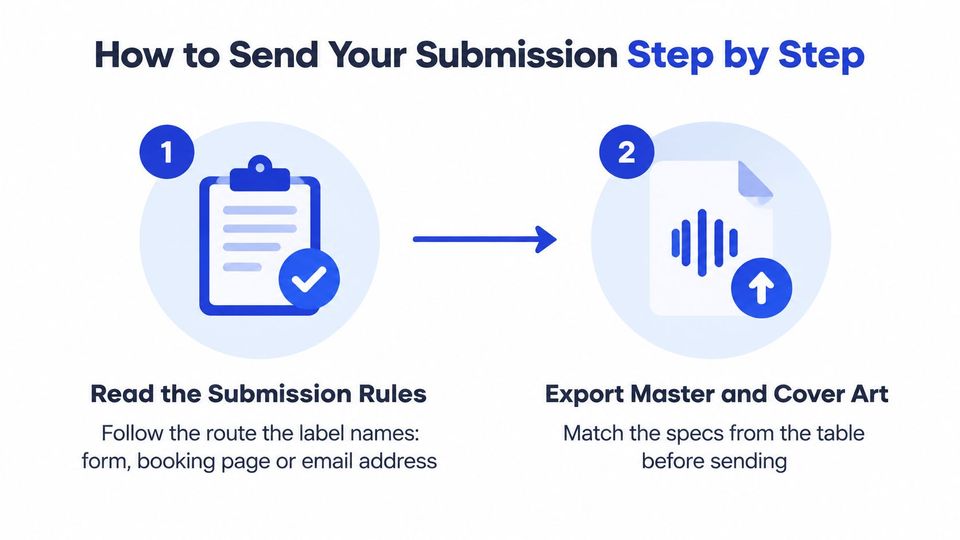
- Read the submission rules. Use the named form, booking page, or email address, and check whether submissions are open. A social message to another team member doesn't replace the official route.
- Export and name the assets. Prepare the master and cover art to the delivery specs, then remove draft filenames. Sending the wrong version creates doubt about which recording the label is reviewing.
- Test the listening link. Open it in a private browser window where you aren't signed in, and press play. Check that you haven't shared an owner-only page or a link that expires before review.
- Write a useful subject and opening. Put the artist, title, and genre in the subject unless the label gives another format. Open with a specific musical connection to a recent release, rather than a paragraph of praise.
- Keep the body short. Include the listening link, brief bio, cover link if requested, contact, and rights line. Leave large attachments out unless the label explicitly asks for them.
- Log what leaves your inbox. Record the label, send date, version, route, and review policy in a sheet or task board. Without that record, you risk following up on a track you've already replaced.
- Wait for the stated review window. Don't send a revised mix, a new subject line, and a social message while the original request is still pending. Those extra sends create duplicate work without improving the track.
You keep premiere bookings separate from signing pitches
A premiere booking buys or requests a promotional service. It doesn't ask the curator to sign the master, and payment doesn't turn it into a record deal.
When a channel uses a booking link, you choose the promotions it offers and send the release title, streaming link, and short message. For a paid service, you pay on the channel's own booking page, so the request details don't arrive across separate emails.
Premierely is a booking system that supports this route. You submit the short request first; full asset collection follows approval rather than creating file storage work for rejected music.
Use the video alongside your own submission checklist, while keeping the label's published rules as the deciding instructions.
What to do when a label goes silent
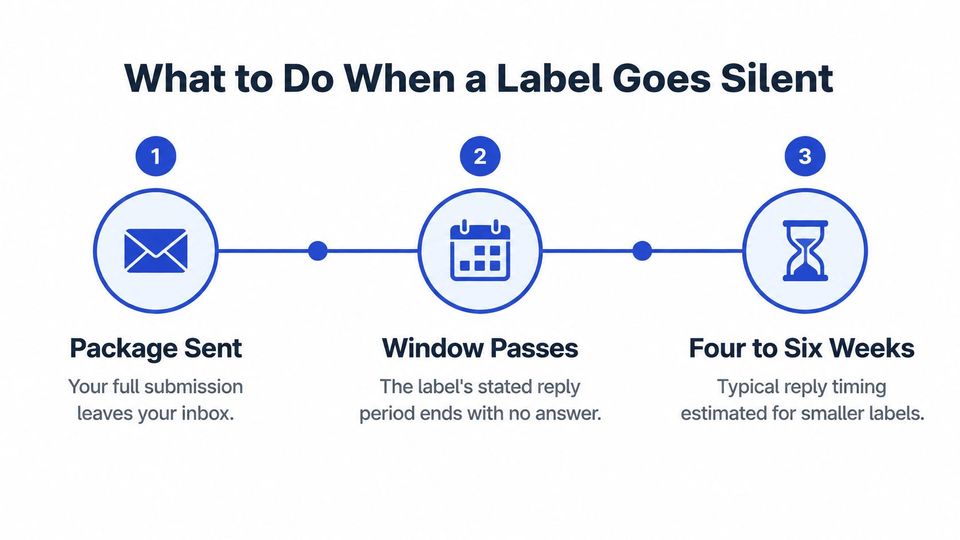
A quiet inbox usually means your package is sitting in a queue. Small A&R teams process demos between release schedules and existing signings, so a complete package can wait weeks untouched while a broken link or a missing rights line gets dropped without anyone noticing. Silence tells you nothing until you check the mechanics first.
The DropTrack guide to demo submissions estimates response windows of 4–6 weeks for smaller labels and 8–12 weeks for majors. The label's own review policy takes priority over any general timeline.
Use that window to time your follow-up. It says nothing about whether anyone has pressed play.
You check delivery before asking for a decision
On send day, save the form confirmation or sent message. Over the following days, play the link yourself in a logged-out browser and watch for a bounce or receipt, without sending another pitch. A dead link is an operational failure you can fix. An unanswered queue is not.
Once the stated window passes, send one short follow-up with the track link. Ask whether the track remains under consideration. That question gives a busy reviewer a one-line reply, while asking why nobody answered asks them to justify their workload.
| Situation | What it usually means | Your next move |
|---|---|---|
| No reply after the stated review window | Volume and workflow limits may delay review | Send one short follow-up with a working link |
| Link opens a login page or an error | Operational failure, not a judgment | Fix the link and resend once with a short note |
| Only an automatic reply with no name | The form arrived; review isn't confirmed | If receipt remains unclear, ask in one line whether the package arrived |
| Label has changed its demo policy | Submission rules have shifted | Read the new rules before sending anything else |
| Track is signed or released elsewhere | A rights or availability conflict may exist | Withdraw politely; offer it elsewhere only if your agreement and release status permit |
| Clear rejection with or without feedback | Editorial fit, not necessarily a package fault | Log the result and move to the next shortlisted label |
Limit yourself to one follow-up. If the track's availability changes, send a withdrawal instead of leaving an outdated offer open.
Answer the questions artists ask before sending
Can I send one track to several labels at once?
Yes, if their rules allow simultaneous submissions and you haven't promised exclusivity elsewhere. Say that the track is being considered by other labels, and update everyone promptly when you accept an offer. That prevents a reviewer from working toward a deal you can no longer discuss.
Do I need a full press kit?
No, unless the label asks for one. Prepare a short bio, cover art, a clear press line, and the listening link, then send the parts its intake requests. A long press kit gives the reviewer more material to sort without necessarily helping them judge the music.
You match file access to the task
Should I send a WAV or an MP3?
Keep the WAV master ready for delivery, but lead with the private stream when the label wants a demo link. Offer an MP3 when it asks for a lighter listening file. You preserve the delivery master without making someone download it just to hear the track.
What if a label asks for stems or unreleased project files?
Ask for the purpose in writing and confirm who receives the files before uploading them. Check whether you can share each sample, vocal, and other contributor's work in that form. Stems may serve a remix or technical check, while a full project can expose licensed source material that you aren't free to pass on.
Share the materials needed for the agreed task, and keep a record of what you supplied.
A request for deeper access deserves a clear answer about use. You can remain helpful without sending your entire working folder before the team explains what it needs.
Send your first package to three labels this week
Choose the three labels where your fit sentence is easiest to write, and send the packages by Friday this week. Use the same approved master, but tailor the opening to each catalog. Don't add weak targets just to make the list longer.
Set a follow-up date from each label's stated window. Where no window exists, choose a conservative reminder rather than treating silence as a promised decision date.
You give each request a next action
A shared calendar or task board is enough to track sends, replies, and withdrawals. If your team needs a clearer view of who handles each release, use Tuff's guide to compare free project scheduling tools before adding another paid tool.
For a curator's booking request, keep the first message focused on the title, listening link, and reason for the placement. After approval, the booker uploads the audio, artwork, and release details themselves.
A music label submission is a clean package sent to a label that fits, and your job is to make the reply easy to give.
If you run a premiere series, Premierely gives you a booking system for reviewing requests and collecting assets after approval. One approval publishes the premiere to every connected channel you run on Pro, so visit the site if you want to spend less time moving approved releases between inboxes and upload screens.